Failed 104 Failed 112

I have had my spartan camera for one season. I have had heck trying to get it back up and running this season. I continually get the failed 112 or failed 104 message when trying to send a test pic.
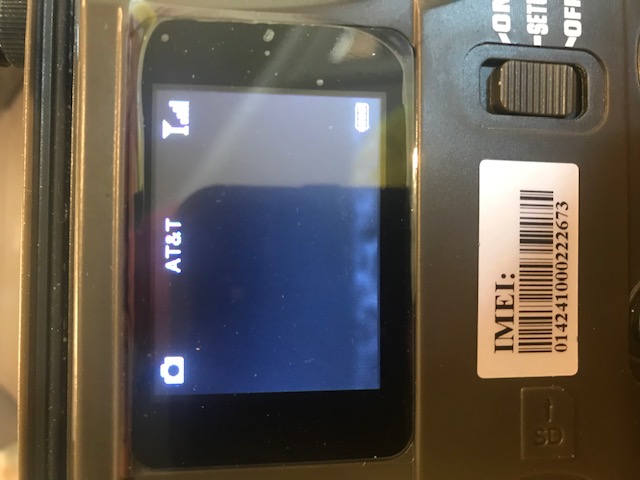
I have an ATT camera and an ATT SIM card that I recently renewed through ATT buyasession website (which is how I set it up last year). I bought 12 months of service for $75, and my camera now shows full bars and service.
What can I do to get this camera up and running?????
-

If the Hello test fails, that means that the camera is not connected to the network. Until you can get the camera to pass the Hello test, it's not going to send a test pic.
I know this sounds stupid, but please double-check your AT&T BAS account to be absolutely, positively sure that the camera has an active data plan. I've seen times when the transaction wasn't completed or when a plan went to a different camera than the one it was purchased for (which probably can't happen in your case because it doesn't sound like you have more than one camera).Clean the contacts on the SIM, either by rubbing them with a pencil eraser or rubbing them against your jeans.
Check the antenna to be sure that it's snug but not too snug.
Are you using a name brand standard-sized (not microSD in adapter) SD card, 32 G or lower capacity, class 10 (not 4 or 6), preferably with 80 ms write speed? Did you format it in the camera?
For the firmware, go to this page to download the latest version if yours is not and follow the instructions below the download table for updating your FW manually.
https://my.spartancamera.com/download -

If you have never updated the firmware there's a good chance that is the problem. What is the cameras model number? Try the things that Liz mentioned and if they don't work then follow the link to the manual firmware updates. Once updated you will be able to see if there is a new update available in the future by looking at your status reports and then update over the air.
-
I just downloaded the app. As far as I know, I have not used the online portal/premium. I never could figure out the premium credits, etc.
Like I mentioned before, I basically set it up last year, per the instructions, paid for service and boom...…..I was in business. Not so much this year!
What advantage is the premium credit, etc?
-
Landon,
On the camera, with it in setup mode, MENU, go to the third tab, scroll down to Information. That will give you the information on the firmware. The most recent firmware for your camera is 1/31/2018. If you've never updated the firmware, chances are that's causing at least part of the problem. Your camera does not have the option to update the firmware in the camera menu, so use the instructions for the SR-1 (camera without the option in the menu).
There are step-by-step instructions for updating your firmware manually in the instructions below the table that lists the firmwares for all the camera models. -
Sometimes you can get away with the "wrong" SD cards for a while. The older cameras are a little more tolerant but not always.
SanDisk is a reliable brand. I prefer 8 or 16G, but you may not be able to find those with the 80 write speed. 32G is fine, too. Just make sure it's a standard sized card.
Do you have an class 10 cards in your collection? There's a number in a circle. If there isn't a number, it's class 4.
You can try a different card, format it in the camera, and see if that makes any difference.
Here's a comparison of auto (which you are using, texted/emailed pics) and premium (app/portal). The difference isn't as striking for your model camera (especially since you are only running one camera), but you can get the larger thumbnails and change your settings using the app if you need to, plus request the full resolution photo.
https://support.spartancamera.com/hc/en-us/articles/360010535753-Premium-and-Auto-Feature-Comparison -
I don’t recommend storing your pictures on the SD cards. Copy them to the computer, delete the ones you don’t want, use the card again.
Yes, format the card. I don’t know whether it was used in this camera or if you have other cameras that it was used in, but it’s a good idea to start with a clean, freshly formatted card.
-
I asked just to be sure, but sometimes you get that even when there’s not a data plan (911, etc.).
Are you close to an AT&T store, by any chance? You may want to see if you can get a replacement SIM. You just edit the device on your BAS account and enter the new ICCID in place of the old one.
I think we’ve pretty much gone through all the basic things that typically cause problems. Your next step is probably to contact tech support. support@spartancamera.com, or 770-582-0004 9 AM - 6 PM Eastern M-F.
-
OK, go into diagnostics in the cameras menu and to APN, the password to get into the APN settings is 1-2-3-4-5-6, it might not need that many numbers but start at 1 and fill in as many blanks as there is. Once in the APN section see if the camera is set to APNbl or APNbr, if it's set to APNbl change it to APNbr and if it's set to APNbr change it to APNbl. Hit ok when it asks you to and back out to the main menu. Once at the main menu turn the camera off for a few seconds and then to setup and try the hello test and/or sending a manual picture.
Please sign in to leave a comment.
Comments
27 comments