Camera not taking/sending pics

-

Danny and Mrs. Greg,
What model camera? GC-what?
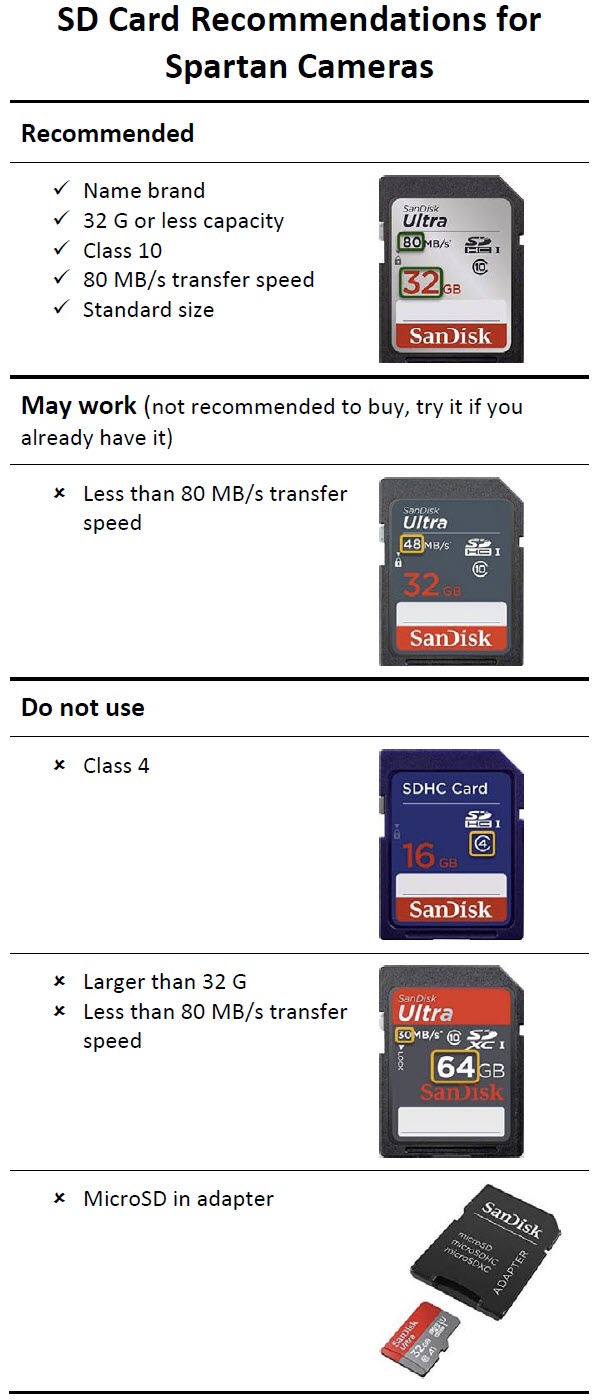
Is the firmware current? What brand, class, speed, size SD card are you using?
What’s the battery level (voltage) and what type of batteries are you using?
If there’s any way that you can take a screen shot of the latest status report and post it, that may be helpful.
-
You may not be able to. When I'm using a computer or an iPad, there's a little picture symbol with some formatting options above the box, but on my Android phone, there's none of that. That's why I said, "If there's any way..."
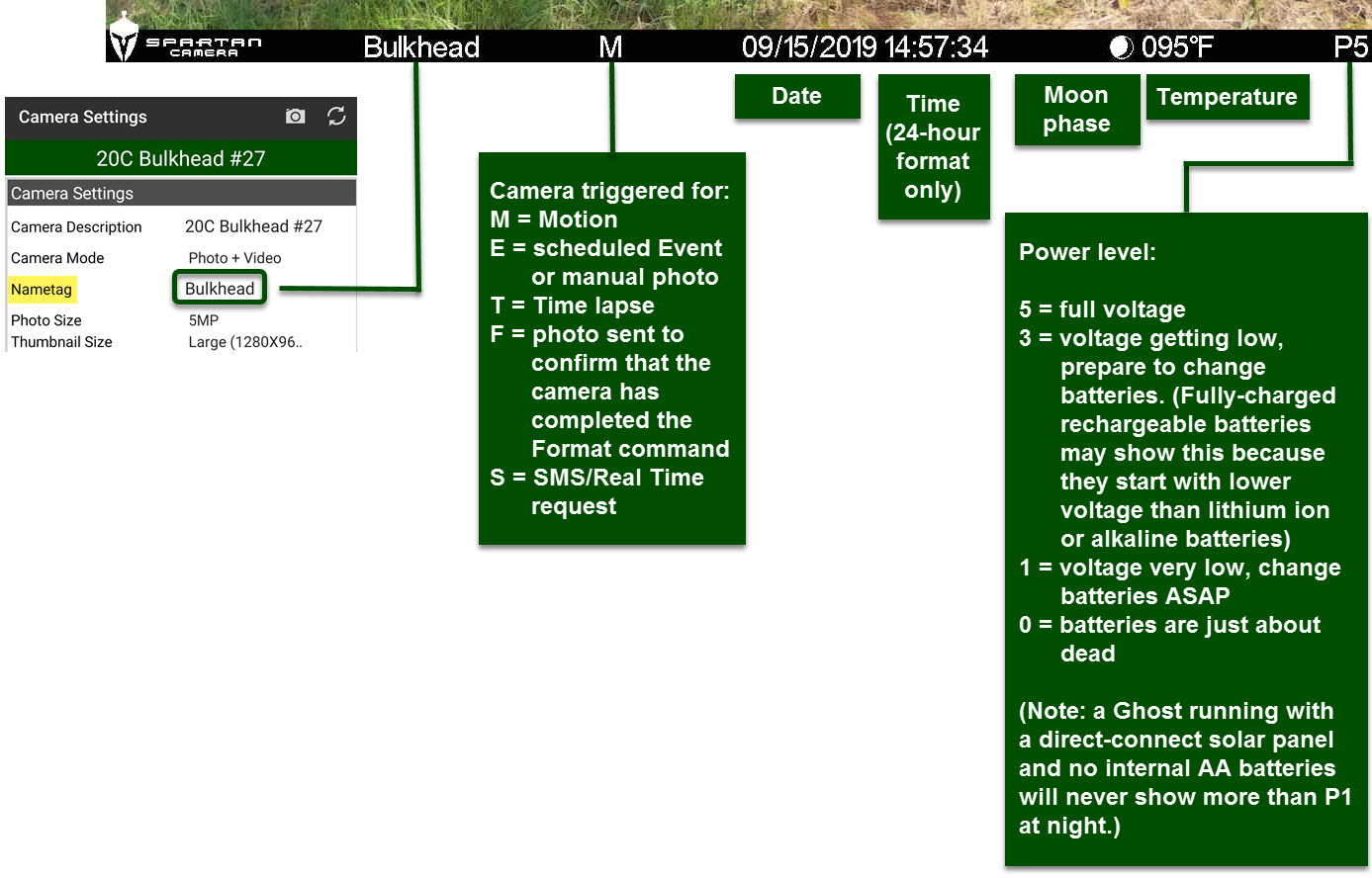
It's very annoying, because sometimes being able to see the status report tells us exactly what the problem is (like low batteries, two or three bars means low batteries).
-
The battery indicator is accurate as long as you know that it's not like the fuel gauge on a car. 5.7 V is full power (P5 on the info strip). Three bars is 5.1 V (P3). For rechargeable batteries, that may be the highest you see because they are lower voltage to start with. With lithiums, you may not see P3 and the batteries are dead. 4.8 is 2 bars, and that means your batteries are pretty much dead.
I'm hoping we'll see different battery indicators than we have now. I'd like to see green/full for 5.7V, yellow and about 2 bars for 5.1V (warning!), and a red outline for 4.8 V. ♦
-
I definitely think those improvements or "kaizens' as we say at Toyota would be great. The more user friendly the cameras are and honestly the less a person has to think about things -- 3 bars = pretty much dead, not halfway like the fuel gauge scenario would show, the more folks are gonna be happy with the cameras.
You guys have been great with responding back to me. I'll check back in later after changing the batteries. Thanks!


Please sign in to leave a comment.
Comments
14 comments