Brand new camera not working

-

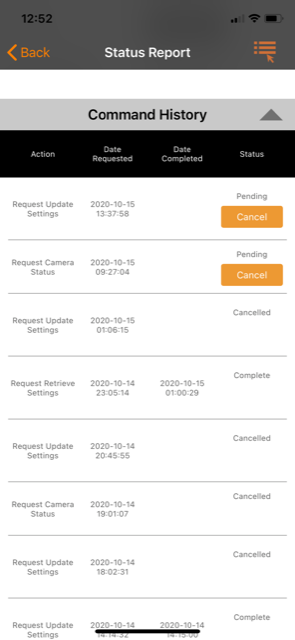
Any requests (settings updates, HD requests, video requests, status reports) will be pending until after the next time the camera contacts the server. Your camera did check in at midnight as it should have but hasn’t checked in since to find out that you’ve made requests.
Is there any chance that there hasn’t been anything happening in front of the camera since midnight?
It’s a good idea to set scheduled events (pics or status reports) every couple or three hours throughout the day and night to keep the camera checking in even if there’s nothing happening in front of it.
-
There’s a 0% chance that no activity is happening in front of it. Yesterday I had around 80 photos from sunrise till about 10:00. The card is a full size Sandisk ultra I believe.
Camera is about 40 minutes away and I’ll be out this Saturday to hunt so I’ll get to check it then. Just confused as to why it was working perfectly fine for 2 days. -

Which data plan did you purchase from Spartan? I would cancel all your pending commands and request an SD card format and see if that gets it going again. You'll probably have to wait until the midnight status report but there's a chance it will work. If it formats successfully you'll get a picture with an F on the bottom of it. You don't have any start/stop times set by any chance do you?
-
I got the 3 gb plan.
Won’t formatting the card lose any photos it has taken that I haven’t received? I’d like to at least see the photos by checking it like a normal game cam.
And no I don’t have the start stop times set. Even if I did it should be giving me status reports when I request them or let me change the settings. Yesterday when it started this I canceled all pending requests and waited awhile before doing it again. It showed pending awhile but a few hours later it completed those requests. But when I tried to adjust the sensitivity again it wouldn’t and wouldn’t send me anymore photos. -
My sensitivity is on normal now. I turned it off yesterday during mid day because the wind was so bad I was getting photos every 5 minutes even switched to low. When I went to put it on normal it wouldn’t complete the settings change until around 9:30 at night. And still wouldn’t send any photos.
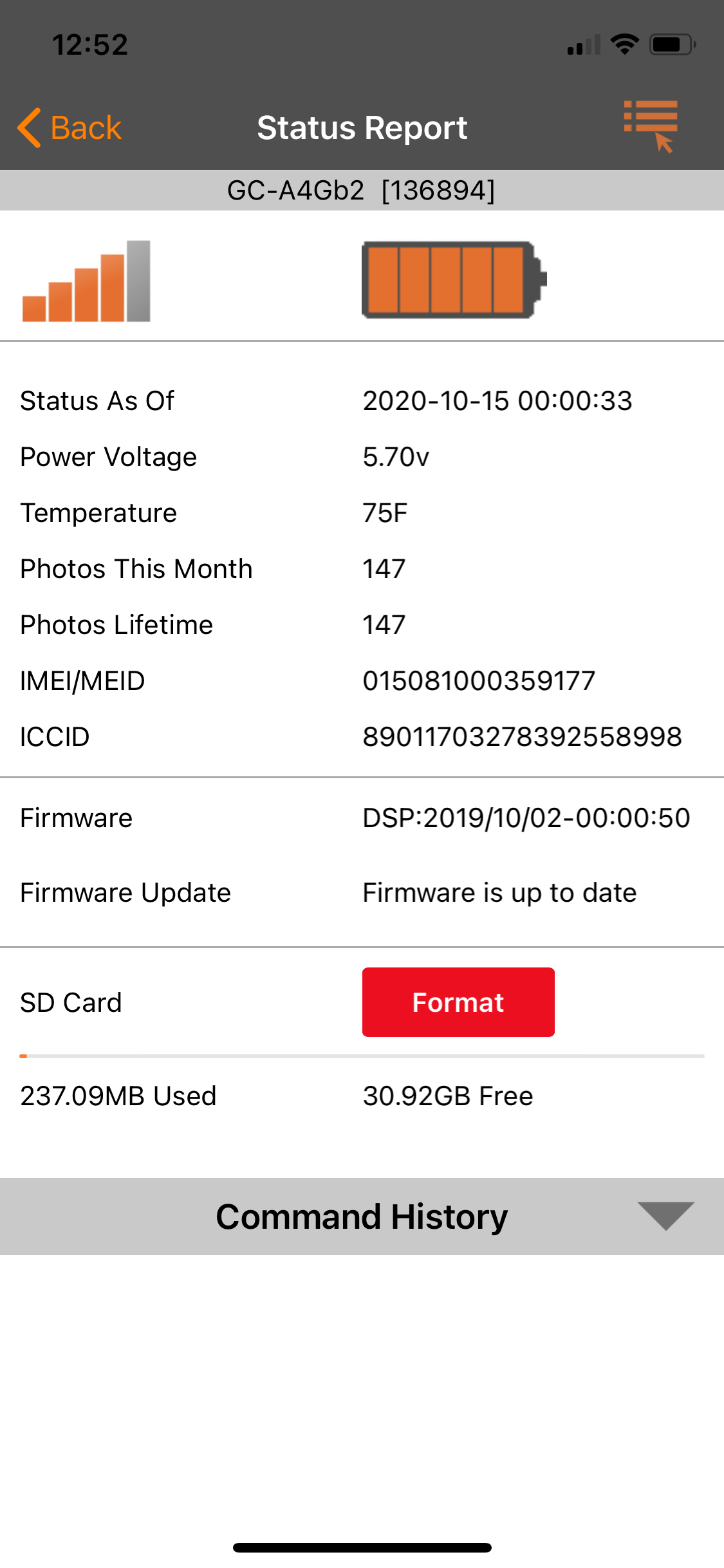
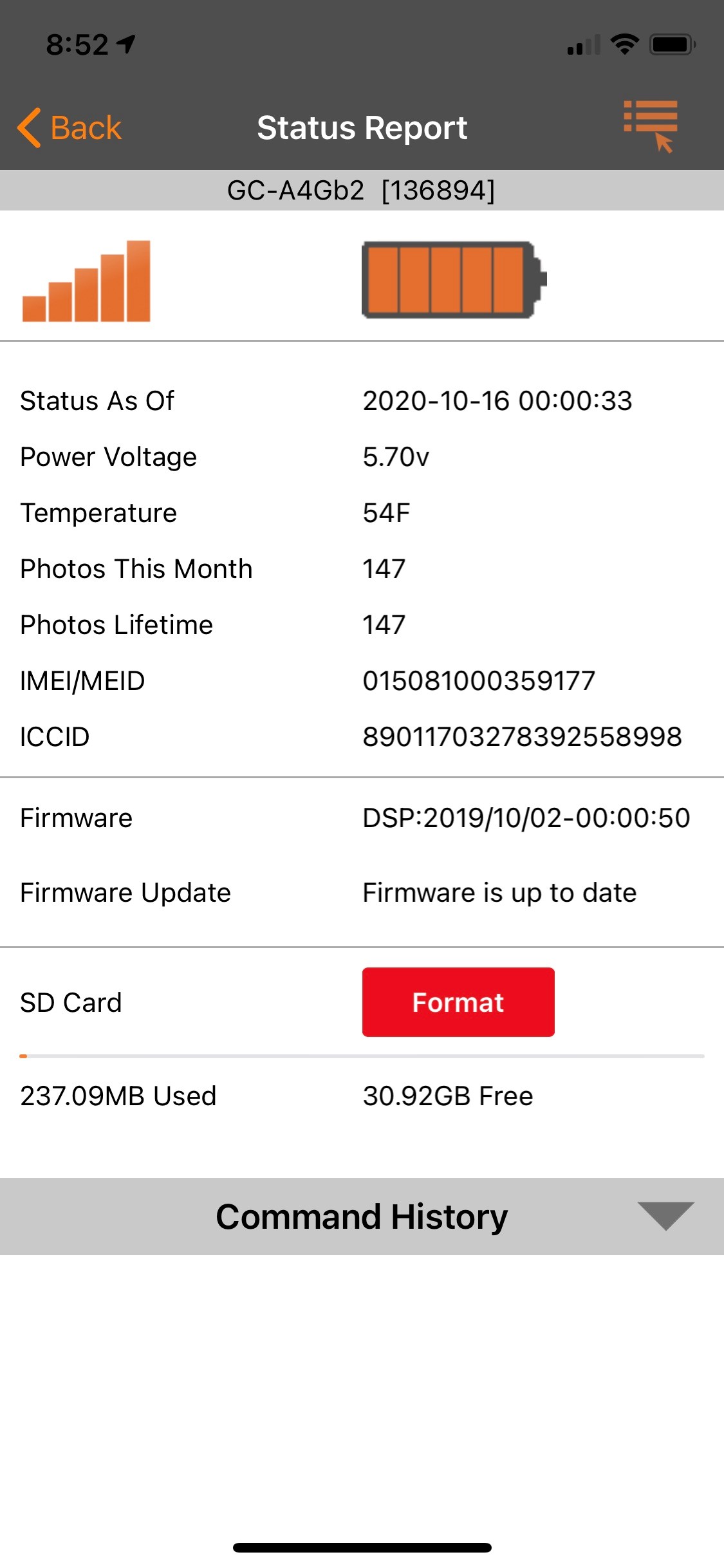
No I haven’t gotten another status report since midnight.
I don’t understand how the SD card would be an issue. It’s the one that came with the camera and it worked fine for the first 100+ images. Also if it was just the SD card cause an issue wouldn’t it let me still get a status report or adjust the settings? -
An SD card that goes bad can cause all kinds of issues, I've even seen it keep a camera from turning on. If you turned sensitivity off it shouldn't have updated the settings before midnight unless you had a picture or status report already scheduled at a specific time. I'm wondering if the sensitivity is still off on the camera. I would request another settings update and make sure the sensitivity is set to normal and hopefully at midnight it updates and starts sending again.
-
Before you had the sensitivity turned on and were getting pictures so the camera was checking in every time it sent a picture and would see that it had a settings update. With the sensitivity turned off the camera wasn't checking in because it wasn't sending pictures so it wouldn't know that there was a settings change and that's why it didn't update and stayed pending. Looking at yesterday afternoon you cancelled everything that was pending except for a settings retrieval which won't update your settings. I'm thinking the sensitivity is still turned off. I would do another settings update and make sure the sensitivity is set to normal. Then hopefully at midnight it updates and things start working as they should again.
-
Can you post the most recent status report screen shot please. Might have to go to the camera, if you do I would take a new SD card with the firmware on it just in case and when you get there default the camera in it's menu first thing. Below is a list of the downloads and instructions.
https://my.spartancamera.com/download
Please sign in to leave a comment.
Comments
25 comments