cameras stopped sending pics

Comments

22 comments

  • Elizabeth Swoope

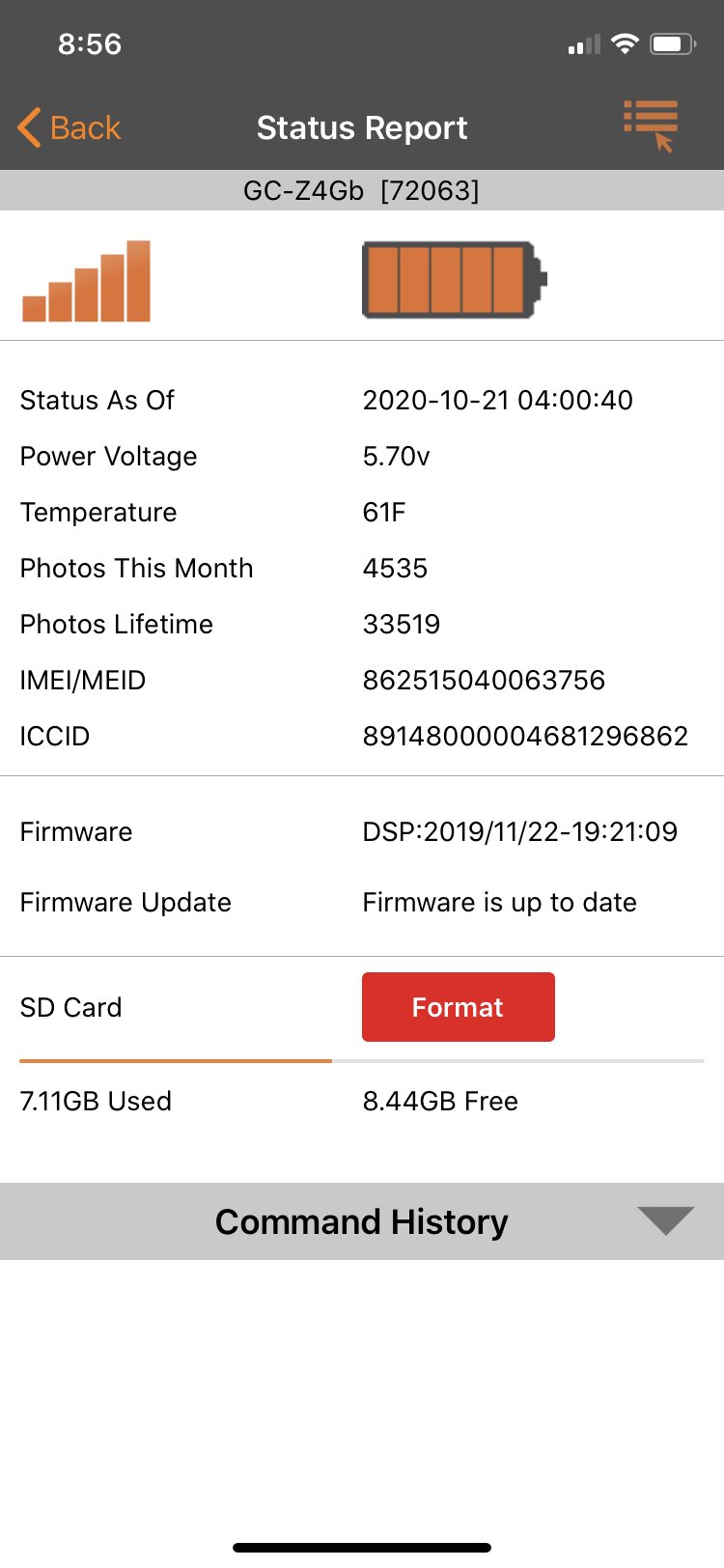
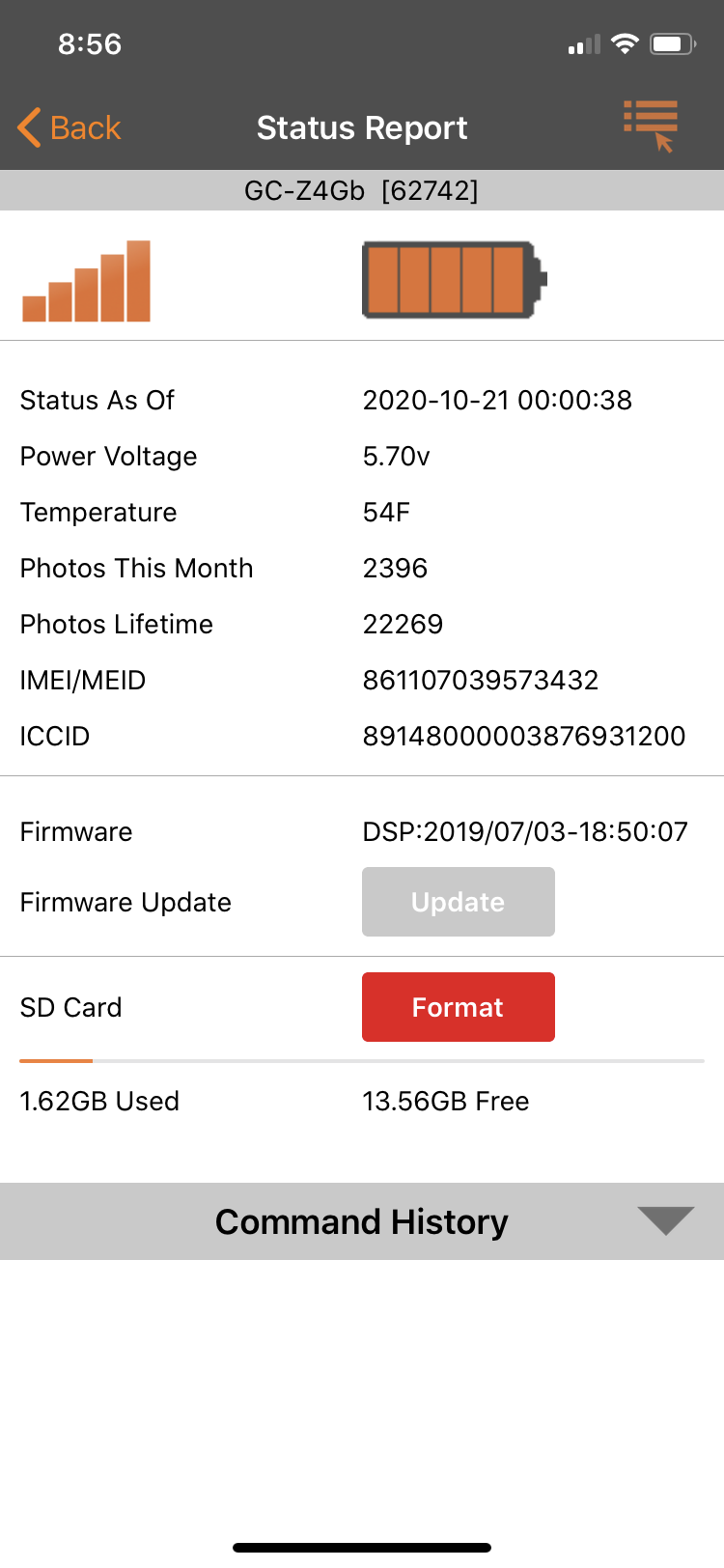
    Can you please post a screen shot of the status report from the app for each camera. We need to see from th3 battery/signal symbol down through the SD card info. You will probably need to choose the desktop view of the site to be able to post the screen shots.

    0
    Comment actions Permalink
  • Jimmy Starnes

    0
    Comment actions Permalink
  • Elizabeth Swoope

    It is very odd that they both went down on 10/21. Looks like one sent the midnight status report and the other sent a scheduled event status report at 4 AM.

    Are they on your Verizon cell plan or are you getting your data from Spartan? If they're on your Verizon cell plan, have you confirmed that they are still active on your account?

    0
    Comment actions Permalink
  • Jimmy Starnes

    Yes they are on my Verizon plan and should b active

    0
    Comment actions Permalink
  • Elizabeth Swoope

    I would start by confirming that they are active on your cell plan. 

    0
    Comment actions Permalink
  • Andrew Lester

    I’m having the same issue. I just walked out of the Verizon store and my account is current.

    0
    Comment actions Permalink
  • John Lockburner

    Andrew, can you start a new thread so we don't get things confused trying to figure things out. Post a screen shot of your last status report too please.

    0
    Comment actions Permalink
  • Jimmy Starnes

    Verizon says my accounts are working. They did say they would do a test somehow on signal strength in the area of camera and let me know. Do u have any other ideas? Also looks like the picture counter is still the same like it’s not taking pics.  Thanks jimmy

    0
    Comment actions Permalink
  • John Lockburner

    Do you have premium credits?

    0
    Comment actions Permalink
  • John Lockburner

    That picture counter is for transmitted pics so if it's taking them and not sending them that won't change.

    0
    Comment actions Permalink
  • Jimmy Starnes

    YesI do have credits. Have like 20 left or so

    0
    Comment actions Permalink
  • John Lockburner

    You can cancel all pending commands and request an SD card format and see if that helps.

    0
    Comment actions Permalink
  • Jimmy Starnes

    I done that on one camera on the oct 23.   That did not help.   I am getting status reports at midnight but that’s it

    0
    Comment actions Permalink
  • John Lockburner

    Are your SD cards 32gb or smaller, class 10, 80mbs or faster and full sized, not micros in an adapter?

    0
    Comment actions Permalink
  • Jimmy Starnes

    yes cards are 16 gb sandisk extreme

    0
    Comment actions Permalink
  • Jimmy Starnes

    yes cards are 16 gb sandisk extreme

    0
    Comment actions Permalink
  • Jimmy Starnes

    The sd cards have been in the cameras for awhile and worked fine.  Any other ideas? What could make both my cameras stop working within a matter of hours. Thanks for help jimmy

    0
    Comment actions Permalink
  • Jimmy Starnes

    One of the cameras started sending pics last night at midnight. Still nothing from the other one but this seems very random because they have not been working for almost two weeks now.  Any ideas?

    0
    Comment actions Permalink
  • John Lockburner

    It could be something with Verizon and the signal, are they in any type of remote area? Also the SD cards do go bad and they do more than just save the images, a lot of the camera functions run through the SD cards. If the cards are questionable spec wise and something happens signal wise it can cause what you are seeing. Can you check the online portal and look for gaps in the picture numbers? Also I know with my Verizon plan if we go over our data limit we go into safety mode and the data speeds are reduced, this could also affect the camera. Which one sent the pictures, the ones that's got the up to date firmware or the other one?

    0
    Comment actions Permalink
  • Bob Smith

    I have the same issue.  1 camera went down and I traveled the 2 hours to retrieve it, and the next day the other camera stopped sending pictures.  I have reformatted the sim card, requested a status report but the last one is from 10/24.  I will be traveling the 2 hours to retrieve it.  Batteries good, SD card reformatted, and Sim Card active.  This is becoming an issue for me with these cameras, as I had the same issue last year as well.
    0
    Comment actions Permalink
  • Jimmy Starnes

    i wouldnt think both cards would have an issue at the same time. verizon data is good . i had verizon to check that.i will be traveling to the cameras tomorrow do u have any recommendations for what to try? thanks jimmy


    0
    Comment actions Permalink
  • John Lockburner

    Other than taking two new SD cards with you and fresh batteries when you get there you can default the camera in it's menu. It can't hurt to load the firmware on to the SD cards and reload it. Sometimes a fresh update fixes up some issues.

    0
    Comment actions Permalink

Please sign in to leave a comment.