How to schedule Go cams to only send pics at certain times

Is there a way to change the setting on a Ghost or Go-Cam to only send the pictures it takes during certain time intervals. For example not sending pics it takes from 11 pm - 5 am as an example?
Thanks in advance
-

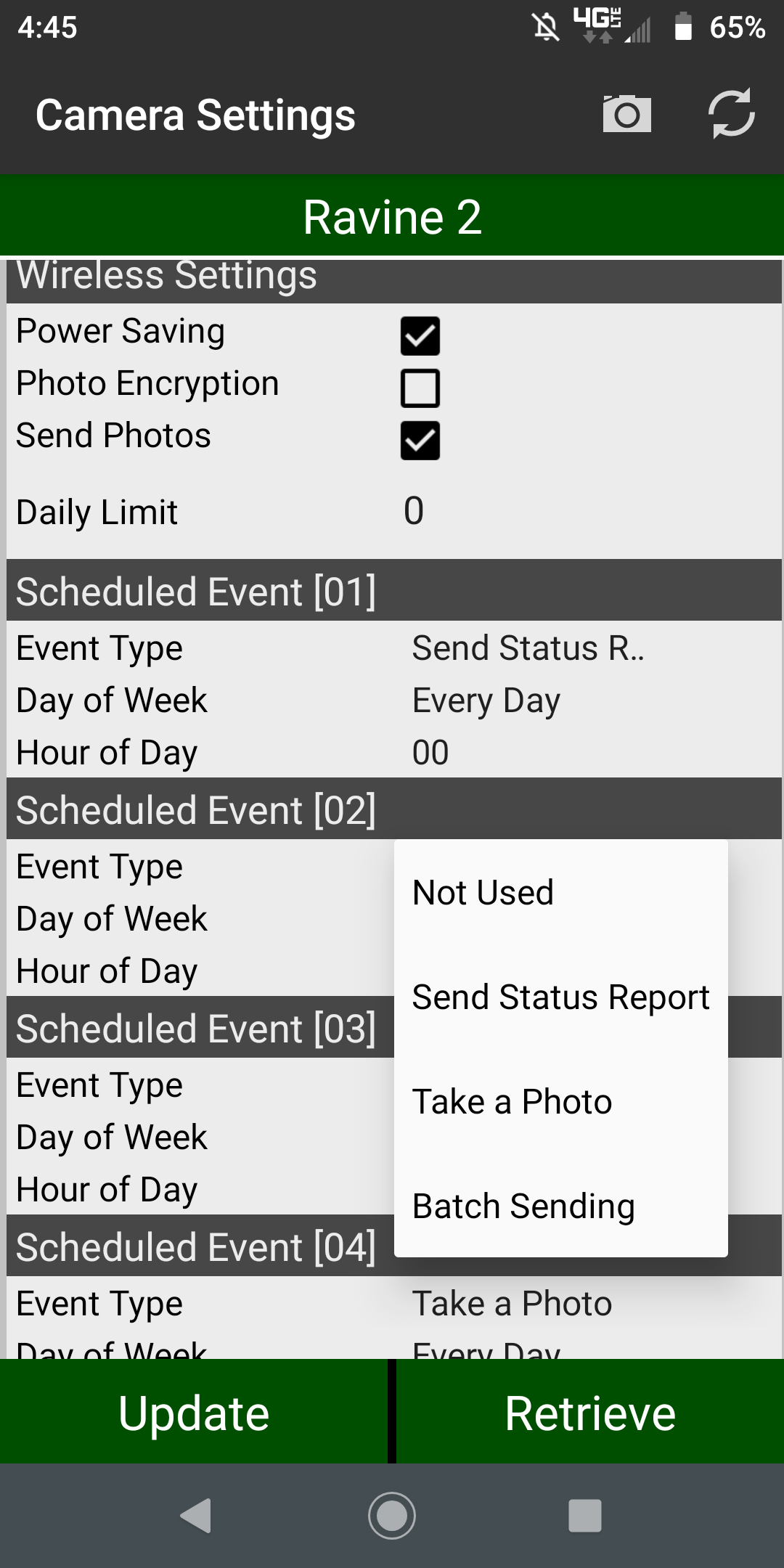
Phil is correct. Here’s an article with the instructions.
https://support.spartancamera.com/hc/en-us/articles/360043361994-How-to-use-Start-Stop-times
-

I saw that on my ghosts but couldn’t figure how why I’d want to send them in batches since it would take a while.
would be interested in what the OP was trying to solve for. I know some guys that don’t want to take pics at night because they want to save power. I know another who does it because his phone blows up with notices and his wife yells at him. Just turn the notice sound off 🤪. -

Phil, I was the one who pushed for the addition of batch delivery. My use for batch delivery is in that it makes a cell camera more of a true “trail” camera. You don’t have to deal with the camera being unable to trigger for 30-60 seconds while it is transmitting a picture. As far as the camera taking longer to transmit a group of pictures in batch, most of the time used in the process is establishing the connection/starting the process. Proportionally it doesn’t take a great deal longer to transmit several pictures than it does just one.
-
I guess the batch settings makes sense if you have intervals set short and it can’t process the next pic because its processing another. Mine are set to 3-5 min so hasn’t been an issue. Also like the “real time” effect , it’s like you’re there. But good option for short intervals. On the notifications , I’ve just turned them off so the ap doesn’t send a notification with new pic when I don’t want to get pinged all day.
while we’re on new features ....I really like the bar code scan on new cams, makes setting up a new cam a breeze.
-
Yeah, if you use a delay of a minute or two or more there’s not much need for using batch delivery in my mind. It’s probably more power efficient to send pictures in batches than one at a time, but how much I have no idea. For me I just like it because I feel like on zero delay and batch I’m unlikely to miss any critters in areas where they are just passing through. Really good for scrapes as well.

Please sign in to leave a comment.
Comments
12 comments