Camera stopped taking pics on 9/28/20

-

Jason,
Did you change or format the SD card? SD cards are the first thing we check.
Dusty,
Your problem is different from Jason’s. Most of the Verizon 3G cameras shut down on Monday then some started coming back online Friday. How long any of them will stay online is anybody’s guess because the drop-dead sunset date is less than 3 months away. Verizon can cut off signal at any time between now and the end of the year.
If it’s not sending status report then it’s offline for some reason. -
Jason,
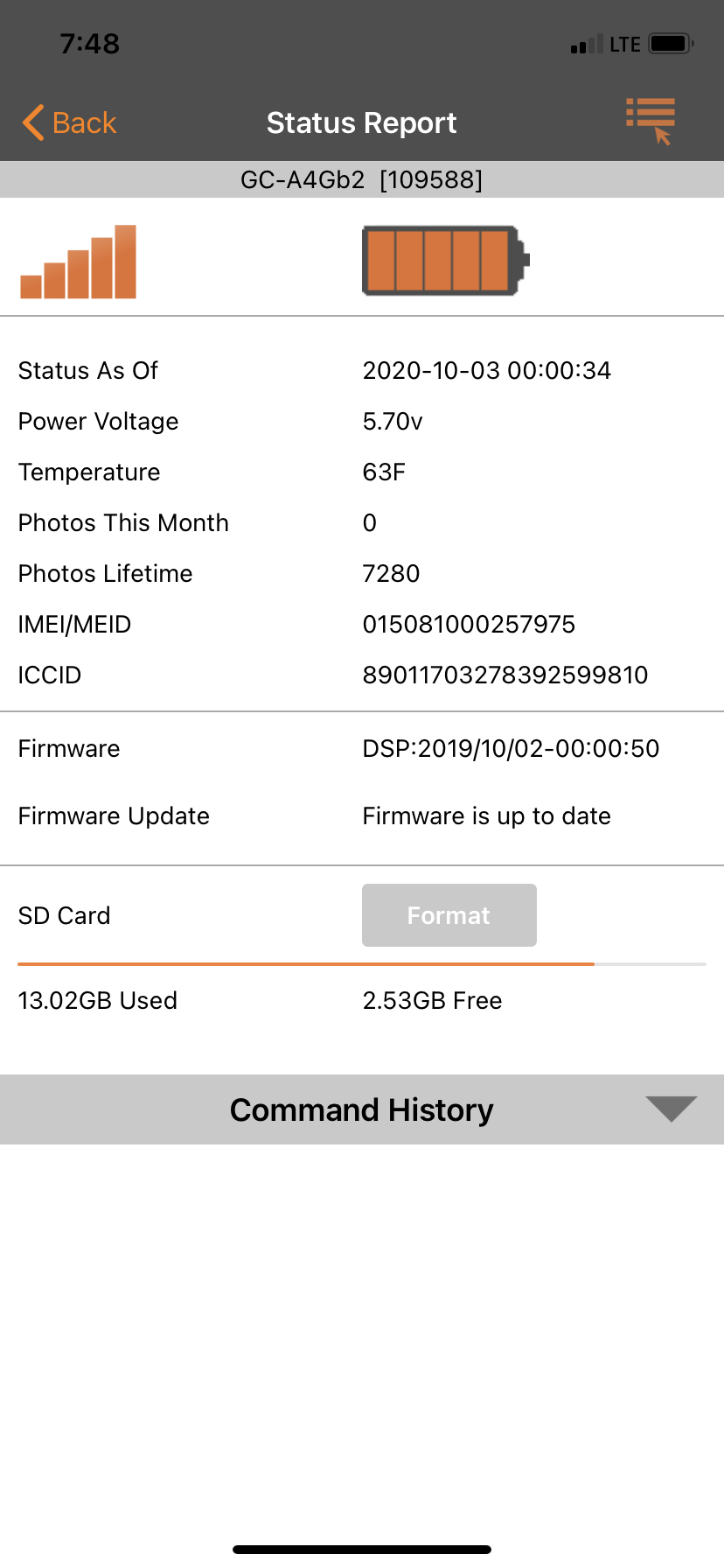
The camera will not format the SD card until after the next time it checks in to send a photo or status report. If the camera is only checking in at midnight (scheduled event 1) then it may not be until after midnight.
The camera only completes requests (for settings updates, HD requests, video requests, SD card format, firmware updates) after the next time it contacts the server. It's not sitting out there online all the time waiting to hear from you.
-
Jason,
Spartan performed a brief security update to the server. It had no effect on the cameras except that the server wasn’t able to accept transmitted pics during that short time. Cameras went out the morning before the update.
Even new SD cards can cause problems. It’s rare but it does happen.
-

Next time you can get there turn the camera off and then on to setup, once it finds signal press the OK button to take a picture and then press it again to send a picture, watch what happens on the screen. To me it sounds like an SD card issue. You probably want to format the card in the cameras menu. Do you have any other pending commands other than the format? Also is the timezone set in the camera settings on the app?
-
I had two other pending commands that I cancelled this morning.(The Sd card format and a status report command) I will go and try formatting it from the camera menu like your saying and go from there. Yessir the timezone is set to Chicago (UTC-05:00) the same as it has been set at since I put the camera out at my lease.

Please sign in to leave a comment.
Comments
20 comments