GC-Z4Gb2 stopped taking pictures

Comments

25 comments

  • John Lockburner

    Are you getting your data from Verizon directly and if so do you have premium credits?

    0
    Comment actions Permalink
  • Frank Cesaro Jr.

    Yes and yes

    0
    Comment actions Permalink
  • Frank Cesaro Jr.

    Credits expire 10/18/21

    0
    Comment actions Permalink
  • John Lockburner

    OK, next thing I would try is formatting the SD card. If you do it through the app it might not format until the camera checks in at midnight again. Once the format is successful you should get a picture with an F on the bottom of it.  


    0
    Comment actions Permalink
  • Frank Cesaro Jr.

    Ok I’ll give it a try thanks. I also requested a firmware update is that ok?

    0
    Comment actions Permalink
  • John Lockburner

    Yes, I would have the format as the first thing in the list though.

    0
    Comment actions Permalink
  • Darlene Crawford

    Hi well my camera keeps stop working ... it took 6 pictures on Sunday now nothing ... why does it keep stopping ?

    0
    Comment actions Permalink
  • Elizabeth Swoope

    Darlene, 

    Please start a new post so your troubleshooting info doesn’t get mixed in with Frank’s.

    Is there any pattern to when the camera works and doesn’t work (only takes pics during the day or certain times of the day) or is it random? Possible reasons are SD card or SIM card. 

    0
    Comment actions Permalink
  • Frank Cesaro Jr.

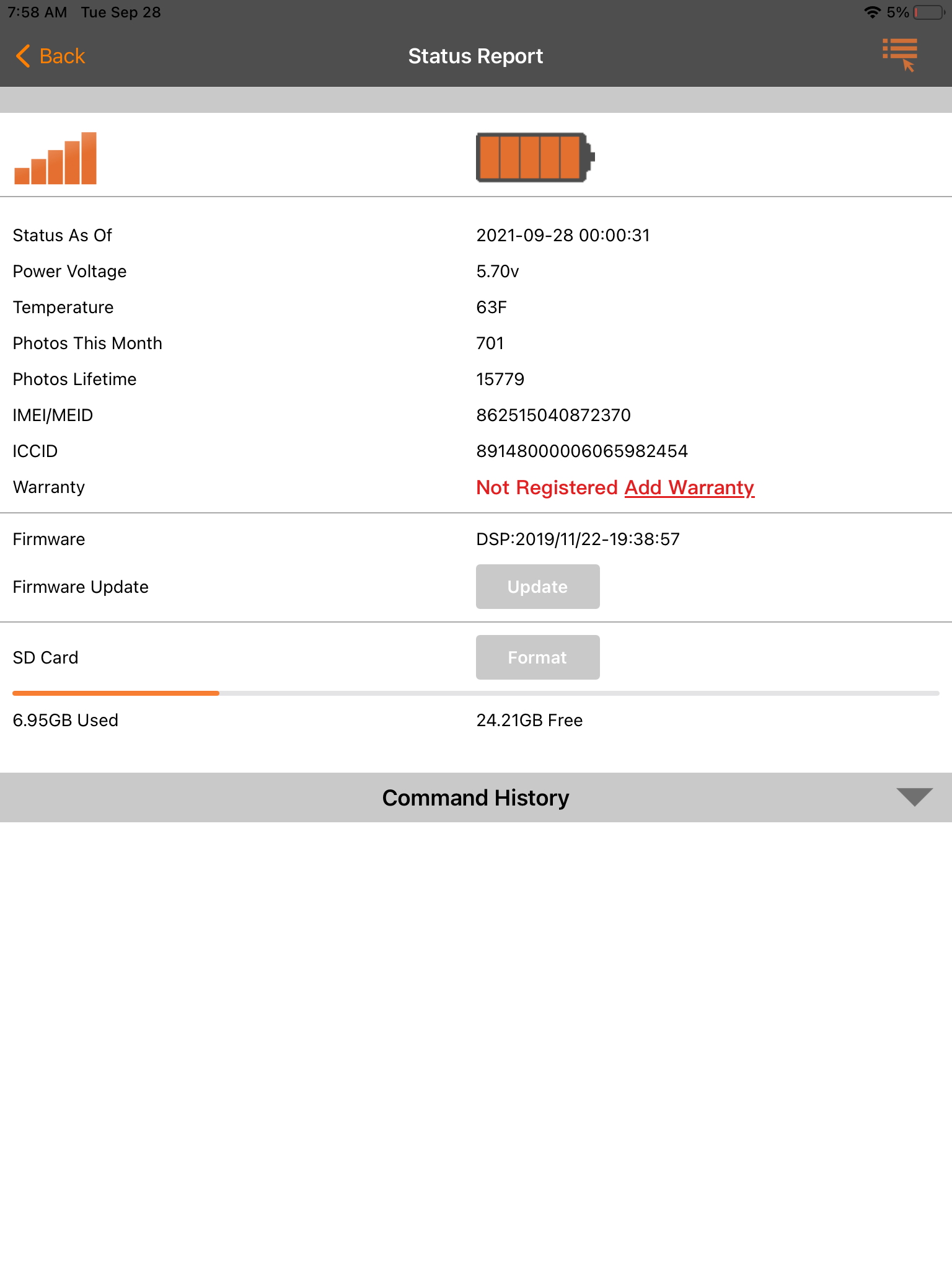
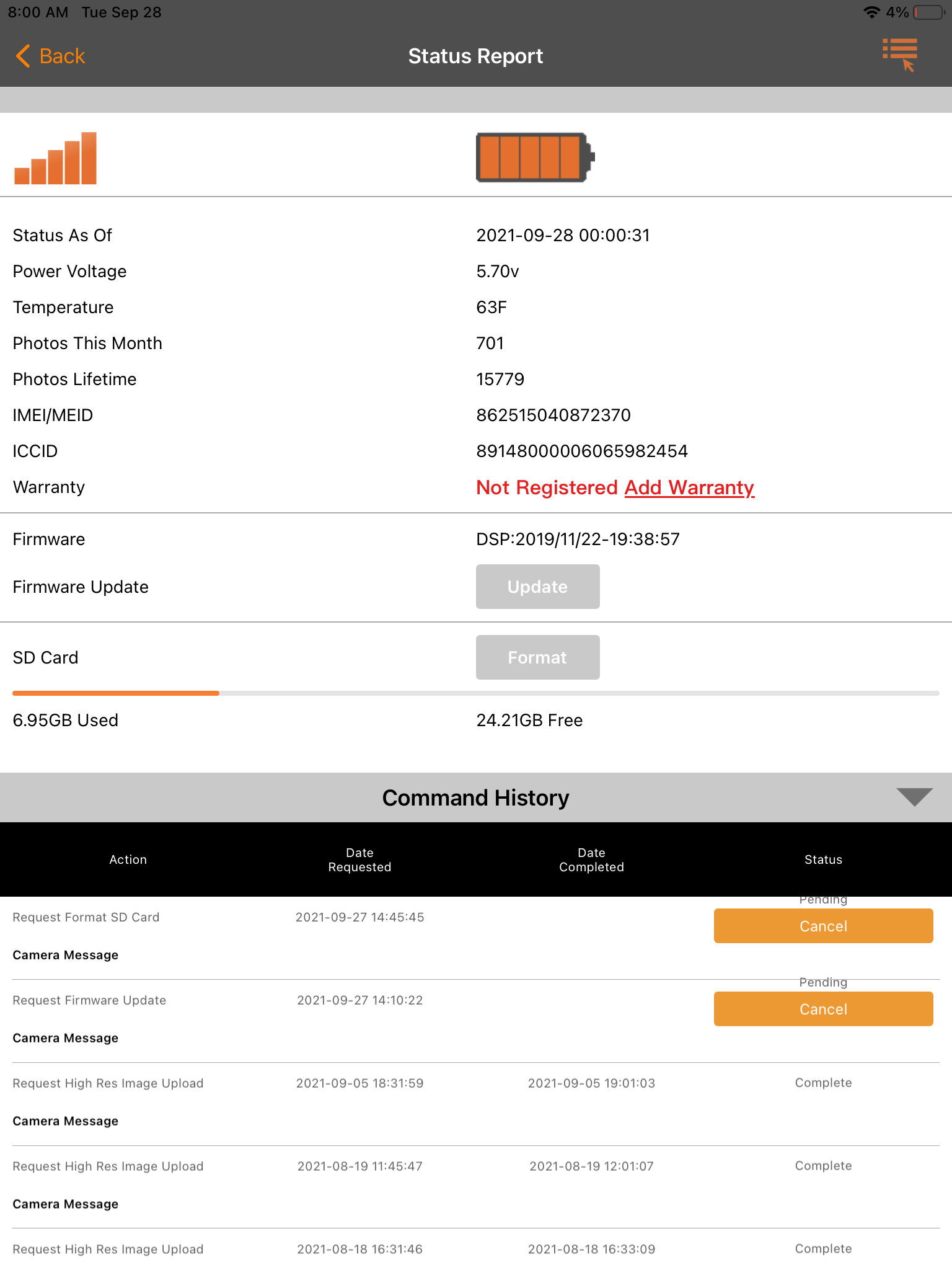
    Ok I tried formatting the sd card. It never formatted and still isn’t taking pictures. I did get a status update at midnight though.

    0
    Comment actions Permalink
  • John Lockburner

    Does the format still show as pending in camera management?

    0
    Comment actions Permalink
  • Frank Cesaro Jr.

    0
    Comment actions Permalink
  • Frank Cesaro Jr.

    0
    Comment actions Permalink
  • John Lockburner

    I would cancel the firmware update so that the format is the first thing pending.

    0
    Comment actions Permalink
  • Frank Cesaro Jr.

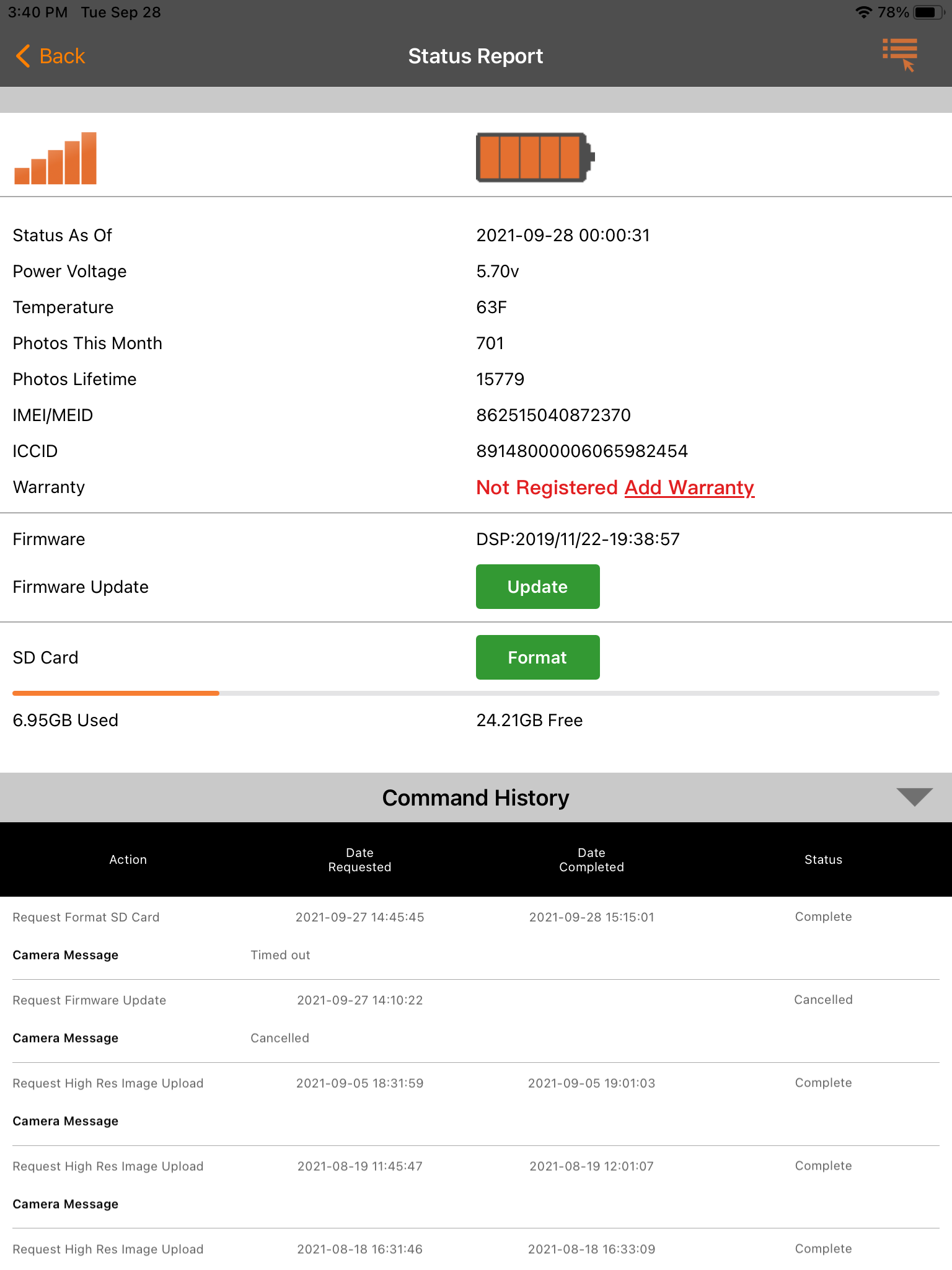
    Ok I cancelled the firmware update. We’ll see what happens. I only want to take the 3 hour ride if I absolutely have to. Thanks for the help

    0
    Comment actions Permalink
  • John Lockburner

    Fingers crossed

    0
    Comment actions Permalink
  • Frank Cesaro Jr.

    0
    Comment actions Permalink
  • Frank Cesaro Jr.

    Format timed out

    0
    Comment actions Permalink
  • Frank Cesaro Jr.

    I tried refreshing the photos and it had last updated 15:39 but no new pictures 

    0
    Comment actions Permalink
  • John Lockburner

    It may be that the SD card has gone bad, at this point I would try the format again.

    0
    Comment actions Permalink
  • Frank Cesaro Jr.

    Ok I tried formatting again, we’ll see. 

    0
    Comment actions Permalink
  • Frank Cesaro Jr.

    Format finally worked started taking pics again. Pic at midnight with an F then again at 6:00 am scheduled event. Would you recommend that I change the SD card when I go fill the feeder.

    0
    Comment actions Permalink
  • John Lockburner

    Since it's 3 hours away I would change it. Make sure your format it in the camera. Card needs to be 32gb or smaller, class 10, 80mbs or faster and full sized, not a micro in an adapter.

    0
    Comment actions Permalink
  • Permanently deleted user

    Frank,

    I have the same camera and have had it in service for less than 2 weeks. It was taking and sending pictures great for the first few days. I was experimenting with the app settings (flash, sensitivity, photo size, etc) one at a time to see how they affected results. Then I turned Send Photos off for a couple of days. When I turned it back on I thought the camera had been stolen because I got nothing for over a day. Then I got a status update and have been getting sporadic pictures. I know this location well and know I am not seeing all of the activity that is there. Something has happened that has drastically reduced the number of pictures being taken. I can't be certain, of course, but it sure appears to be firmware related. Yeah, I have a 32 GB SD card, 120 MB/Sec speed, not a mini and formatted in the camera, 5 bars signal and full batteries. All that done per specs. It worked great one minute then after a command entry it didn't. RIght now I'm greatly disappointed in this $300 investment. Don't know if this parallels your experience or not but your post caught my attention.

    0
    Comment actions Permalink
  • John Lockburner

    Michael, do you have any start/stop times set? What is the sensitivity set to? Can you take a screen shot of your status report and post it here? You might need to set your phone to desktop mode to see the insert image icon. Be sure to include the report all the way down to the SD card info at the bottom.

    0
    Comment actions Permalink
  • Permanently deleted user

    John, I'll take this off Frank's post and start a new one.

    0
    Comment actions Permalink

Please sign in to leave a comment.