Initialization failed / slow support response

Comments

48 comments

  • John Lockburner

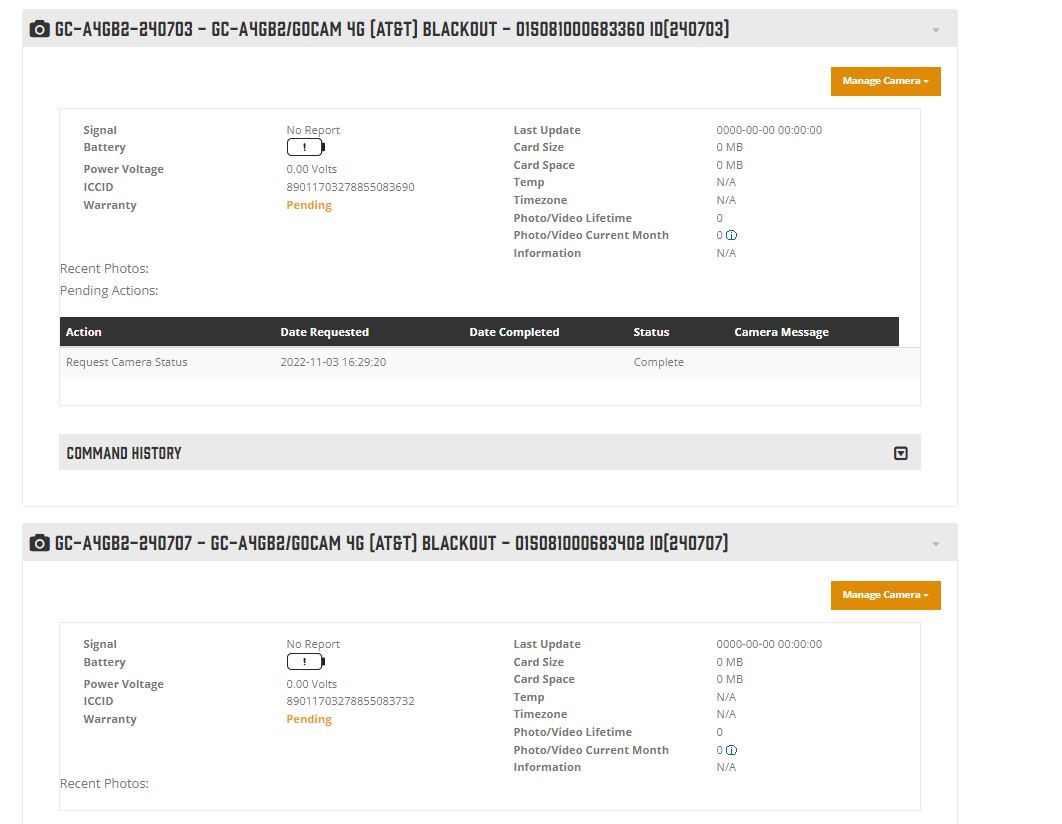
    What do you mean they are disconnected? They show as active on the account correct?

    0
    Comment actions Permalink
  • Michele Mounteer

    It doesn't no pass hello test.

    I've already done the apn.  Afterwards is shows bars at the top and connected. As soon as powered off it starts all over again with NO connection.


    0
    Comment actions Permalink
  • Michele Mounteer

    I could show you a photo see attached

    0
    Comment actions Permalink
  • Michele Mounteer

    Again...they are NOT connected.

    0
    Comment actions Permalink
  • Elizabeth Swoope

    Michele,

    Please clarify a couple of things.

    It sounds like you have gotten SIMs from AT&T and used those SIMs to put the cameras on an AT&T business plan. The Spartan SIMs are not in use right now. Am I understanding this correctly?

    (As a curiosity, how much per month do you pay per camera on the AT&T business plan. You’ll also pay Spartan $3-4/camera/month for premium service.)

    0
    Comment actions Permalink
  • Elizabeth Swoope

    Michele,

    Are the cameras on data-only plans? It’s uncommon for AT&T GoCams to be run on AT&T plans now that AT&T no longer offers Buy-A-Session. They now offer only prepaid data plans for this purpose, at a cost of $25/month or more. Your business plan is obviously not that, but it should be data-only lines.

    You may have the wrong type of account for the cameras. I’m just guessing because I’m only familiar with running cameras using Buy-A-Session. I still have some cameras grandfathered in.

    If the cameras don’t pass the Hello test, they’re not seeing their connection. Either it hasn’t been activated yet (it’s not always instant, although AT&T is usually pretty good) or it’s a type of service that they cannot use. 

    You may have gotten someone at AT&T who understands what you need, but my limited experience has been that I’ve known more about what was needed than anyone at AT&T and it was as struggle to find anyone who even vaguely understood. 

    0
    Comment actions Permalink
  • John Lockburner

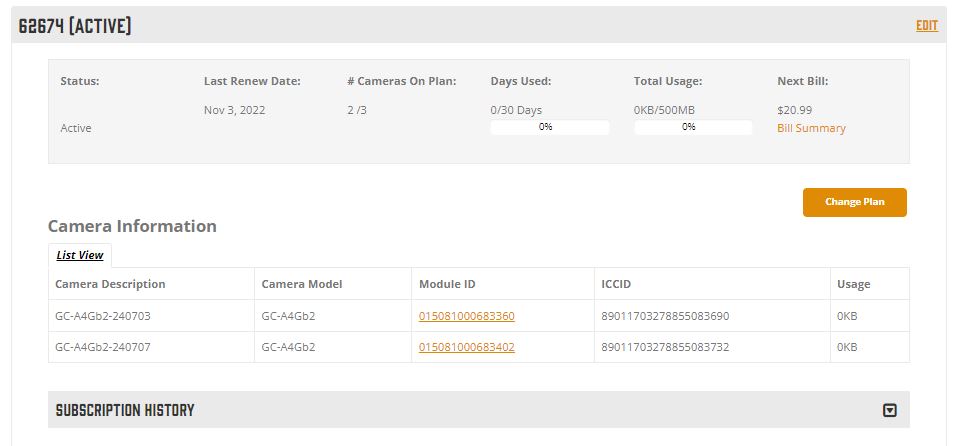
    Those pictures don't show one way or the other if the cameras plans are active, you need to look at the subscriptions page under data plans

    0
    Comment actions Permalink
  • Michele Mounteer

    I did have sim cards from AT&T but I'm not using them.  AT&T have disabled what they setup for us.  So now I'm only using the sim cards from Spartan. See attached data plan.

    0
    Comment actions Permalink
  • Michele Mounteer

    Hopefully I'm not sending private information. :(

    0
    Comment actions Permalink
  • Michele Mounteer

    Yes, I think the AT&T guy didn't set it up correctly and might now be conflicting with the actual connection.  I wish Spartan actually had customer service. Apparently they don't

    0
    Comment actions Permalink
  • Michele Mounteer

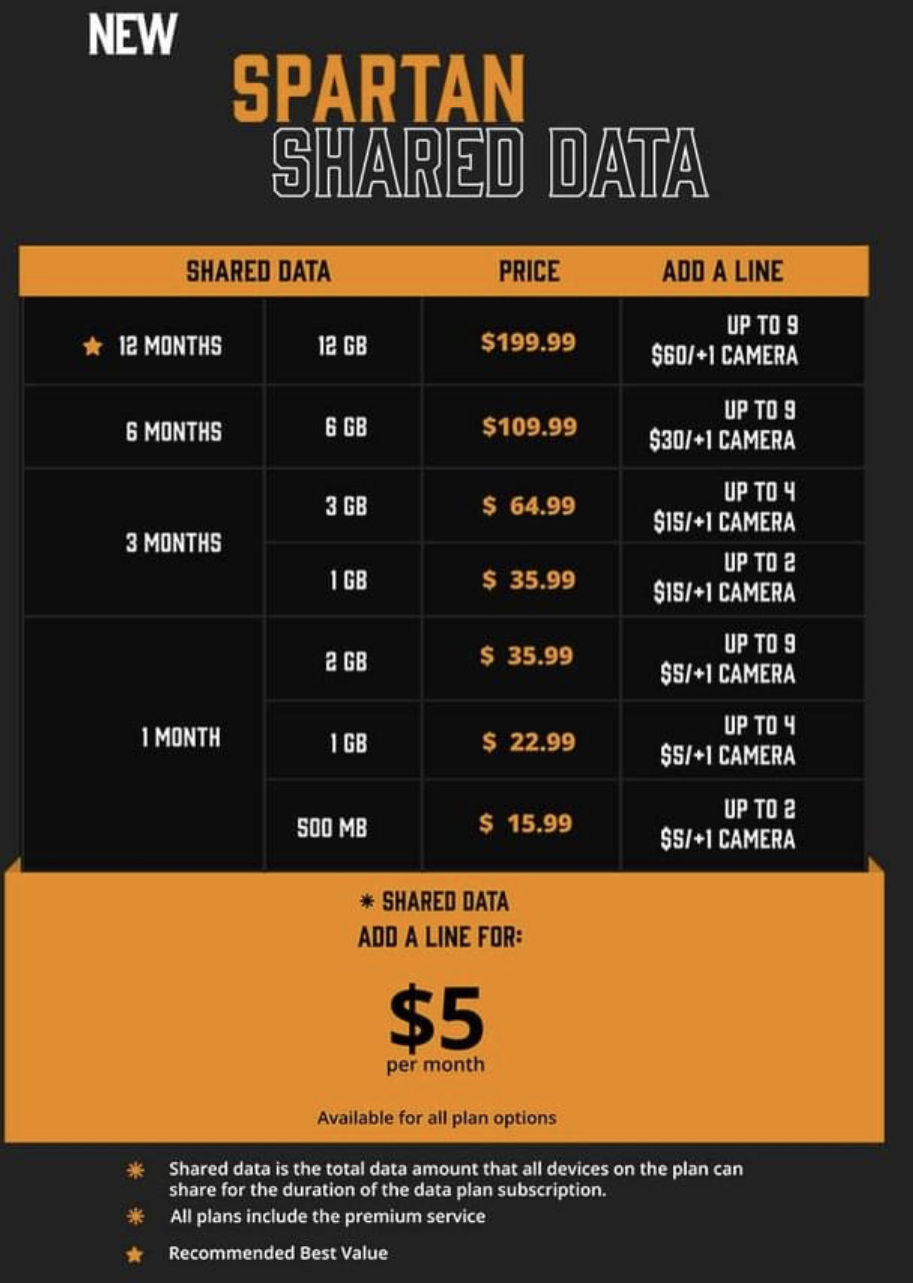
    I chose the only option Spartan gave me for the data plan.


    0
    Comment actions Permalink
  • Elizabeth Swoope

    There are quite a few options for data plans, but you have a data plan so you are past that hurdle. It’s a good idea to start with a “short” data plan like you’ve done so you can see how much data you are using and need before committing to a longer plan.

    Have you gotten both a receipt email and an activation email for each camera? Once you get the activation email for a camera, the camera should connect to the network and it should pass the Hello test.

    (Spartan does have customer service. Unfortunately, this is the business time of the year and they are short-handed. Everyone is on the phone talking to customers. There’s no one sitting around with nothing to do other than answer the phone. Someone will get back to you.)
    0
    Comment actions Permalink
  • Michele Mounteer

    Yes, I received those emails.

    0
    Comment actions Permalink
  • Michele Mounteer

    Still not connecting.


    0
    Comment actions Permalink
  • Elizabeth Swoope

    Can you please post the activation email. Also, picture of the SD cards you are using.

    0
    Comment actions Permalink
  • Elizabeth Swoope

    In the camera menu, on the third menu tab, please go to Information, then post a pic of what’s on the information page. We need to see the DSP info.

    0
    Comment actions Permalink
  • Michele Mounteer

    OH my gosh!  After fiddling for 2 days this morning I came in and just turned them to setup and they connected and are working.  So stupid.

    Next, is there a way to see photos or live view at the desired moment?

    0
    Comment actions Permalink
  • John Lockburner

    Not with the A4gb GoCams, the GoLive is the only camera that has that feature. You motion triggered photos should be sent to you in 30-60 seconds or so of when they are taken for you to see.

    0
    Comment actions Permalink

Please sign in to leave a comment.