2 Golive cams

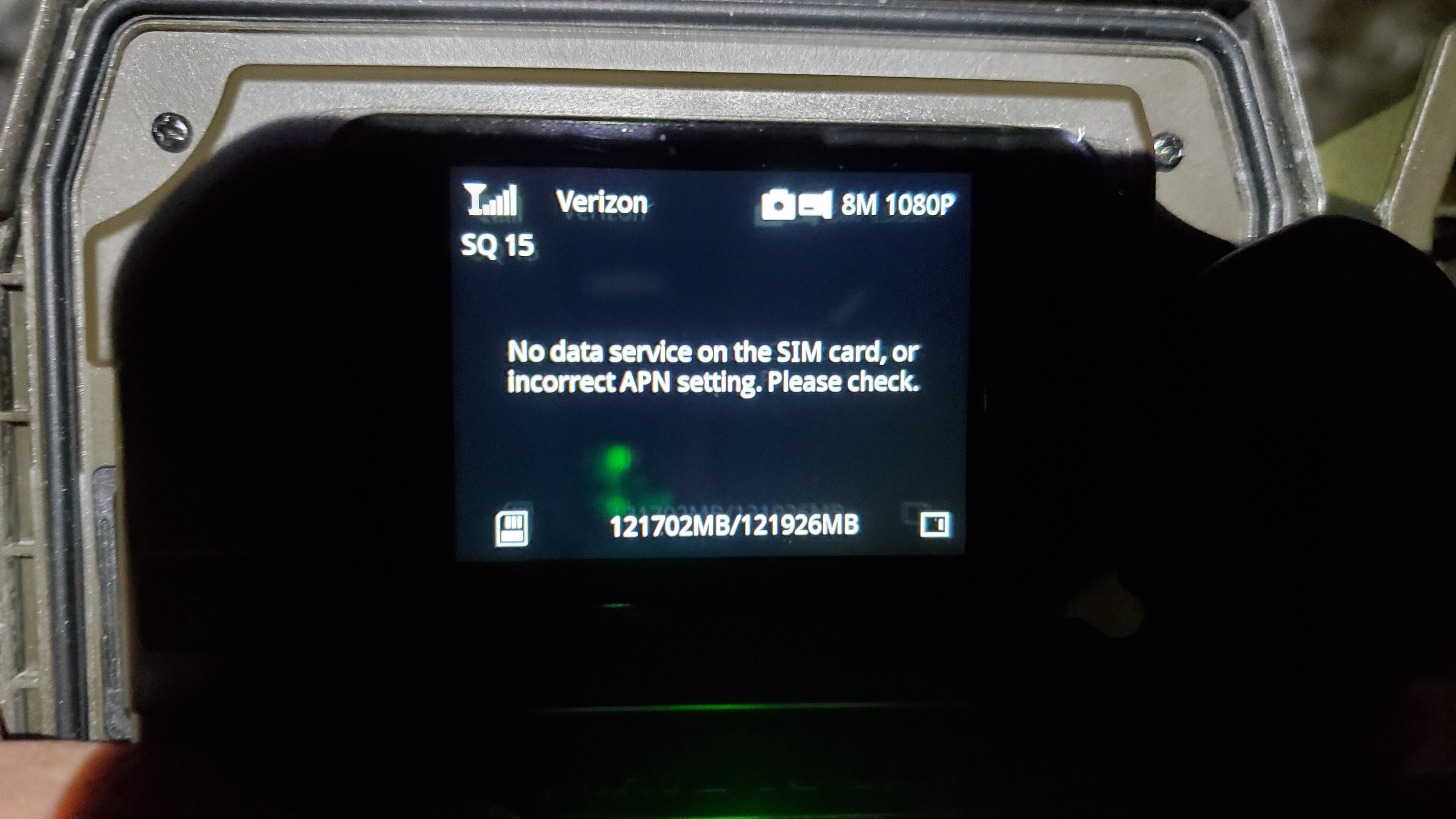
I have 2 Golive cams on premiums credits and Verizon. Today they both stopped sending scheduled pics and the 'Live' button is grayed out on both web portal and Android app. They had 5 bars at last look and my Verizon 4g phone works fine 1/4 mile away from cams so I don't think it's a Verizon problem. FWIW They both have SanDisk 128GB Extreme Pro SD cards. What am I doing wrong??
thanks-
-

The first thing to do is to confirm with Verizon that they are active on your Verizon account.
I’m not a fan of either ImageMate or Extreme versions of Sandisk SD cards. I’ve tried the Extremes in some of my GoLives and the cameras did not work properly with them. However, others haven’t had that same experience.
There is probably a FW update for these cameras but the app status report is the best way to check. You won’t be able to update over the air if the cameras aren’t online, though. -
There was a new firmware uploaded in the last couple of days.
The first thing I’d do is to double-check with Verizon that the cameras have service. Verizon has been known to screw things up so you want to start on that end.
Here’s the link for the firmware download. After confirming that the cameras do have service (yes, it can show Verizon, which means they see the network but that doesn’t mean they have permission to use the network), format the SD card in the camera, then download the firmware to it and update through the camera menu (third menu tab, and when you are asked, tell the camera the FW is on the SD card). -
The problem is solved and you won't believe what it was. I had replaced 2 3G Gocams with 2 Golive cams. I had Verizon change to the new IMEA numbers but the account was still associated with 3G devices. Today they turned off my 3G devices not realizing they had been updated to 4G. Big oops on Verizon's part.
-
I believe it! Verizon can screw up cameras on your account for no reason at all. (That's why I mentioned checking with Verizon first, because if they've screwed up your account, no amount of troubleshooting the camera is going to fix the problem. Best to either discover that they've screwed things up or check it off the list that that isn't the problem.)
I'm glad there was a logical explanation that was fairly easy to fix :). You will really enjoy these new cameras, especially compared to your old ones.
Please sign in to leave a comment.
Comments
7 comments