GL-CLTEb flashin green

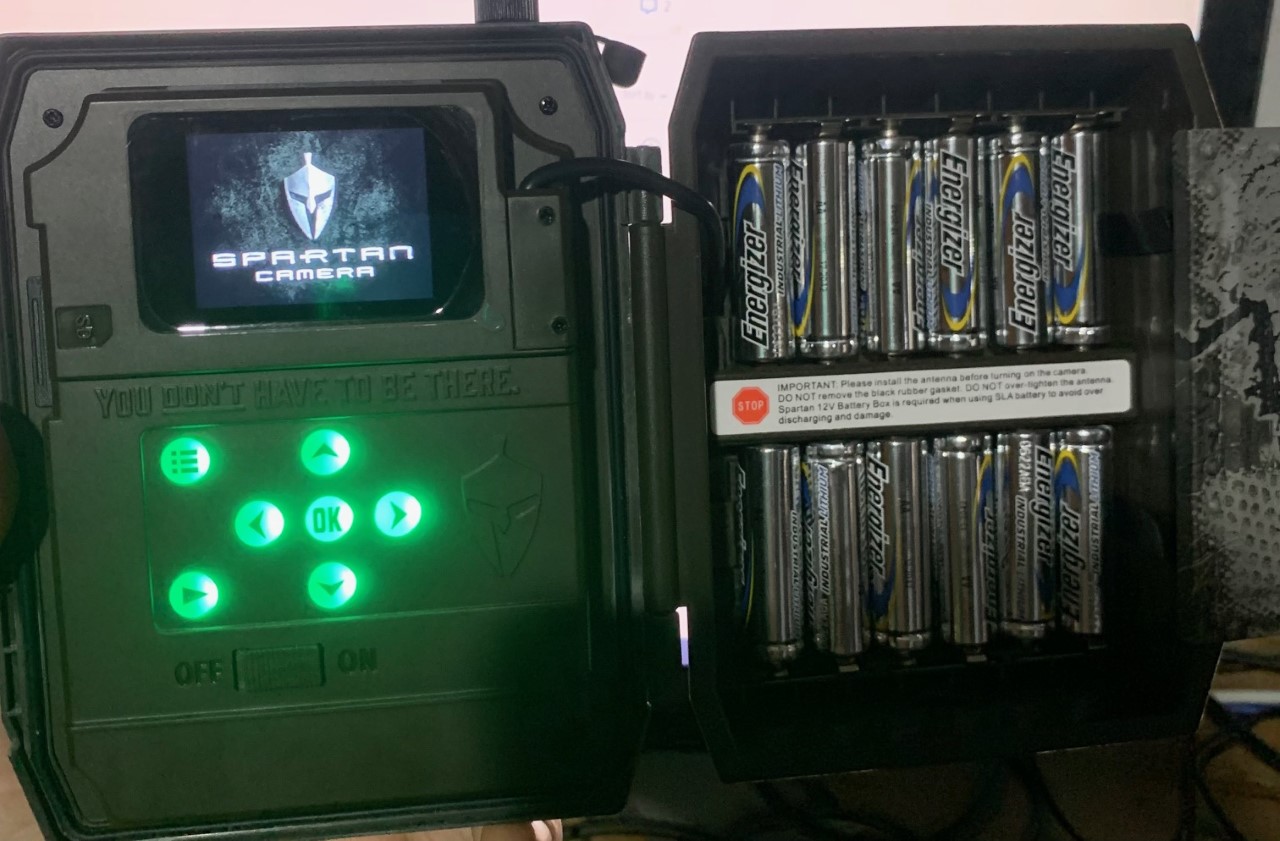
The guy at the cellcom store sent in a format SD command and then shut off the camera and pulled his batteries out. Now when I got home I put in my batteries and now all it will do is Flash Green. I logged in on my computer to try to send a cancel to the format, but no luck. I tried starting camera with no SD card in it and no luck. I took card out and formatted it in my computer, no luck. I downloaded firmware updates and put back in camera. no luck. It just sits on the Spartan Camera screen. I can't do anything. Held down the play button forever and nothing comes up.
what do i do next???????
-

I don’t have anything to add to what Johnny says as far as why that’s happening., but I’m puzzled as to why the guy sent a format command rather than formatting from the camera’s menu (third menu tab). That makes no sense, especially when he didn’t wait for the command to complete befor he turned the camera off. It’s faster and easier to format from the camera itself.
From the app, you can cancel the format command. From the Home Screen, tap the signal/battery icons. Below the status report, tap the arrow beside Command History. There should be a cancel button beside the command. That’s not what’s causing the problem, though.
on that status report, what is the internal voltage?
-
I left it all night with the batteries in. It just sits on this screen for minutes on end. then shuts down.
I can't see the internal Voltage because i can't get to that screen.
these are brand new batteries.
I also logged into my account and cancelled the actions, but I'm guessing the camera isn't receiving it
-
In order to cancel the command, you had to go to the status report page. The internal voltage should be there unless the guy didn't make sure the camera checked in to the server before he shut it off. He should have formatted the SD card from the camera menu, let the camera get online (it wasn't clear to me whether the camera got online at the store), take/send a manual photo, arm it, walk test to get a motion-triggered photo, THEN he should have shut it down because it would be clear that the camera was online and working.
On the status report page, is all the info just zeroes or are there actual values? If there are values, the internal voltage should be there.
Please get in touch with support. support@spartancamera.com or 770-582-0004. -
Just go on with Support and they got me to down load the firmware files onto a SD card.
I would like to try manually flashing the firmware on the camera. Below I have attached the steps and the files needed in order to do so,
-Download all 4 files attached below onto a freshly formatted SD card.
-Once downloaded, remove the SD card from the computer and make sure it is locked. (there will be a little slider on the card that you will wanna move to the locked position)
-Put the SD card into the camera and then power it ON.this worked like a charm.

Please sign in to leave a comment.
Comments
6 comments