Camera deleted

Comments

6 comments

  • John Lockburner

    People with guest access should not be able to delete the cameras from your account, only admin access.

    0
    Comment actions Permalink
  • Glenda Rupert/Find Toby in PA

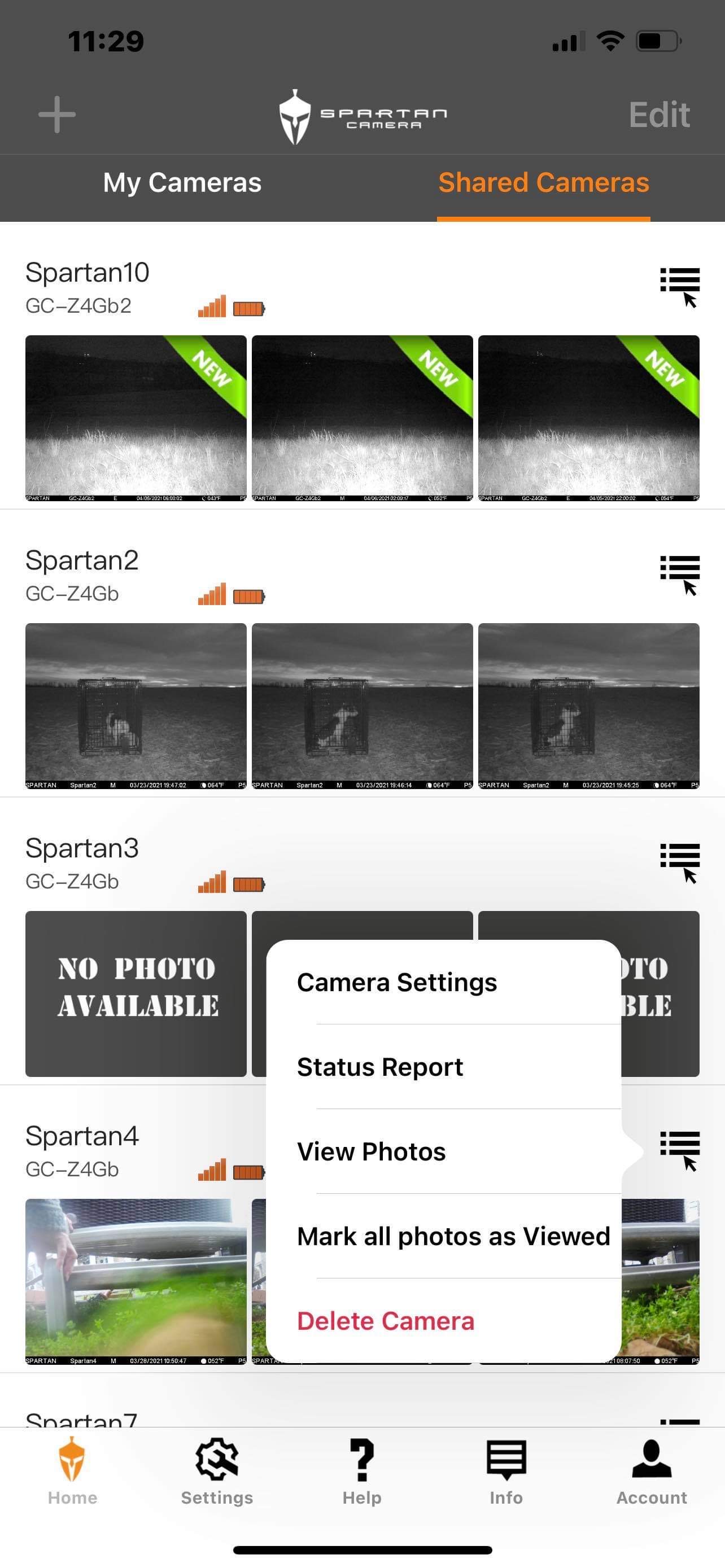
    I had one of our “guests” go to the app and it shows delete camera on app. And she is definitely a guest as  I double checked. I’m hesitant to have her go through with deleting a camera. It just seems odd that there would be an option to delete Camera for a guest if they can’t.

    0
    Comment actions Permalink
  • John Lockburner

    I checked my app as well and I don't think that's correct unless it will only remove it from the their app. It's been reported and we're looking into it.

    0
    Comment actions Permalink
  • Glenda Rupert/Find Toby in PA

    I was going to have her click on “delete camera” to see if it allowed her to go any further but I’ll wait to see what you guys say.  Thank you. 

    0
    Comment actions Permalink
  • John Lockburner

    Glenda, that delete on the guest access shared cameras should not delete them from the portal/your account BUT, there is a bug with some iOS devices where it will delete it from the owners account. Do you know who deleted it and what type of device they were using? Is your phone or the the other admins phone Android or iOS?
    0
    Comment actions Permalink
  • Glenda Rupert/Find Toby in PA

    Yes, we know who deleted. I’m iOS and the other owner/admin is Android. I will find out what type phone of who deleted. 

    0
    Comment actions Permalink

Please sign in to leave a comment.