New Camera GC-A4GB wont accept any commands

Just started up a new GC-A4GB and it works fine sending photos but it will no do a status report, update camera settings or even do a request video through the app.or web portal. These commands were working but now they are not any ideas on what may be wrong here?
-

It may still be bad. Did you format it in the camera?
I am trying to include a screen shot from the portal for one of my cameras. I’m not positive that the card in the camera is a SanDisk, but it probably is because that’s the brand I use most. It’s probably an 8 G card. If the screen shot will appear, you can see that every picture is number 1. It’s transmitting the pics but it can’t write them to the SD card. Therefore, I can’t request an HD photo, if it were video-capable, requesting a video wouldn’t work (because no video is recorded), and I couldn’t do an over the air firmware update.
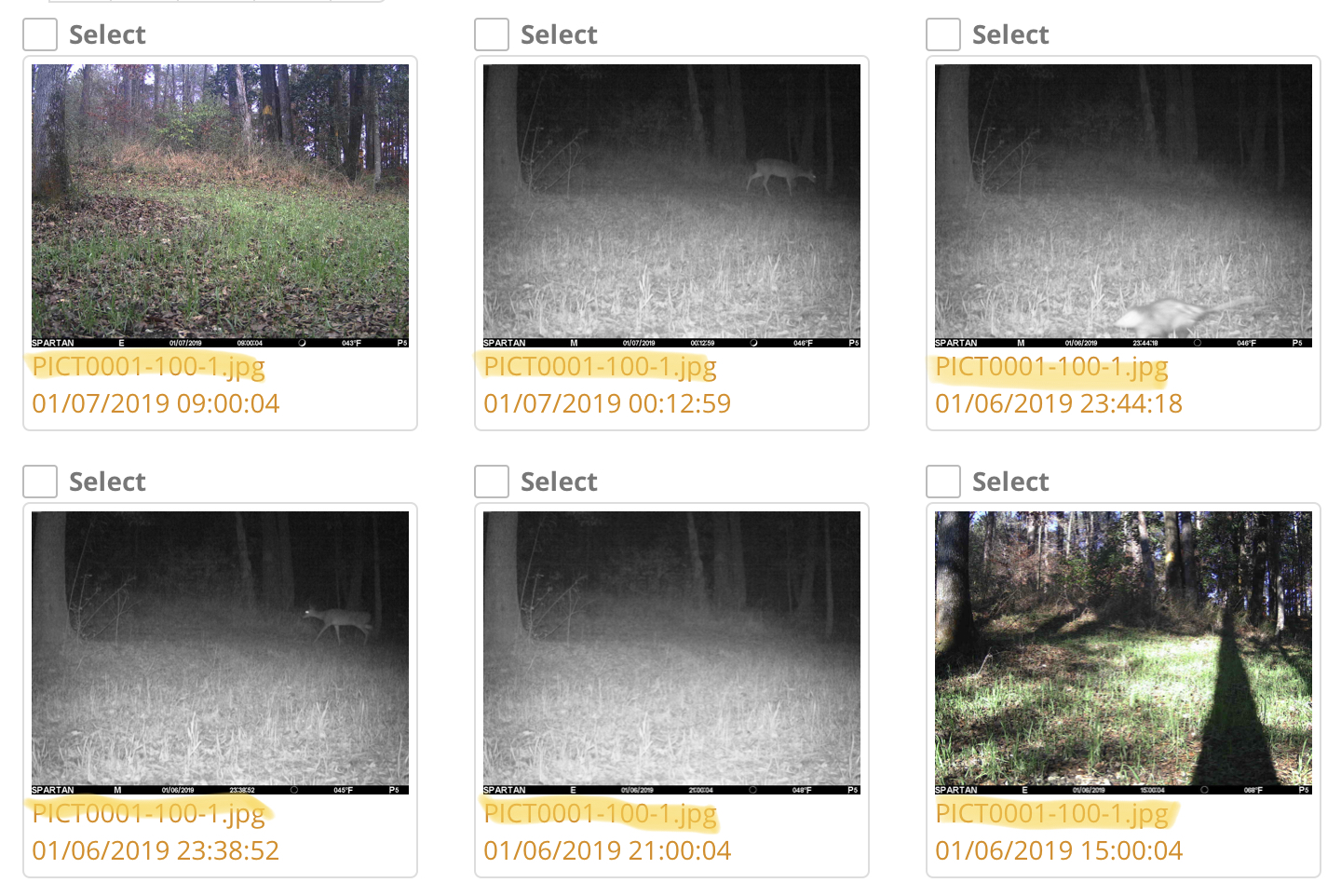
-
Have you looked at the portal to see if you might have the same problem that I show with that camera? Until you check the SD card, you won’t know. Just because I didn’t list those things, too, doesn’t mean that a bad SD card can’t cause them.
The camera will not work properly with a bad SD card. The types of problems vary, but a bad SD card causes all sorts of weird problems that you would not think it could cause unless you’ve done tech support and troubleshooting like Johnny and I have. -

Tszolis, if you want to email your portal log in information I can take a look at things for you. My email is Johnny.lockburner@spartancamera.com
-
I have 2 spartan trail cams one is 3g ant the one i am having issues with is 4g. Could it be when I added mobile access online the i was using the same access code instead of making it unique? When you authenticate on the app it just has 1 account Id and autheticates both at the same time. Are they interfering with each other. Because now the one that was working fine will not take commands now.
Please sign in to leave a comment.
Comments
27 comments