observations since new app upgrade

I have said it here before: lets not kid ourselves these cameras are not real time. Not even close but the app upgrade is even worse. I get images only if I open app or when the next event image comes. While this was random before now it's standard procedure.
I got this morning 43 images from 4 different cameras taken of elk 18 hours earlier. My wife on the other hand gets them via text almost immediately. I went to the cameras last week to manually upgrade firmware on all to see if that was it. But obviously things are the same. All cameras have external power supply which is also connected to solar panels. 1 camera has external antenna the others don't. Hence they all have about the same signal (2-3 bars). All are att 3g cameras. Point in these last statements is for the most part all cameras are equal and the common denominator is the app. Just FYI for the software developers.
-

If the pics are getting to you at all through text, email, app then the cameras and the server are functioning correctly. Even with poor signal the camera will only try for a short period of time (minutes not hours) to send the picture so if it doesn't get sent pretty soon after it's taken you aren't going to get it. Some phones prioritize how the apps run in the background and google pixel phones and Samsung phones seem to be the worst. It also depends on what other apps you have on the phone as to how the phone prioritizes what can get through in the background and what can't, two identical model phones running different (non Spartan) apps will behave differently. The other things that can effect how fast the photos get to your phone app are wifi and cellular signal strength and speed and phone memory space, if you find that first thing in the morning you get a bunch of pics and then throughout the day the lag becomes longer then there's a good chance it a storage related issue.
-
Eswoope: android.
Johny, it is a Samsung phone and possibly that is part of it. But it is the same phone as before the update. I have been very careful of keeping good notes on the behaviour of the app and it's not as it was. Here's what I have been doing. Writing down which cameras are sending event inage and status reports on time. Then keeping track of movement images and their time of receiving vs taken. No movement images come at night, ever. That is likely something with phone, although I haven't put into place any sleep controls or do not disturb times on phone. My wife on the other hand gets text images at night. Like I said probably phone. But the delay to phone via app and text are real. We often are in the same place, she gets a text with image I dont. I wait, after a while I open app I get image. I write it down. And again it could be android vs iPhone, she uses iPhone. Any way you wash it personally I think it's hardly worth the money spent and on going expenses plus the time wasted (driving a couple hundred miles rt) trying to make these act in some reliable manner. I am not a complainer just a realist. -

It’s not the cameras that are the problem. My iPads tend to get the photos to the app pretty quickly. My Samsung phone a lot of time the app has to be open.
Is your wife willing to run the app? Are you willing to run the app and get messages by text? That’s really the only way to compare. Comparing text on one OS to app on a different OS is apples and oranges.
If you’ve read some of the recent threads, you’ll see several complaints about pics coming to the app but not via text. -
Johnny, I get a set of 9pm images, last event image of the day. Basically set only to see what the power level is with flash.
Enswoope, wife has had app drove her nuts. She didn't like event images, status reports let alone all the images which happen when 60 elk are bedding down in front of 4 cameras. But for the sake of testing I will do the app and text again. I have done it to compare in the past. But I wasn't writing things down then so nothing I could say about the results would have real value. -
Enswoope, she gets event and motion images only.
So I set up to receive images via text and app yesterday.I intentionally didn't open app yesterday. I received event images via text at the correct time yesterday. Never got them via app. I received images via text over night of animals but not via app. I opened app at 6 a.m. this morning all the images received via text yesterday and overnight came to my phone. -
That has to be something with the phone. When you opened the app this morning were the pictures already downloaded or did you have to wait? I'd be curious if you put the app on her phone for just a day or two if it would behave the same way as yours. Do either of you have a tablet you could try it on?
-
Mine does it on rare occasion and it's usually caused by the phone switching from wifi to data while it's trying to download pics. It doesn't happen that often though. I have seen it happen when the wifi or data signal strength is very poor. The phone will try to download for a while (I see the download arrow moving) but then stops and didn't try again until I open the app.
-
I started this conversation and frankly I have grown weary of trying to get this working. 14 images of deer last night again not delivered to my phone real time as it goes every day something walks in front of any of the 4 cameras I have set up. I had gotten a dealership for these to use on logging sites for security. But no longer install them because they just are hit and miss at real time, mostly miss.
-

I was messaging with the spartan fb page last night about the exact same issue with using them as security cams (along with this whole issue in general). I too had to take my security ones down because they are not reliable in getting you the information. This is a serious issue spartan has going on and needs to be addressed immediately. I’d like to see them stop advertising their cams as security cams and also start refunding people their money back for each month of the app that we pay for that does not work. If I wanted a camera that didn’t function properly I could have bought a WGI much cheaper. Frankly I’ve had enough of their bs.
-
There are many frustrations with these and frankly I have quit trying to work it out. But the part that pisses me off the most is my original camera was one which had the "take image now" function. Which is gone from that unit now.
I have said it on this forum before but will say it again. 3 years into messing with these things knowing what I know now, I wouldn't buy one of these. There is a pretty good chance that in a few more years they will work but as with a lot of technology it will be at the expense of the first in the game who also paid the highest price to play. -
With Android, in the past I have experienced the "doesn't download until you open the app" problem with an old Galaxy Note 5 and earlier point versions of the app. Somewhere along the way, I managed to tweak the settings on the phone so that it did download in the background. I got rid of an app that I suspected of interfering (Share-It). I don't have any proof that ditching the app fixed things for me, but the app started behaving better about the time I deleted that app.
On my new Galaxy Note 9, I have it set to restart every morning at 1 AM. I last looked at the app shortly after 10 PM last night and marked all photos as viewed. This morning when I looked at the phone about 6:20 this morning (after the phone had restarted at 1 AM), the SC icon showed over 200 photos downloaded. Unfortunately, I didn't think to take a screen shot of it, but I did take a couple of screen shots when I opened the app. The first two screen shots show multiple photos downloaded during the night after the phone restart, without the app being open.
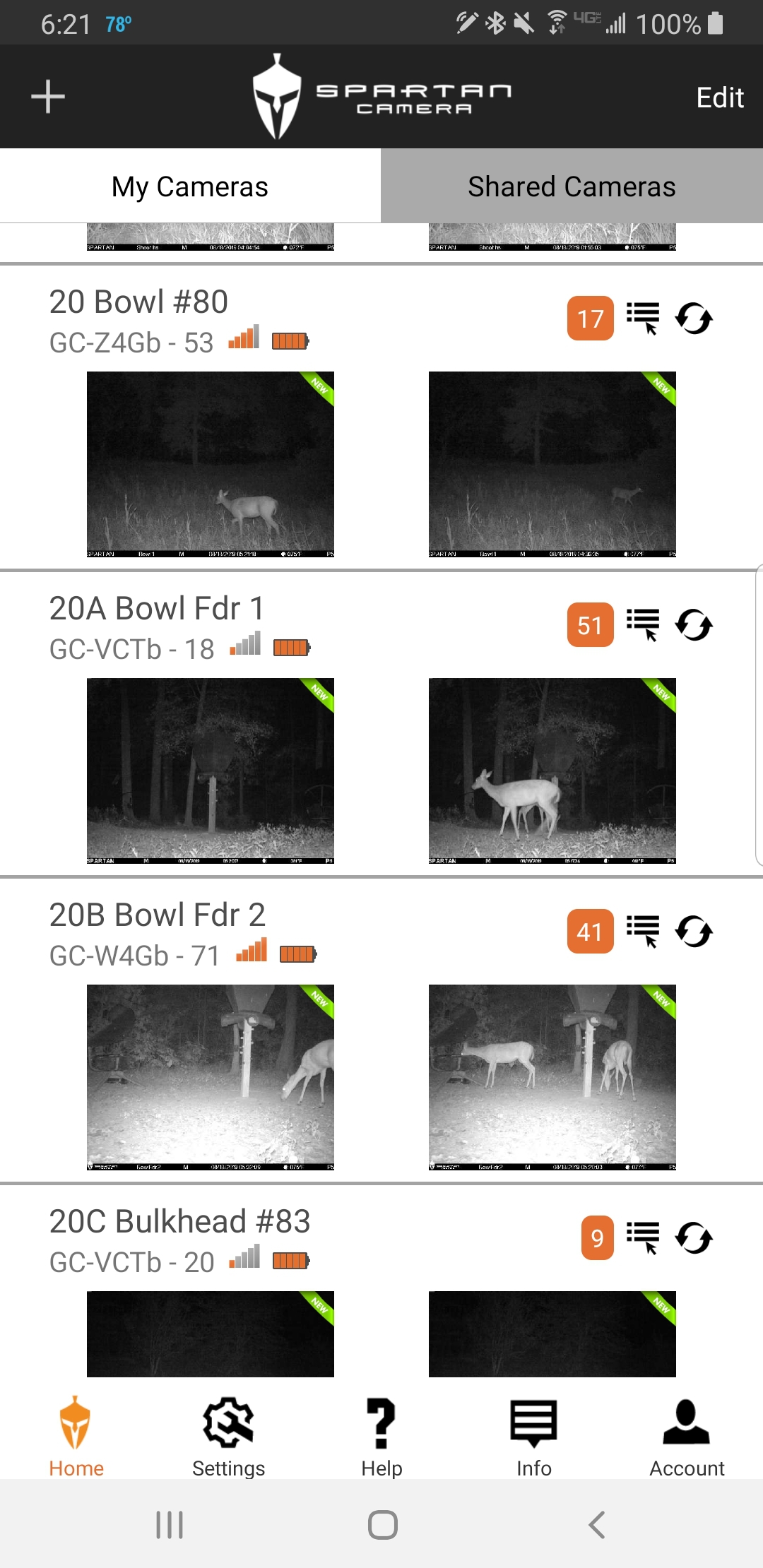
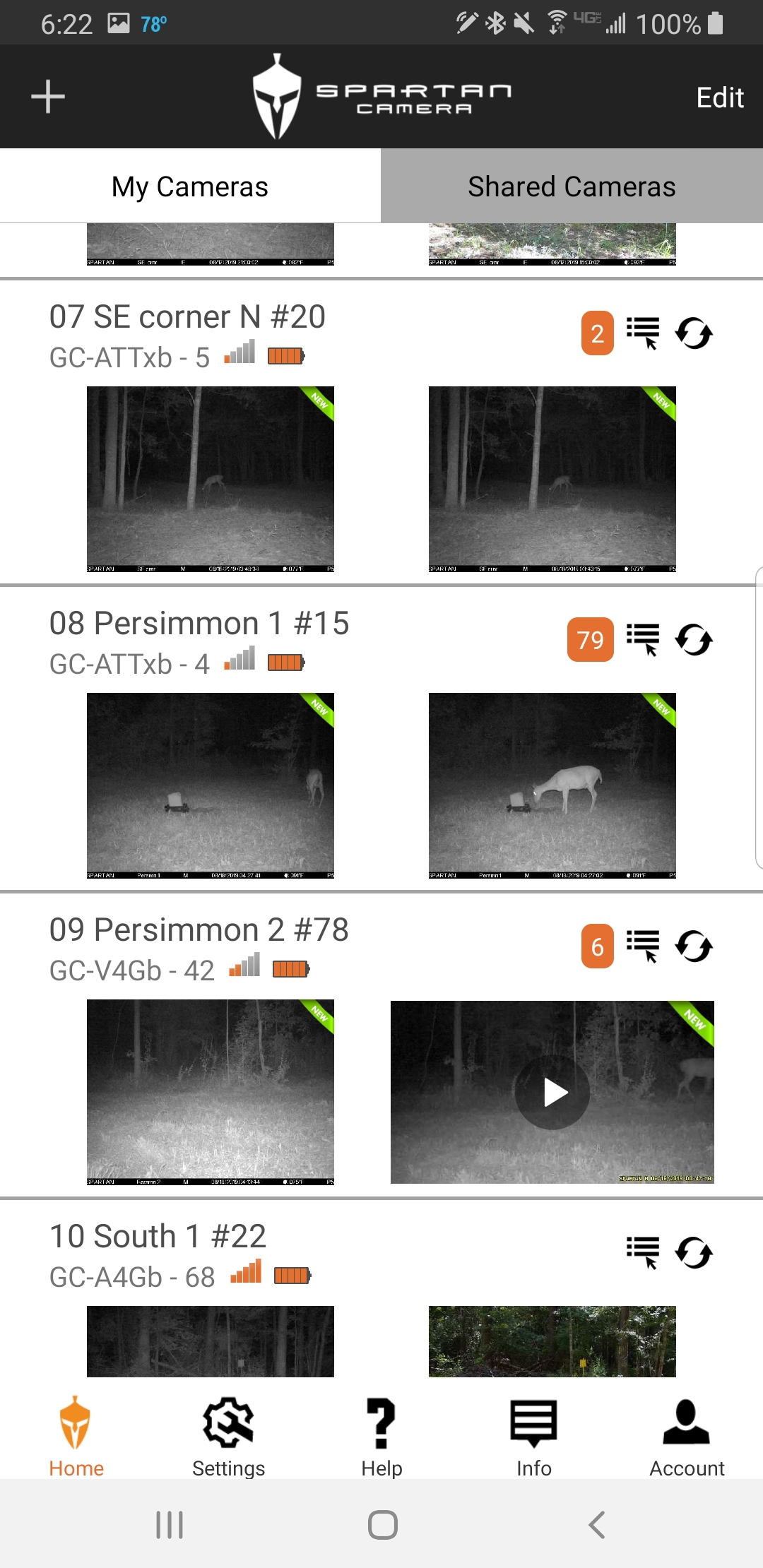
I did not view any of the photos or mark them as read.
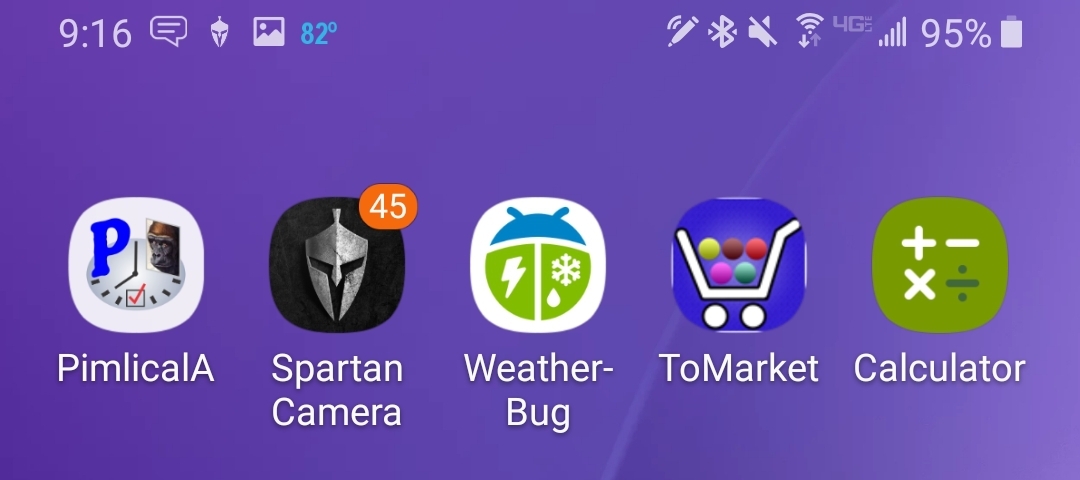
I set the phone aside shortly after 7 (was talking on it, not using any apps), then checked it again after my 9 AM event photos should have come in. The app icon is showing 45 photos downloaded since I opened the app at 6:20 AM.
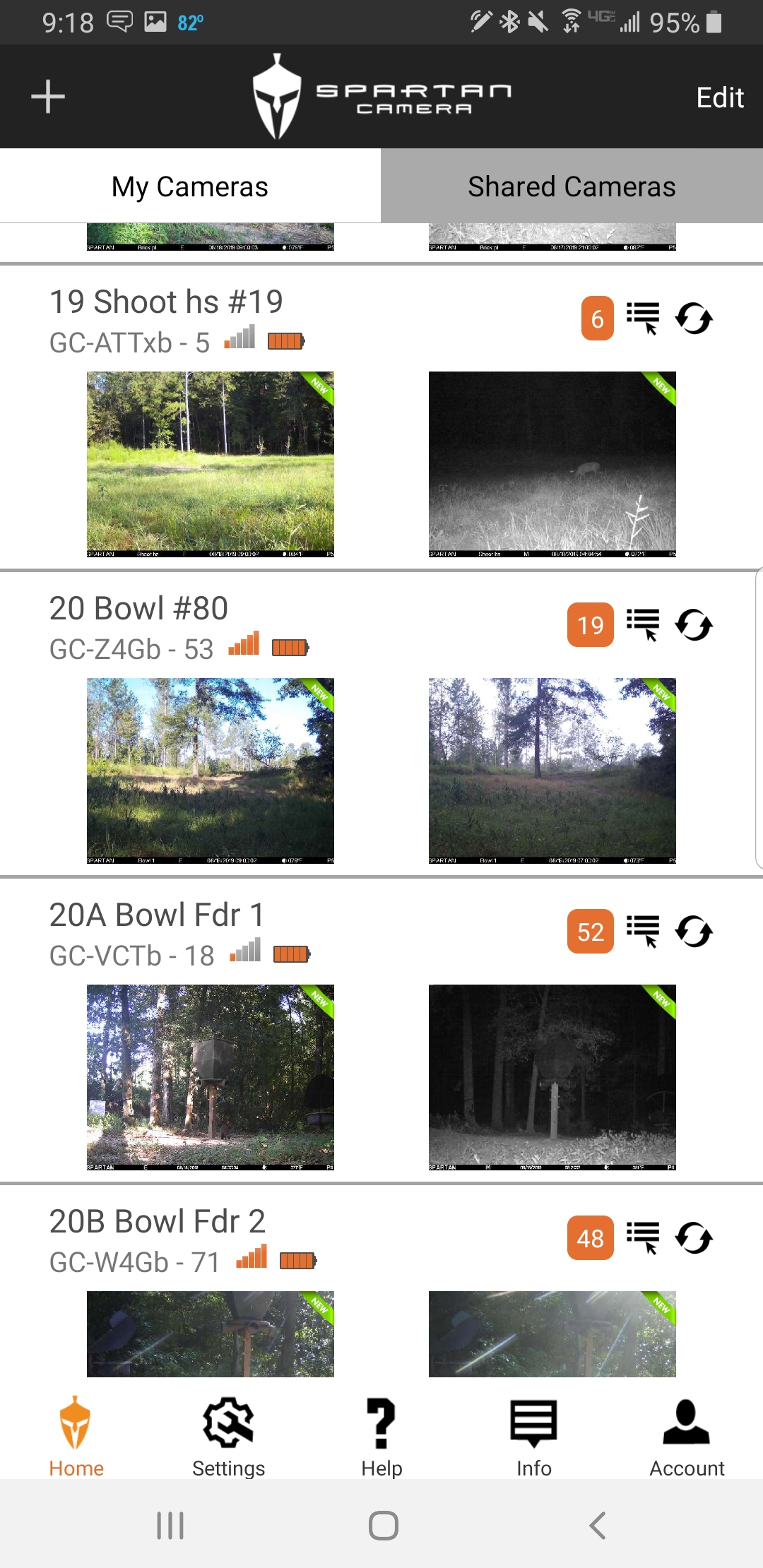
This screen shot shows new photos downloaded at 9 AM (the daytime shots). The counts include the photos downloaded during the night (the two hundred something that I didn't screen cap the number for).
I am not posting this to try to disprove what y'all are saying. I believe you. I'm posting it because the problem doesn't affect everyone or every Android phone (I'll post for iOS later). As Johnny said in his comment on one of these threads, it's not even related to particular phone brands or models. Two same-model phones can show completely different behaviors. It's also very challenging to find the settings you might want to change even if you have some idea that the settings involve battery usage, the app sleeping or not, etc.
I hope that the developers are able to figure out something, but they can't override priorities built into Android, a particular phone's software, and the combination of apps installed on the phone. -
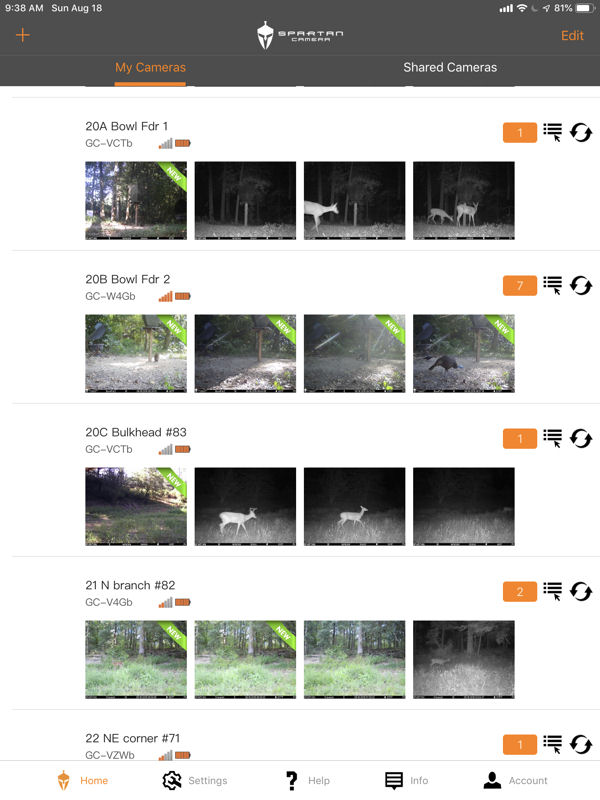
iOS. I used my iPad Mini 5 until shortly after 7 AM. Did not use it again until after 9, when my scheduled event photos came in. 38 pics downloaded during that time.
New photos on the iPad when I opened the app.
Again, I'm not saying that y'all are wrong. I'm saying that what you are seeing with the app is not what everyone is seeing. I have had the same frustration when my app wasn't working like someone else's was. I hope that the developers are able to figure out how to make things behave for everyone.
-
Liz, the most important function was lost for some of us. The ability to reliably get photos. What purpose does the app serve if it cannot do that? Seriously, this is a camera and a app to get the pics from that camera. That is all! And it doesn’t work. Spartan needs to stand up and acknowledge their issue and inform us they are working on a fix in a timely manner. Reimbursing credits for each camera used during this time would be a start for them. I’m sure my frustration at this point exceeds what you’ve had when the app didn’t work for you.
By the way, I really am glad your app works. But you have paying customers who isn’t. Spartan has my phone number, the owner of the company has my number. Let’s see if they are even able to pick up a phone and discuss their issues
-
iPad Pro 11. I closed the cover on this shortly after 10 last night, didn't touch it until I opened it and took these screen shots. I don't have an iPhone, I'm sure those behave differently than iPads. Both of my iPads are cellular, on AT&T plans, but they're running on wifi here at the house.
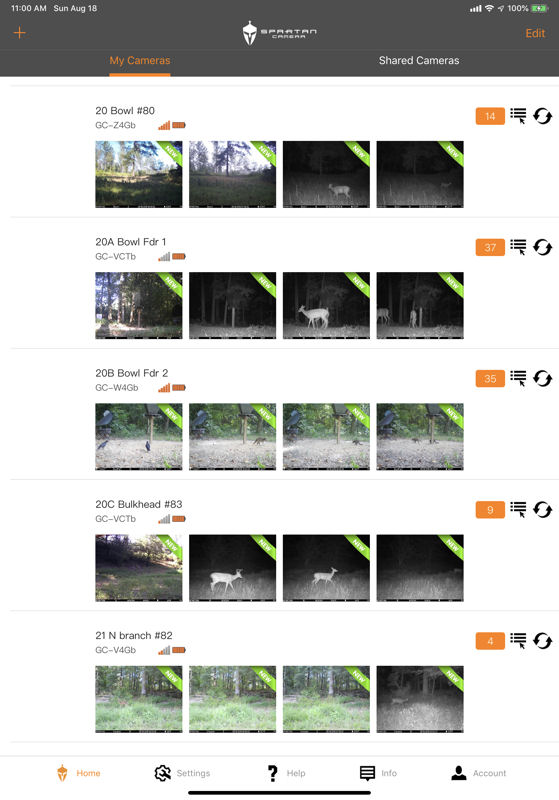
-
Calvinlowe the app update was necessary to avoid major issues that were going to arise. Like Liz said, going back is not an option. Have you tried running the app with WIFi turned off on your phone? No one has said that this doesn't happen and yes it's being worked on. I can tell you that it's difficult to fix when it's not something within the app but how certain phones prioritize things. Hopefully something is figured out soon where 100% of peoples apps work perfectly.
-
As for security cameras I have a few people that will set up to be texted pictures from their security cameras. They actually turn off notification from the Spartan app and only set up their cameras that are being used as security cams to get the text notifications. This isn't always the best option, especially if your cell phone is ATT because they like to block or delay text photos, but it's a good back up/work around. Many of the people who do this aren't having the same issues that you and your friends are but like it this way so that they only get notified from the security cameras and not the ones being used as game cameras.

Please sign in to leave a comment.
Comments
31 comments