GC-A4Gb Photo + Video NOT Sending Video

Hey all - I have (2) GC-A4Gb cameras that I recently hooked up. I have set each camera to Photo + Video (see image of settings below) and am receiving images properly. However, I am not receiving any of the footage. Could someone please provide some insight into why I am not receiving the videos?
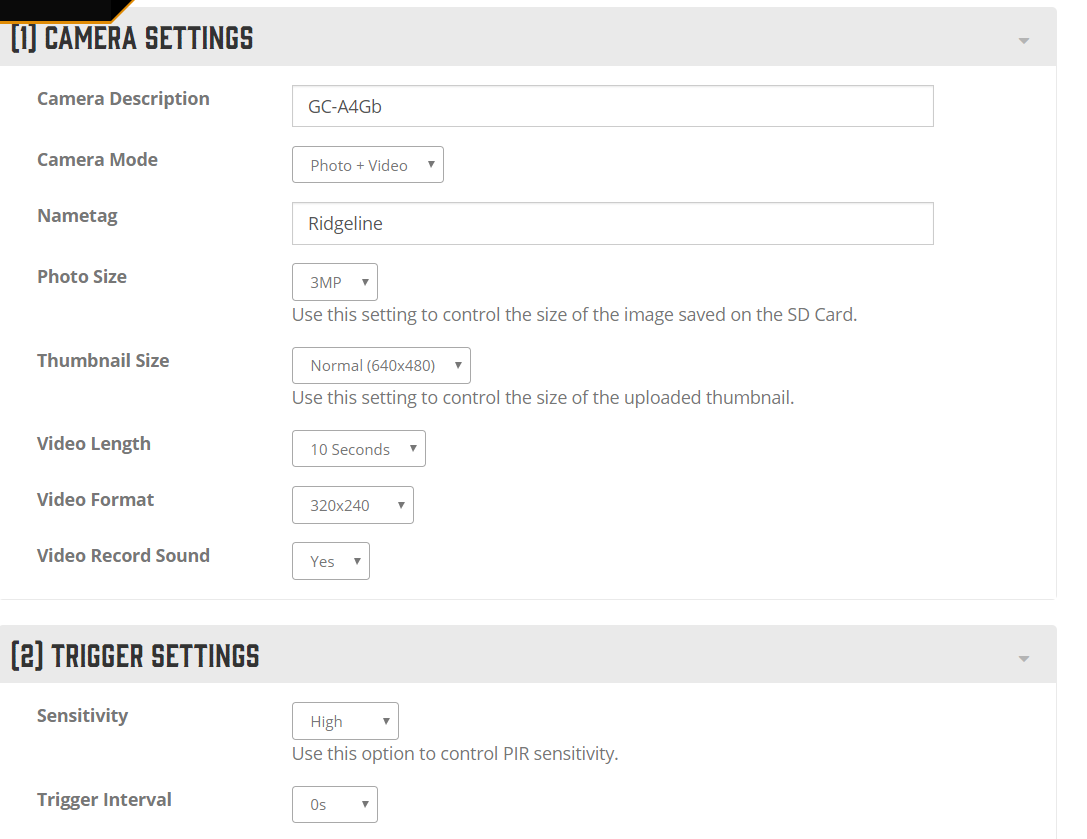

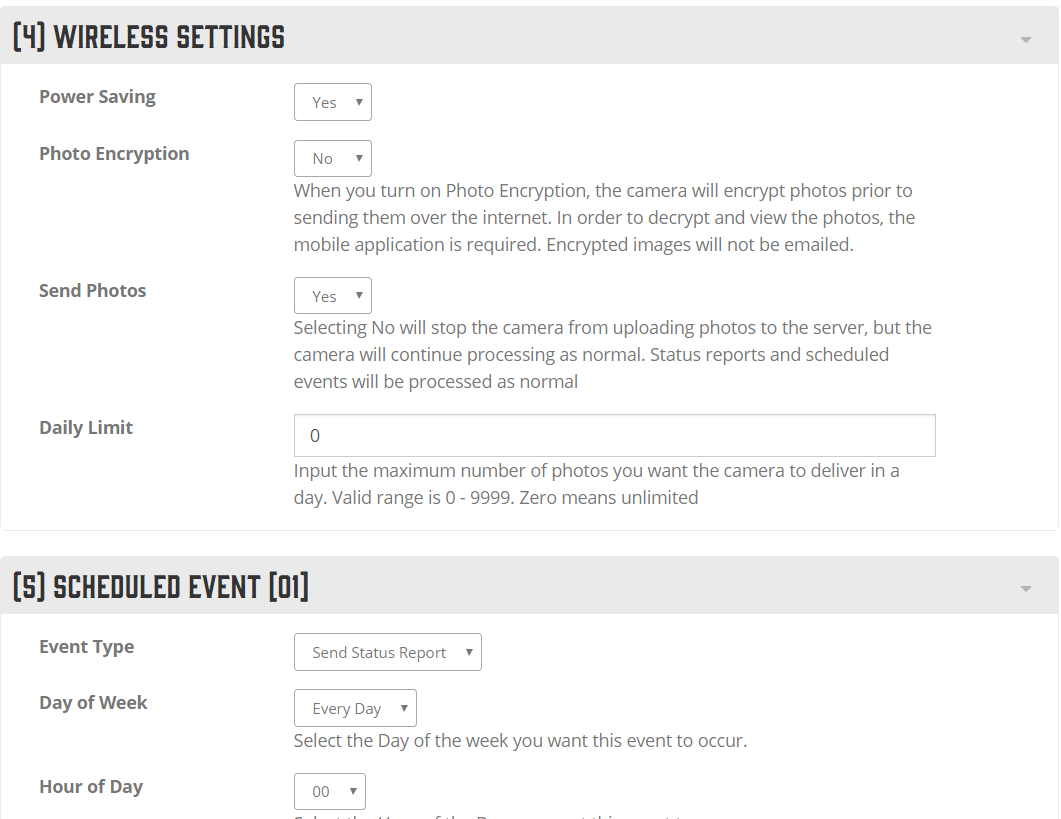
Please let me know if there is any additional information I can provide to assist with troubleshooting and I'll be glad to post.
Thanks!


Please sign in to leave a comment.
Comments
4 comments