GC-Attb. Not sending or taking pics

-

Can you clarify what you mean by 1 image every minute? Do you mean 1 minute time lapse? 1 minute trigger interval?
So you were walking around in front of these two cameras this afternoon after the noon picture? Is it possible that there isn’t anything happening in front of them? Have they missed event pictures after the noon one?
So the times on the info strip are just a few seconds apart? I’m not sure how that is possible. The camera has to take/send one picture (or fail at sending) before it can take/send the next one. On those cameras, you’re looking at 45 seconds to a minute and a half.
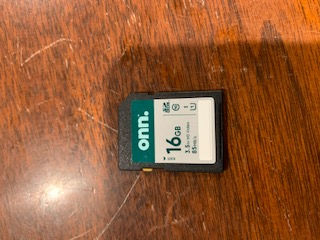
Are you using a class 10 standard size (not microSD in adapter) SD card, preferably 80 MB/s speed (although it may not be as critical on the old 3G cameras that can’t send video), 32 G or less capacity.
Before anything can be fixed, we need to figure out what exactly is happening. -

Lance, I know you say the batteries are good, I just want to make sure that all the pictures especially the night ones are showing P5 in the lower right corner and that status reports are showing 5.7 volts and full bars. How long ago did you update the firmware on the cameras and did you do it over the air or manually?
-
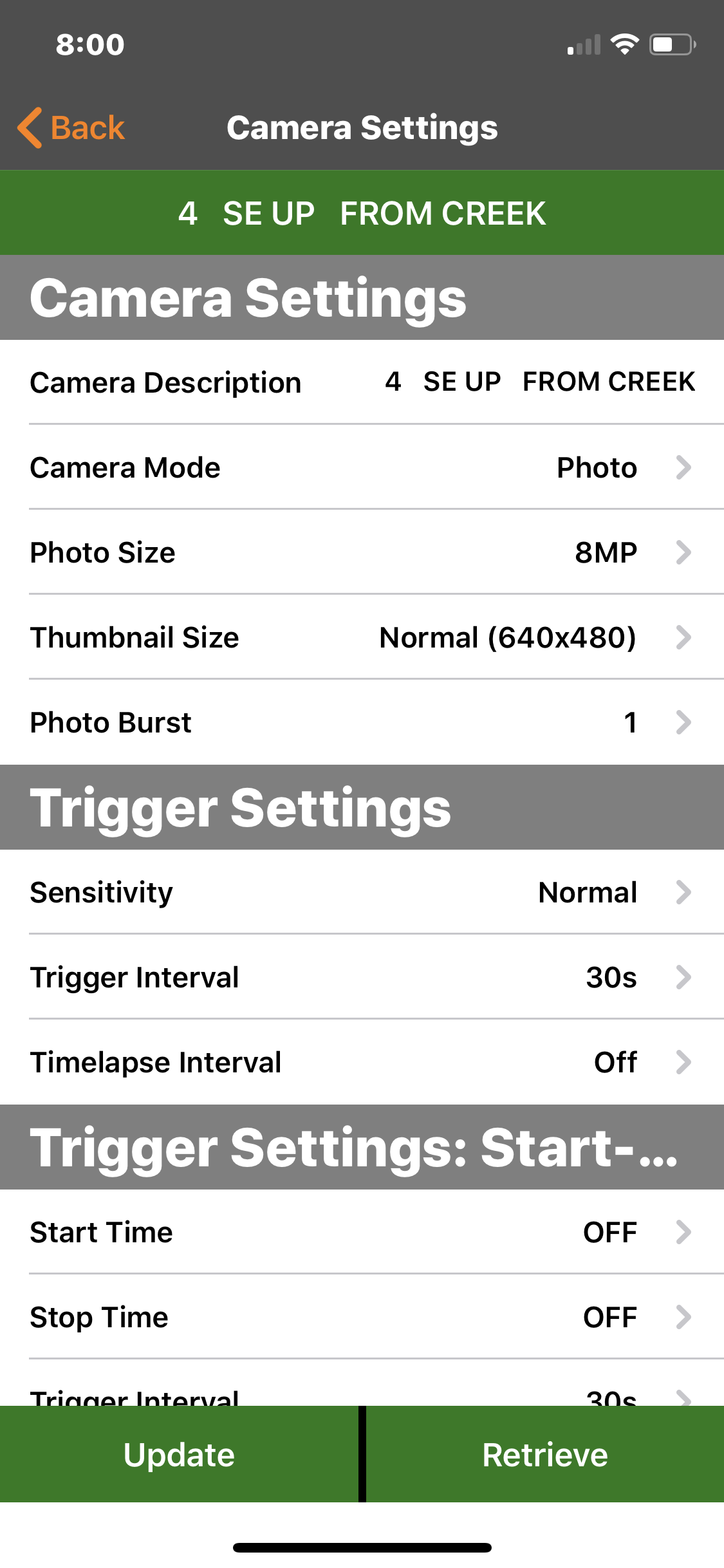
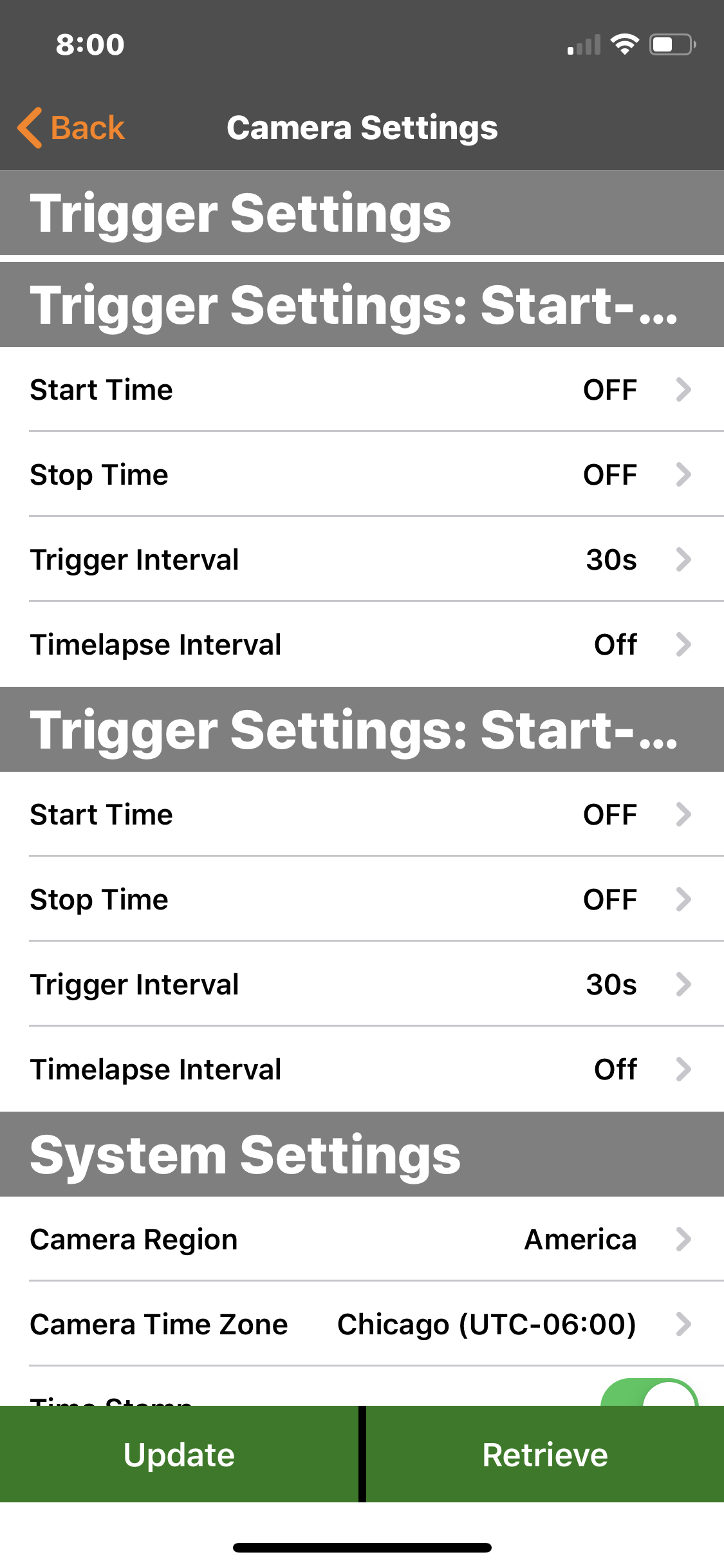
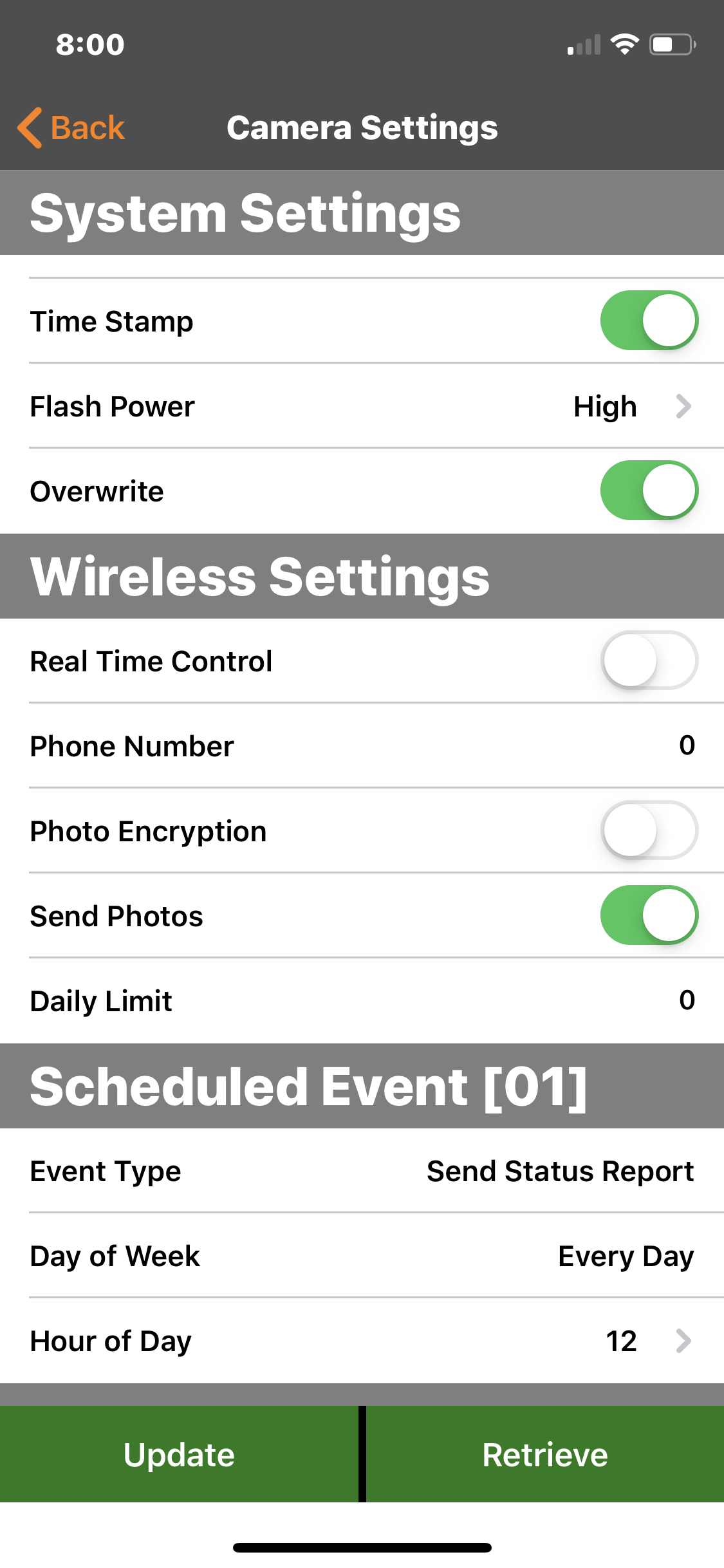
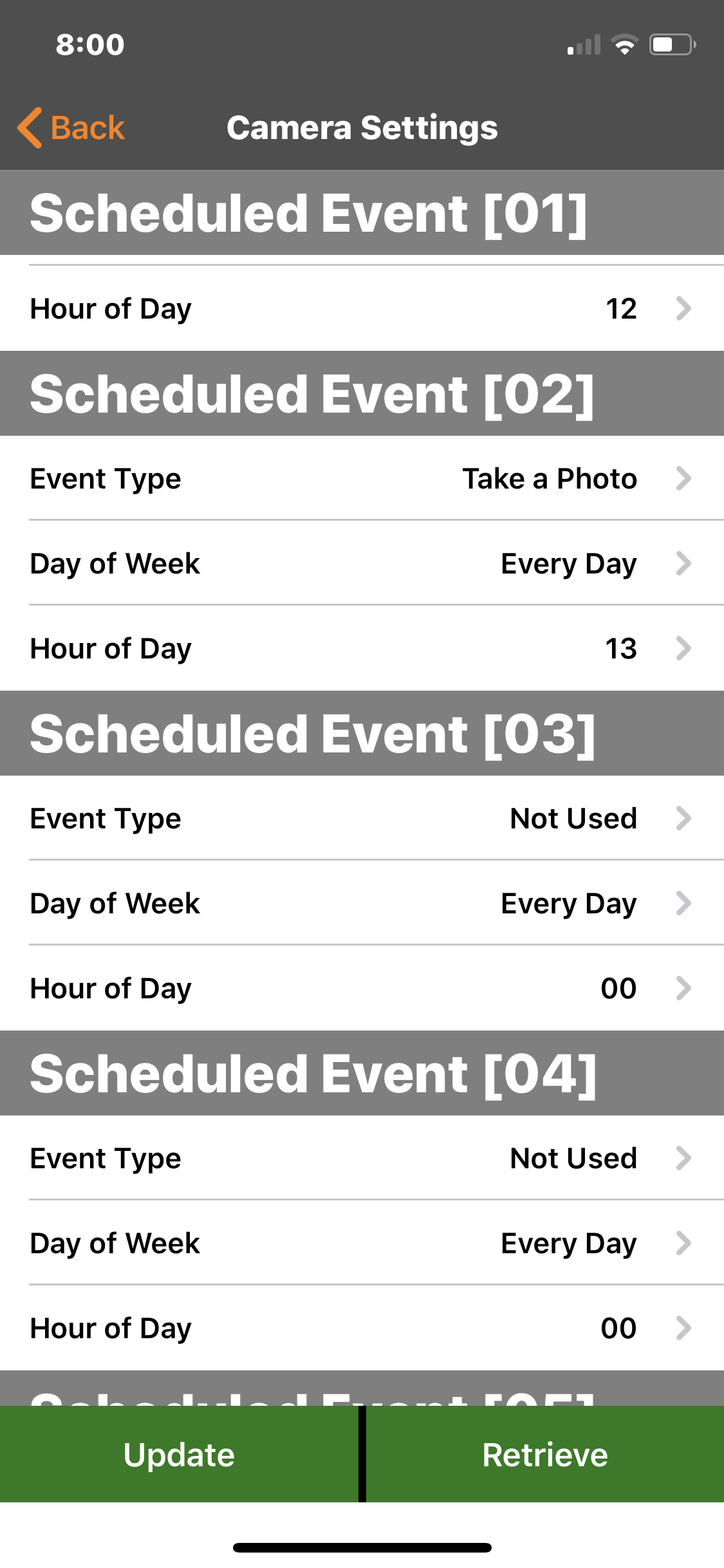
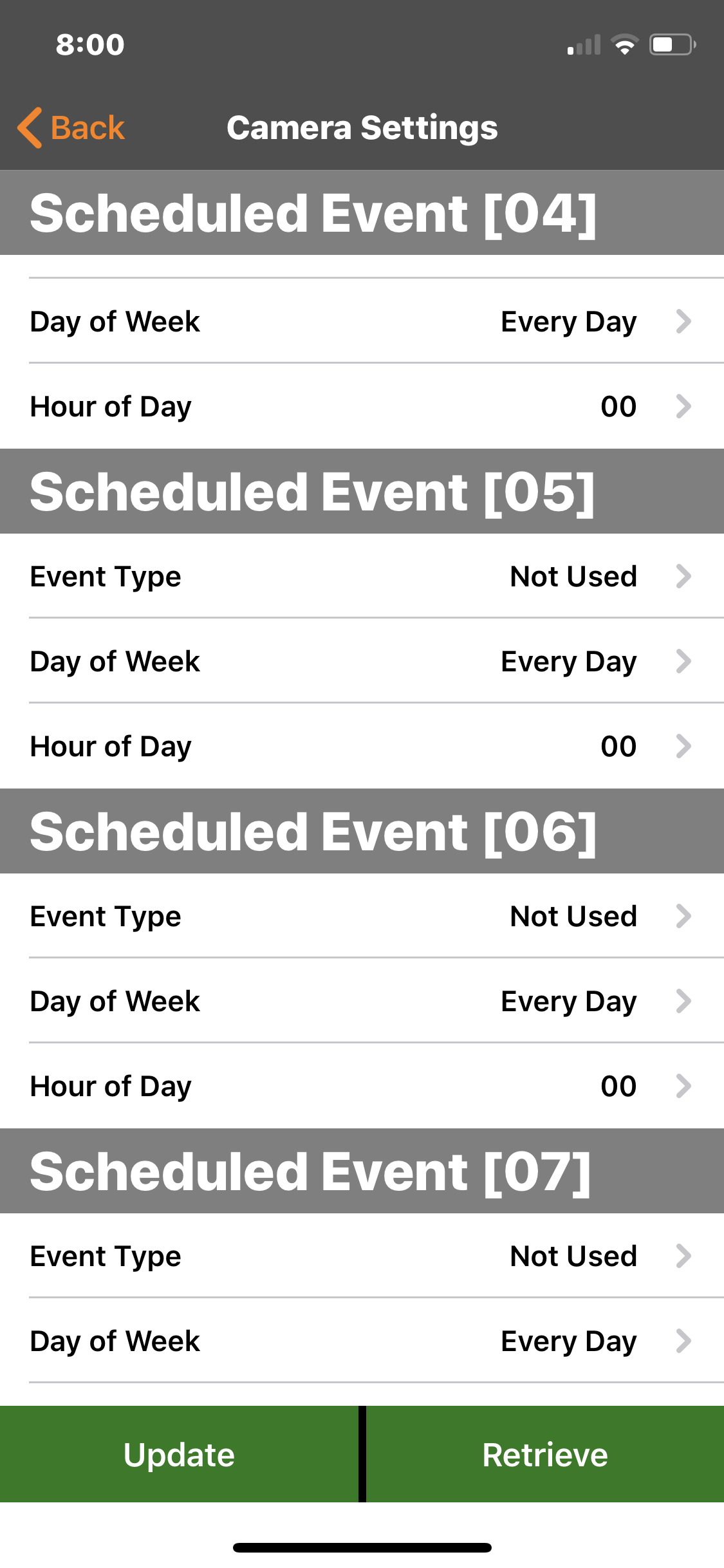
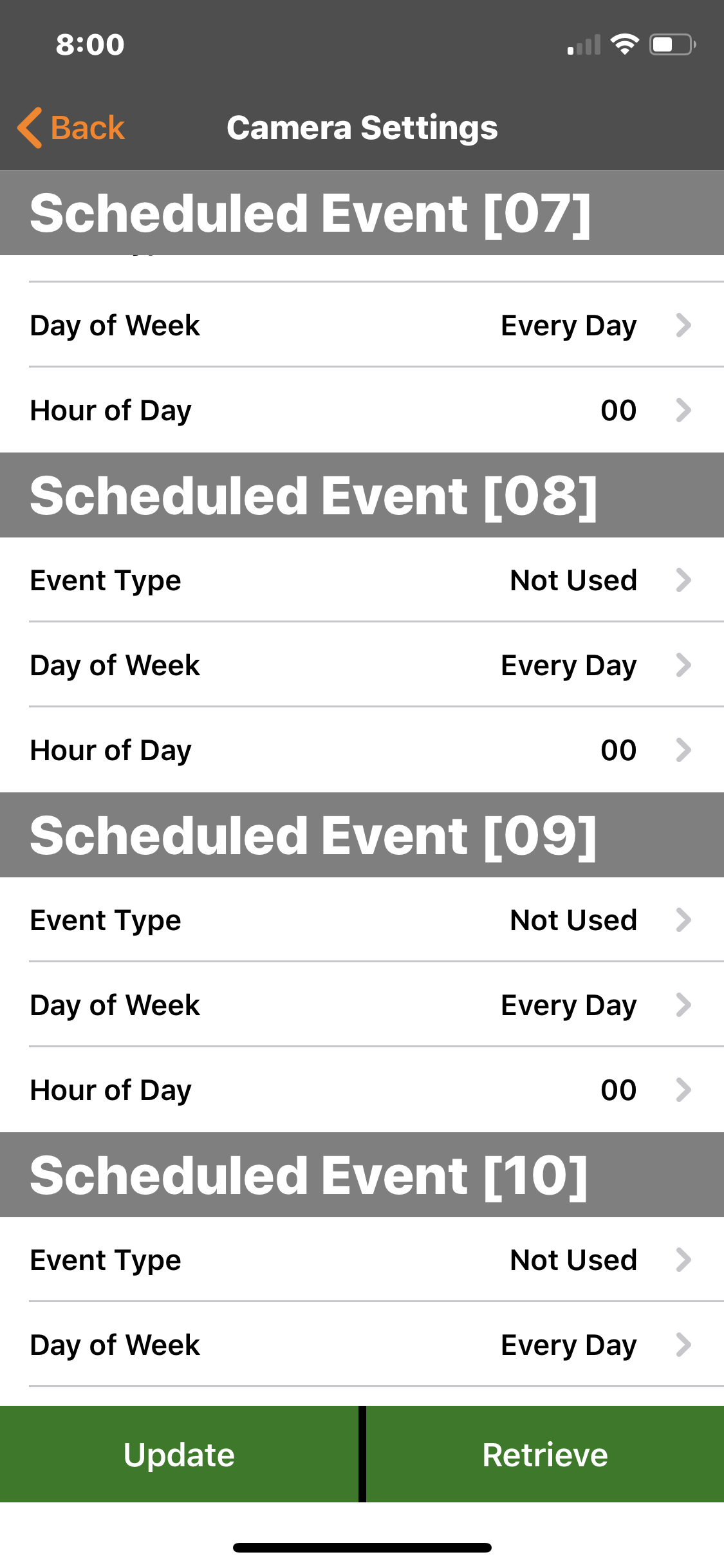
My mistake, they are a minute or more apart. I do not have the photo burst on. The P5 is showing in the photo. The SD card meets the criteria (I did try another one and formatted both of the cards in the camera). Status is showing 5.7 volts with 3 bars. Attached are pics of settings,status and images. Usually when I check the cameras there are several photos of me sent to the app. That's how noticed something was wrong. I have one of the cameras back at my house. Its like the trigger is not working since I can take pics manually and they go through. Also checking the SD card after walking in front of the camera here at home
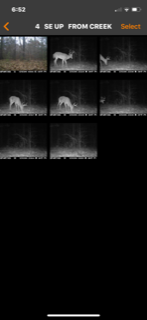
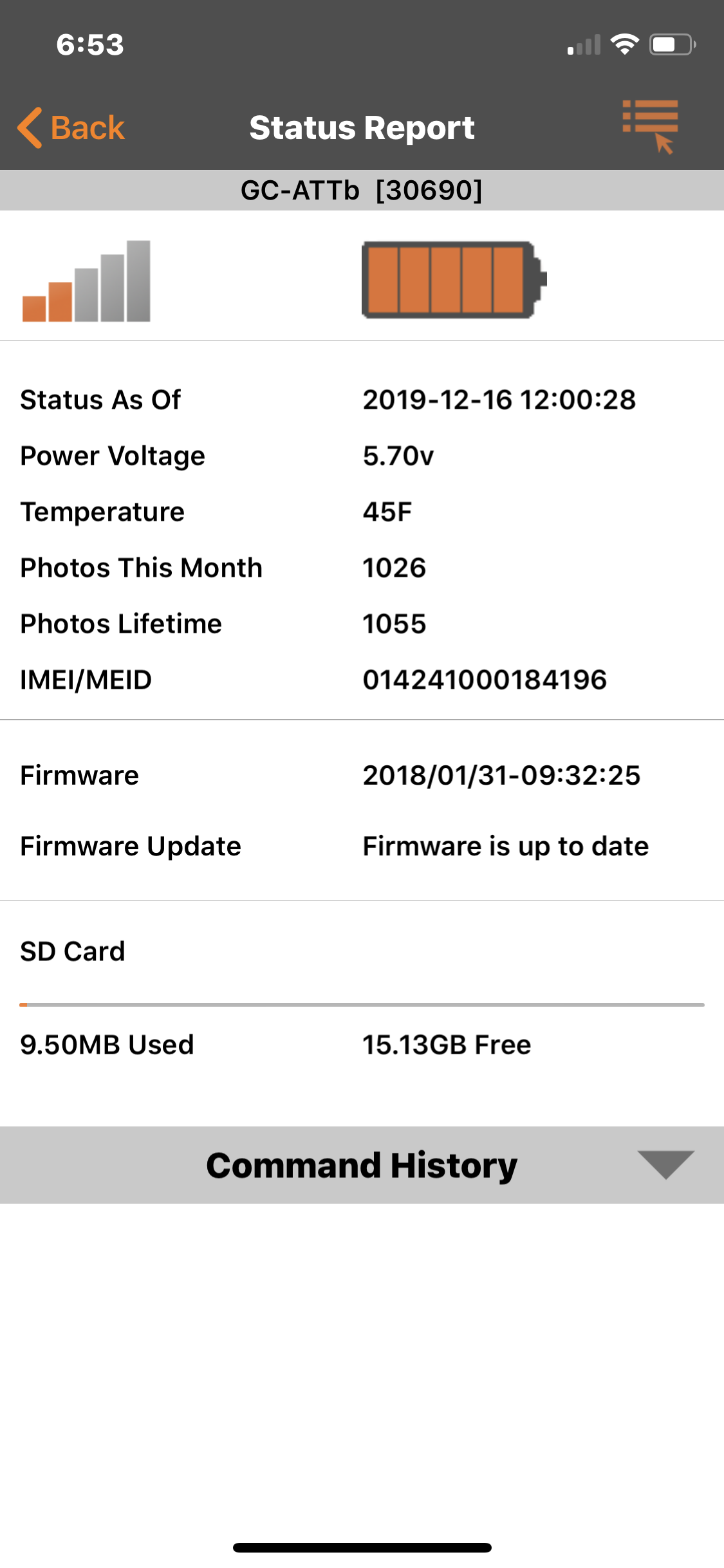
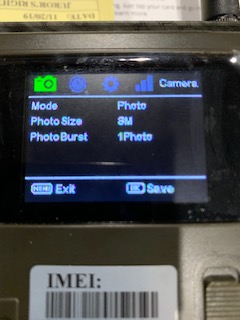
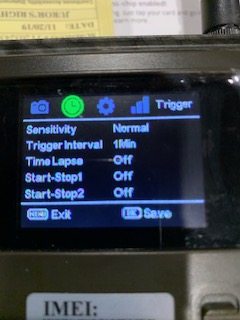
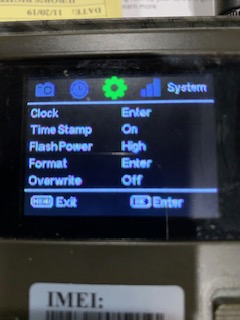
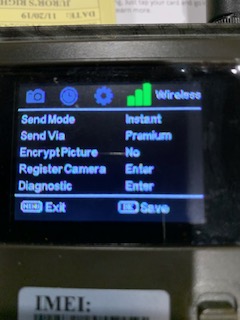
 and its recording nothing to the card.
 -
First, thanks for taking the time and effort to post the pics. Those help and I know it's a PITA.
I can't tell anything about that SD card except that it's standard size and 16 G. It's not a name brand, and I can't tell whether it's a class 10 or what the speed (MB/s) is. I've tried zooming in on the photo and I can't read the fine print. Now these older cameras are not quite as picky as the newer ones about speed, but I'm a little skeptical about the SD card.
If you want pics as fast as possible, set the trigger interval to 0. 1Min means that the camera has to rest for a minute after it has finished sending a photo before it can take/send another. That will likely put your pictures a minute and a half or more apart. I also would set photo size to either 3MP or 5MP (but that doesn't have anything to do with your problem).
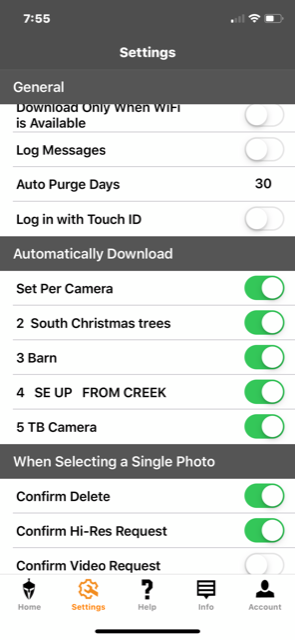
Can you post screen shots of your settings from the app? Just want to be sure there isn't something that got set by accident that we can see from the screen shots.
-
Can you post a picture of the information screen too please. I would definitely try a name brand SD card, the cards do more than just save pictures, if that card was slightly out of spec it may have worked fine for a while but a small network change might have been enough to have it cause a problem. I would also cancel any pending commands and default the camera in it's menu.
-
Went ahead and went to Best Buy and bought Scan Disk 16G class 10 80mb/s. Set camera to defaults and cancelled updates. Put cars in camera and switches to the on position. Got the blinking green light and walked around in front of it for 10 minutes. Still not taking or sending pics. Pulled SD out to see if anything was on it, empty card. It will still manually take and send a pic.
-
The blinking green light should stop a few seconds after you turn the camera on. The camera is not going to take pictures as long as that light is blinking. I can’t tell whether you mean the the green light blinked a little and stopped or whether it just blinked. Also, did you format the SD cards in the camera? Did you take/send a manual photo?
-
It stopped blinking as it usually does. Most of the time in the field, I’ll close the cover and can’t get away fast enough without it getting a picture after I have turned it on. I did the manual photo by pressing the ok button twice and it sent it to me also. (After putting the new SD in) It’s just like the trigger is not working. Bought these in 2016 so they are getting older. This camera did stop taking pictures for about a day a couple of weeks ago. There were deer in front of it that I saw but no pics were being sent or on the SD card when I checked it. The next day it started working fine.
-
Put the camera in set up and have it take and send you a manual picture. Then leave it in set up and close the case. Walk around in front of the camera and see if the green light blinks. If it does it's detecting you so that means the sensor is working. There's a good chance updating the firmware manually could help. Just make sure the card is blank/clean and that you get the firmware for your exact camera model from the downloads list.
-
It is now taking pictures again. I didn’t do anything else to it last night. It was left where I was walking by it and I got a pic when my wife walked by at 5:00 am. It’s been firing pictures all morning. I didn’t know it about the green light and motion. Also it did record a pic on the SD card last night on manual. It has never failed to do that yet. Strange. Also the other camera just like it is sending pics again. It never sent anything when I drove by it yesterday. I also got out and checked the feeder on that one. I usually get multiple pics when I did that. Strange... Do you think I should still do a manual update on both of them?
-
Sorry I deleted everything on that one before I looked. The other one that started working again that I didn’t touch has sequential numbered pictures. I drove by it a little while ago and it is taking pics. Yesterday it wouldn’t. I never touched that camera, or even pulled the SD card out....
I’m just glad they are working again, thanks for the help.
 is a 10 and it is 85 MBS.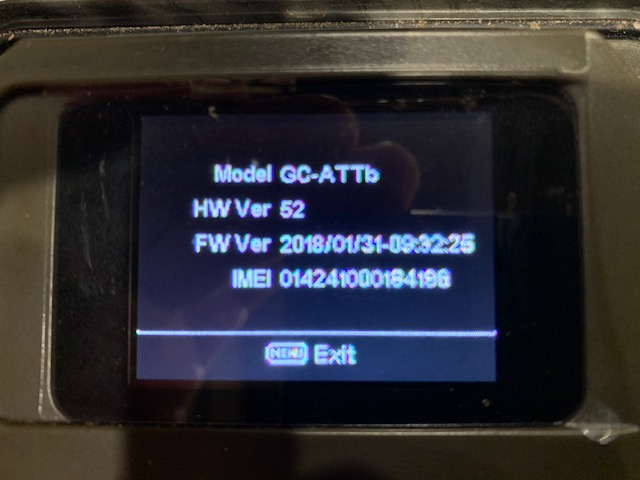
Please sign in to leave a comment.
Comments
23 comments