Cam hasn’t sent pictures GC-ATTb

Comments

44 comments

  • Demetrius Dixon

    Yea I made sure it had no parenthesis. I requested a photo yesterday and it came In around 3:30am and the status report did to I think but I never got a notification for the status report.

    0
    Comment actions Permalink
  • John Lockburner

    Does it show that the firmware updated? You may have status report notifications turned off in the app settings possibly.

    0
    Comment actions Permalink
  • Demetrius Dixon

    No it still shows 2016.

    0
    Comment actions Permalink
  • John Lockburner

    You're going to have to go there and try again, you can confirm the update by looking at the information screen on the camera. If the firmware doesn't update I would bring the camera home. Without the update we can't try any of the other things that may need to be done to the camera.

    0
    Comment actions Permalink
  • Demetrius Dixon

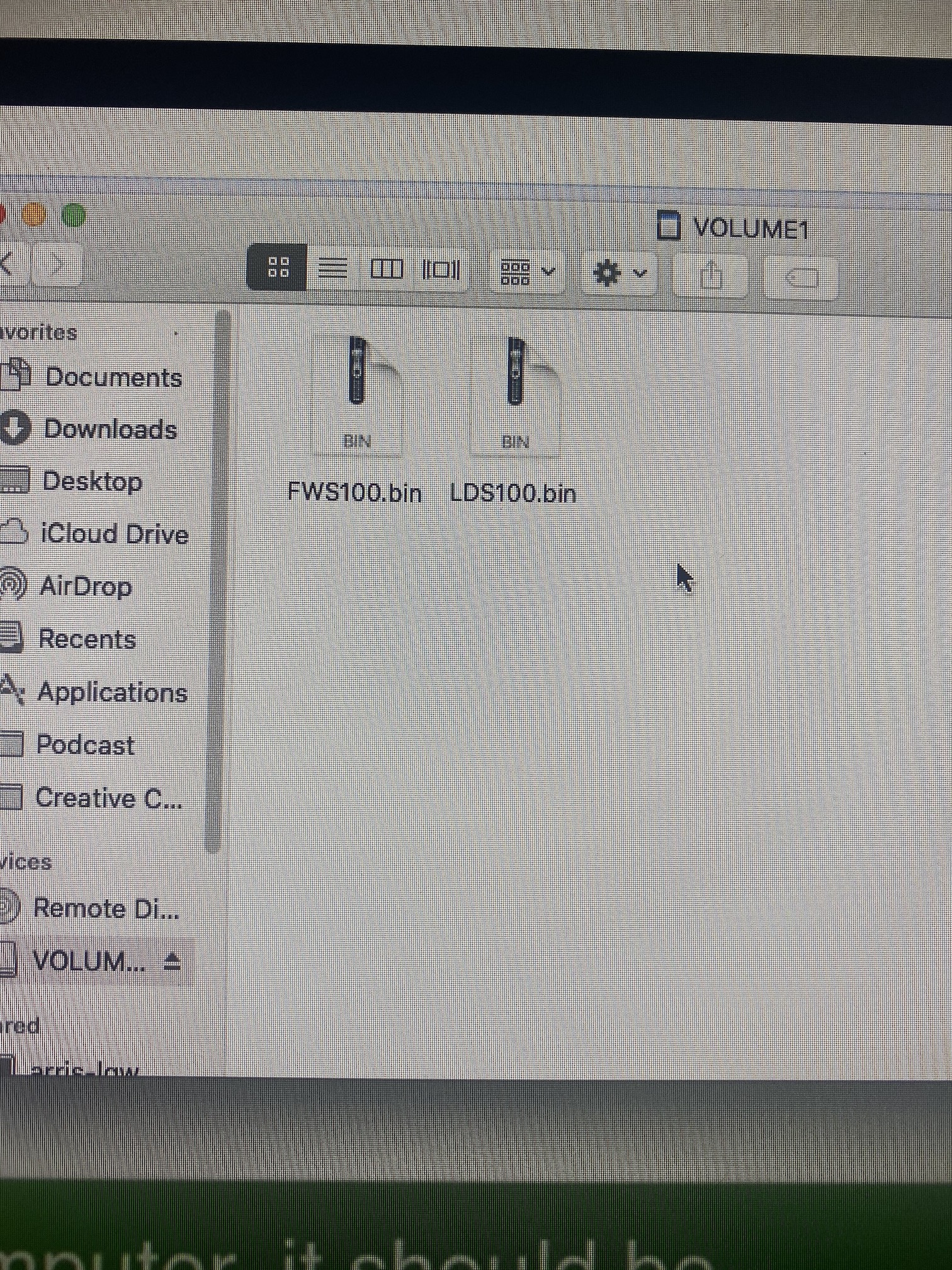
    The FW is showing up as a zip file it seems like. Will this effect anything? Do the titles look fine?

    0
    Comment actions Permalink
  • Elizabeth Swoope

    When I download the file, I only get FWS100.bin. That's the file you need. I'd put LDS100.bin somewhere safe and delete it from the card for now.

    0
    Comment actions Permalink
  • John Lockburner

    Did you format the card before you loaded the firmware? I'm wondering if that LDS file that was on there from something else

    0
    Comment actions Permalink
  • Demetrius Dixon

    I deleted everything from the card that was on it. I don’t have the camera here to format it, is there another way to format it? Also I downloaded these too directly from the email that the guy from Spartan sent me after we talked over the phone. He mentioned he would send me both so that no matter what it would work. But if thats wrong I can delete it

    0
    Comment actions Permalink
  • John Lockburner

    If tech support sent you those then leave them both on there. If I were you I would take another card that only has the FW file on it just in case. Who were you dealing with at tech?

    0
    Comment actions Permalink
  • Demetrius Dixon

    Ok is that card considered formatted with just deleting everything off it? Also the only other card I have is the 64gb one. Is that too big for just uploading the FW or can I just plug it in and put the format on it and take it back off?

    0
    Comment actions Permalink
  • John Lockburner

    Deleting all usually isn't the same as a format. If you pop the card in your computer and go to Windows explorer and find the card and right click on it format should be an option in the pop up window. Formatting in the camera is best but since you don't have that option right now just the computer will be fine. If that 64gb is all you have I would at least try it for the back up with only the FW file on it.

    0
    Comment actions Permalink
  • Demetrius Dixon

    Ok I’ll check on that

    0
    Comment actions Permalink
  • Demetrius Dixon

    I have gotten a status report the last 2 nights but the camera setting update i requested has not went through. Is that FW related? Also no pics.

    Also is the file on my SD cars looking like a zip file ok??

    0
    Comment actions Permalink
  • John Lockburner

    The file on the SD card looks ok. If you have a pending firmware update pending before the settings update then the settings update won't happen until the firmware is updated. The commands are usually accomplished in the order that they were requested. Remember when you go to the camera to update the firmware to cancel all the pending commands first.
    0
    Comment actions Permalink

Please sign in to leave a comment.