No pictures

-

Can you please post a screen shot of the status report from the app? If you are posting from a phone, you’ll need to switch to desktop mode.
We’re going to need to know the exact model camera (GC-what or GST-what?), whether you are getting your data from Spartan or your cell phone carrier, as much about the SD card you are using as you can tell us (a picture fro a web site is fine). -
Dennis,
Please start your own post so that your troubleshooting and Michael's don't get mixed up. (I'm not trying to be mean, but it's quite possible that your problem is different from his. He doesn't need to be getting emails about replies to you and you don't need to be getting emails with replies to him.)
Have you checked the portal to see if there are new pics there? If so, then it's an app problem that is probably be easily fixed. -
Hi Elizabeth, thanks for getting back to me. My Sd card Is 32 G. CameraGC-Z4Gb2. My service plan I believe is thru Spartan phone service is Verizon. My plan is good thru September also need to give Spartan new card information for next quarter. Also card will not Format tries then turns gray. My camera as of now is 200 miles away and unavailable. Thank you, Michael
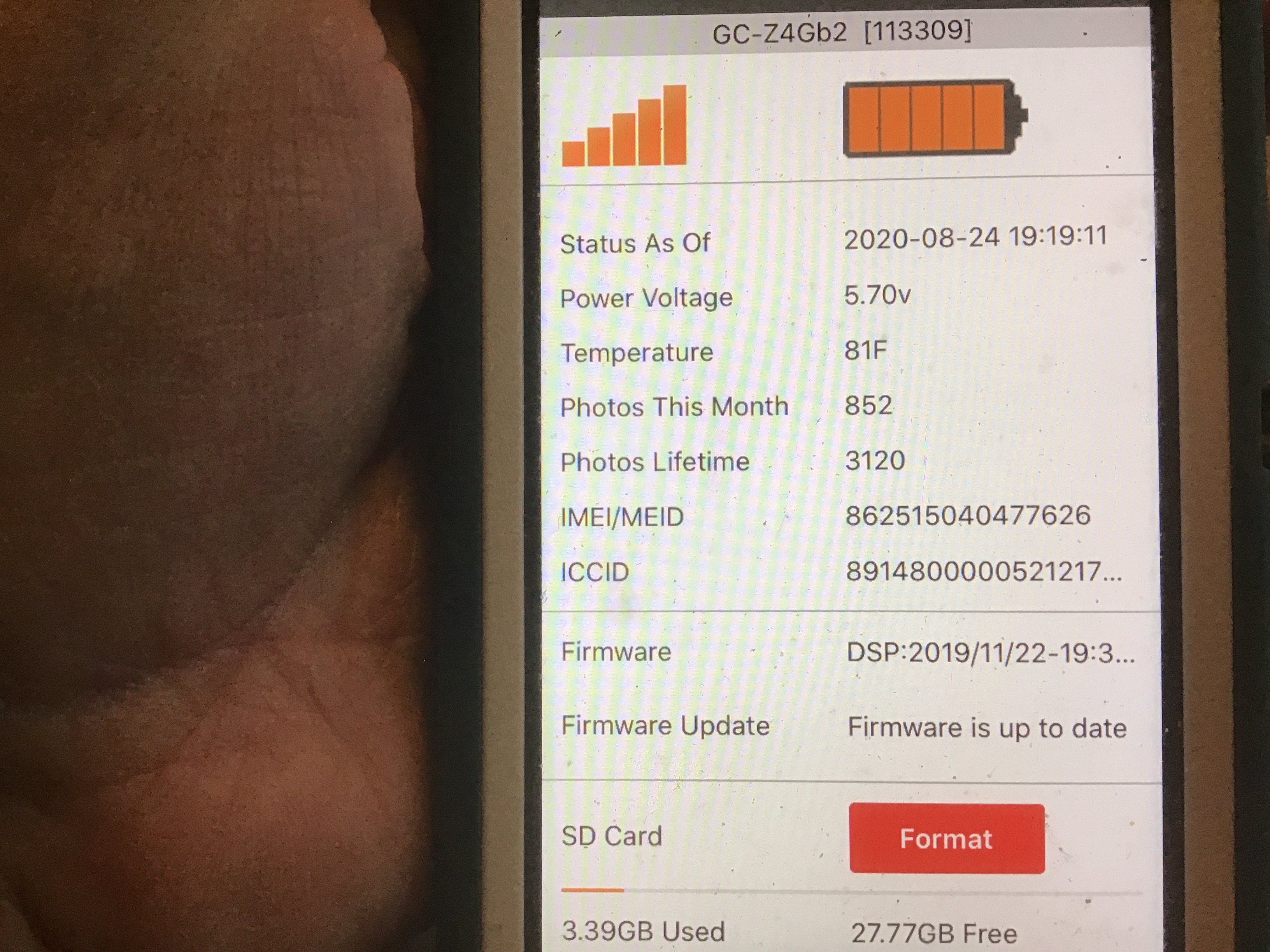
-
Your camera is offline, has been for a week. There's no way to make it come back up without going to it. If it were still checking in every day, there might be a way to troubleshoot, but the camera is dead. Could be a damaged antenna. Could be a bad SD card. Could have been stolen. No way to know until you get there, unfortunately.

Please sign in to leave a comment.
Comments
8 comments