Camera stopped sending photos

-

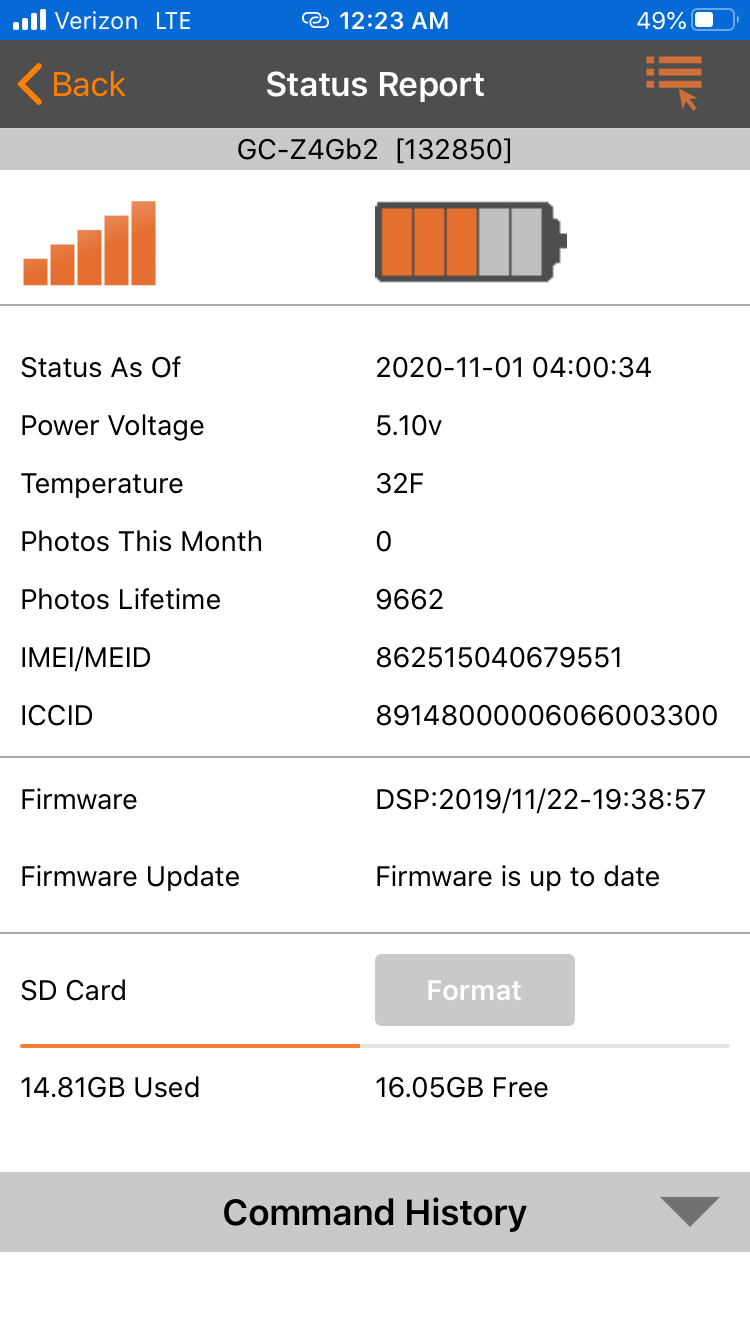
Can you post a screen shot of the status report from the app, including the battery/signal strength indicators down through the SD card info. It may take two screen shots, depending on the camera and your phone. You’ll need to use the desktop version of the web site to be able to post a photo.
-

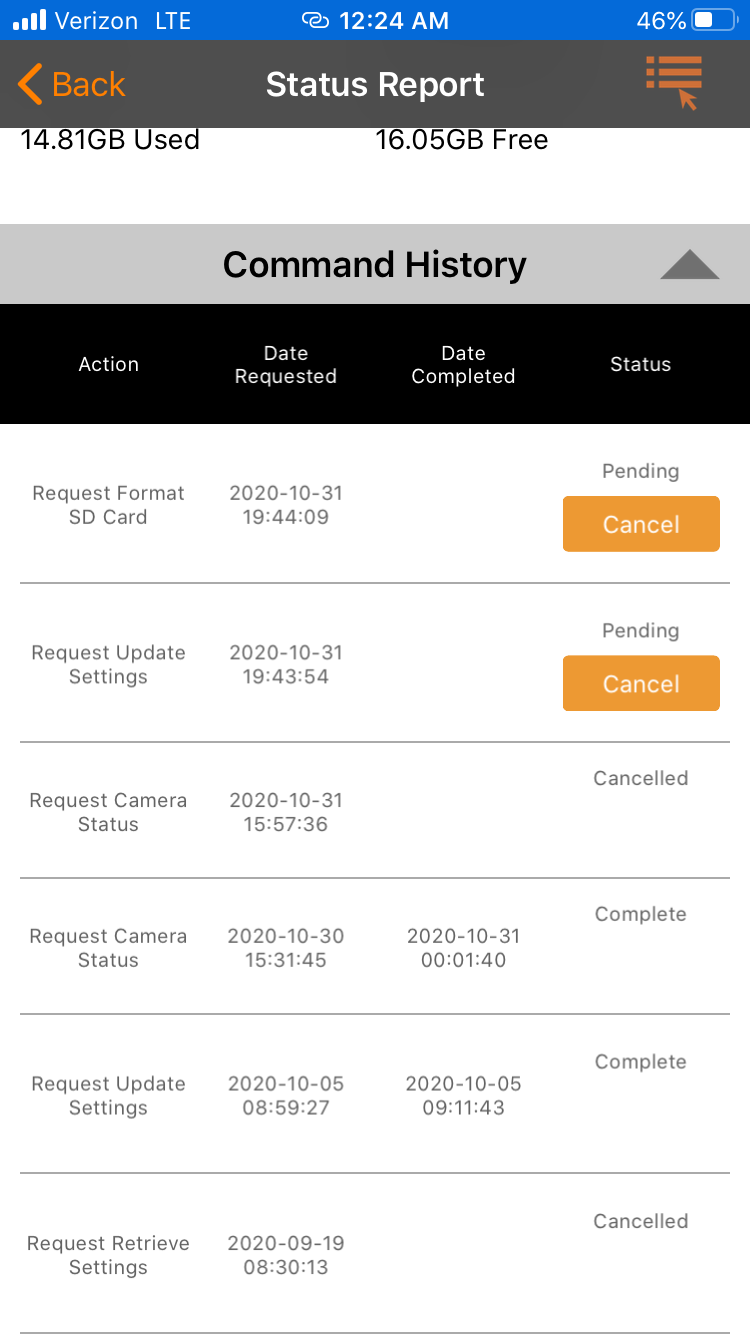
Marc, the camera sent a status report this morning if you didn't get a picture then I think your problem is the SD card. If you look in the command history the format is still pending. Your batteries are also low, especially if they are lithium. If you replace the SD card make sure it's 32gb or smaller, class 10, 80mbs or faster and a full sized card, not a micro in an adapter. Make sure you format it in the camera when you install it too.
-
John, thank you for the reply. I put fresh batteries in the camera at the start of the week. This camera takes a lot of photos and the batteries drain within a couple weeks. Do SD cards randomly go bad? It seems that the camera is taking photos because the camera battery indicator is right where I’d expect it to be. Could it be anything with the server? My app? Phone? I suppose SD cards can go bad, just seems odd is all. Please let me know if there’s anything else I could try before I’m able to physically get back to the camera. Thank you!
-

Good Morning. My camera has also stopped sending photos as well. The status report looks very similar to yours. Just replace the batteries last week and there is plenty of room on the SD card for additional photos. So if two people are having the same exact problem on the same exact day it would seem to be something other than the SD card. Just uncertain of what that might be.


Please sign in to leave a comment.
Comments
19 comments