Camera not sending pic

Comments

15 comments

  • John Lockburner

    What is the time and date of the last status report?

    0
    Comment actions Permalink
  • Paul Kubowski

    2020-11-26  11:18:46


    I went out to the camera and shut it off and restarted it hoping this might help. It did not and should have took some pictures of me walking up to the camera


    0
    Comment actions Permalink
  • John Lockburner

    If it's sending status reports but no pictures I would suggest formatting the SD card.

    0
    Comment actions Permalink
  • Paul Kubowski

    even if it was sending pictures just fine for the last week with that sd card 

    0
    Comment actions Permalink
  • John Lockburner

    Yes, sometimes they go bad or get a little corrupt. Getting reports and no picture is usually a sign of SD card issue or poor signal. If it's been working fine then I would think SD card issue first.

    0
    Comment actions Permalink
  • Paul Kubowski

    Ok I will format the sd card.

    0
    Comment actions Permalink
  • Paul Kubowski

    How long does it take to format the sd card? I hit the format DG card in status report and in command history it shows I request Format SD card but is still pending. I also requested a high Res Image at like 13:15 and that is also still pending. 

    0
    Comment actions Permalink
  • Elizabeth Swoope

    Pending commands don’t complete until after the next time the camera contacts the server. That’s why it’s a good idea to set scheduled events (from the app, at the bottom of the camera settings page) so that the camera checks in every few hours. Mine are set to check in about every 3 hours so I don’t have to wait too long.

    0
    Comment actions Permalink
  • Paul Kubowski

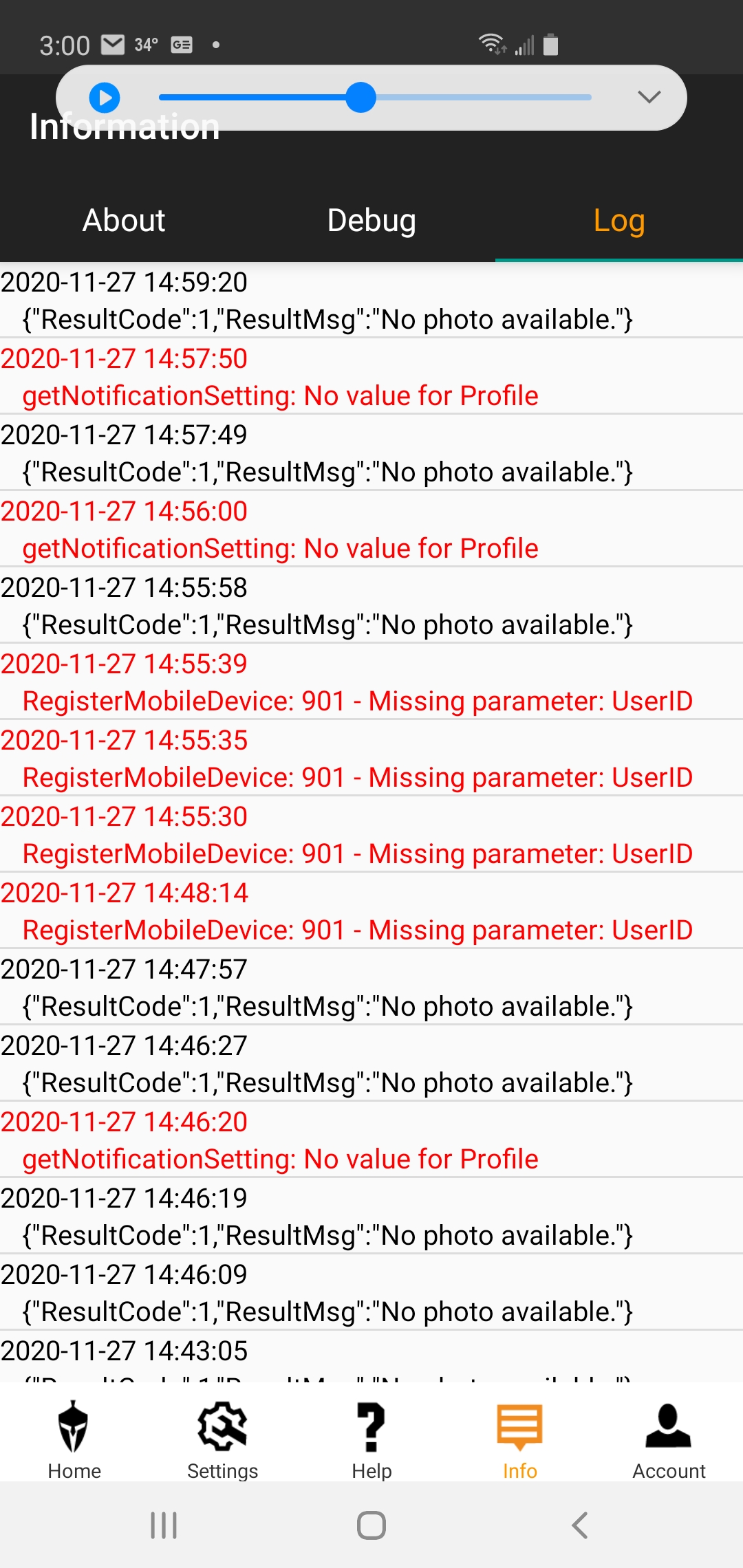
    so tried to format the camera off the app and 24 hours it still says pending. put a brand new SD Card in and still will not send anything. Normally when I change batteries or SD Card it will send me the pics of me walking away from the camera. Checked the app and shows the last update was at 00:00:35. in my camera settings, I have it scheduled to take a picture at 5am 3pm and 8pm and it did not take a picture at any of those times yesterday or today. I add the screen shot of the log from the app
    0
    Comment actions Permalink
  • John Lockburner

    Those logs are for the app and don't really have much to do with the camera function? Where are you getting your data from, the carrier directly or through Spartan? If it's the carrier directly do you have premium credits?

    0
    Comment actions Permalink
  • John Lockburner

    Is the SD card that you used 32gb or smaller, class 10, 80mbs or faster and a full sized card (not a micro in an adapter). Did you format it in the camera?

    0
    Comment actions Permalink
  • Paul Kubowski

    US Cell.  32gb

    Yes but after 24 hours camera said pending so canceled, I think it did format because the pictures that were on the disk are now gone. 

    Full size card 

    0
    Comment actions Permalink
  • Paul Kubowski

    So brought the camera to the house and try a few things.

    1st tried to send a test photo, camera asked if want to send, pushed ok button and nothing happened, no sending message no sent message.

    formatted the SD disk from the camera and took a second test picture, this time it asked if I wanted to send, pushed ok and it said  sending and sent. looked at phone and picture was received.

    Set camera up and walked In front of camera (about 10') and it would not take a picture. in my opinion the motion sensor (trigger) is not working, the sensitivity  is set on high 

    0
    Comment actions Permalink
  • Elizabeth Swoope

    Please set sensitivity to normal. Also make sure that you don’t have start stop time set. 

    Do you have premium credits? (Not sure whether that’s what “yes” was to.) If you don’t have premium credits, the camera will check in at scheduled event 1 time but not any other.

    If the format command worked, it should say completed and you will get a photo with an F in the info strip.

    0
    Comment actions Permalink
  • John Lockburner

    Paul, you can try defaulting the camera in it's menu and see if that helps at all. If you want to test the motion sensor turn the camera to set up and the green light on the front will blink when it detects motion.

    0
    Comment actions Permalink

Please sign in to leave a comment.