Camera not sending pic

Camera just stopped sending pictures. Status report shows 7.64GB of 23.52GB of sd card usage, 5 bars and the 5.7 v for power. I get a report sent to my email at midnight and i have it set up to take a picture at 5am, 3pm and 8pm every day, The last picture that was download was at 445AM yesterday morning.
-

Pending commands don’t complete until after the next time the camera contacts the server. That’s why it’s a good idea to set scheduled events (from the app, at the bottom of the camera settings page) so that the camera checks in every few hours. Mine are set to check in about every 3 hours so I don’t have to wait too long.
-
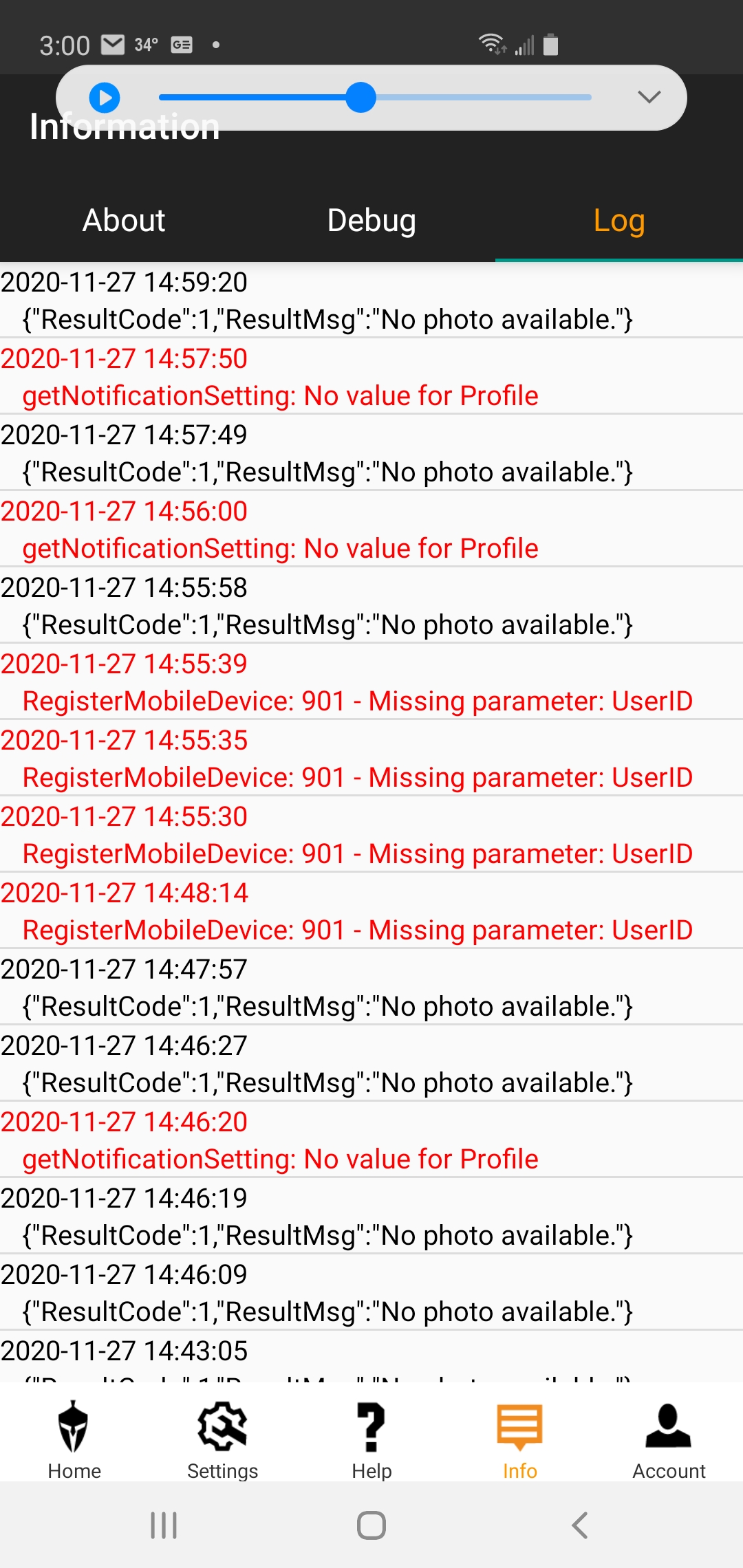
so tried to format the camera off the app and 24 hours it still says pending. put a brand new SD Card in and still will not send anything. Normally when I change batteries or SD Card it will send me the pics of me walking away from the camera. Checked the app and shows the last update was at 00:00:35. in my camera settings, I have it scheduled to take a picture at 5am 3pm and 8pm and it did not take a picture at any of those times yesterday or today. I add the screen shot of the log from the app
-
So brought the camera to the house and try a few things.
1st tried to send a test photo, camera asked if want to send, pushed ok button and nothing happened, no sending message no sent message.
formatted the SD disk from the camera and took a second test picture, this time it asked if I wanted to send, pushed ok and it said sending and sent. looked at phone and picture was received.
Set camera up and walked In front of camera (about 10') and it would not take a picture. in my opinion the motion sensor (trigger) is not working, the sensitivity is set on high
-
Please set sensitivity to normal. Also make sure that you don’t have start stop time set.
Do you have premium credits? (Not sure whether that’s what “yes” was to.) If you don’t have premium credits, the camera will check in at scheduled event 1 time but not any other.
If the format command worked, it should say completed and you will get a photo with an F in the info strip.

Please sign in to leave a comment.
Comments
15 comments