Stopped taking pictures 10/13

Comments

25 comments

  • John Lockburner

    What is the camera model and where are you purchasing your data from?

    1
    Comment actions Permalink
  • Ben Ben

    Same thing has happened to me. Camera batteries are fine, premium credits are at 1, stoped taking pictures after the last scheduled event of 3am on 10/13. Hasn’t sent a single pic and also hasn’t sent a pic on any of the new scheduled events. Camera model is GC-Z4Gb2 and purchased the plan thru Spartan. Any help would be appreciated.

    0
    Comment actions Permalink
  • John Lockburner

    Ben, are you still getting status reports? Do any of your pictures show anything other than P5 in the lower right corner? Especially check the night images.

    0
    Comment actions Permalink
  • Ben Ben

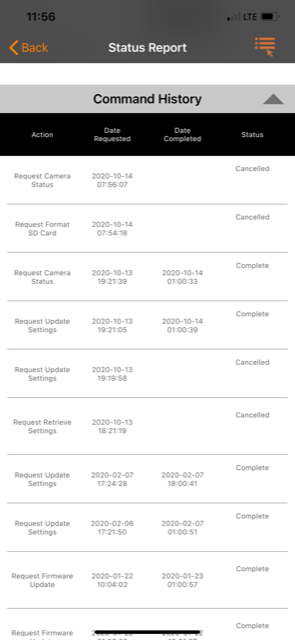
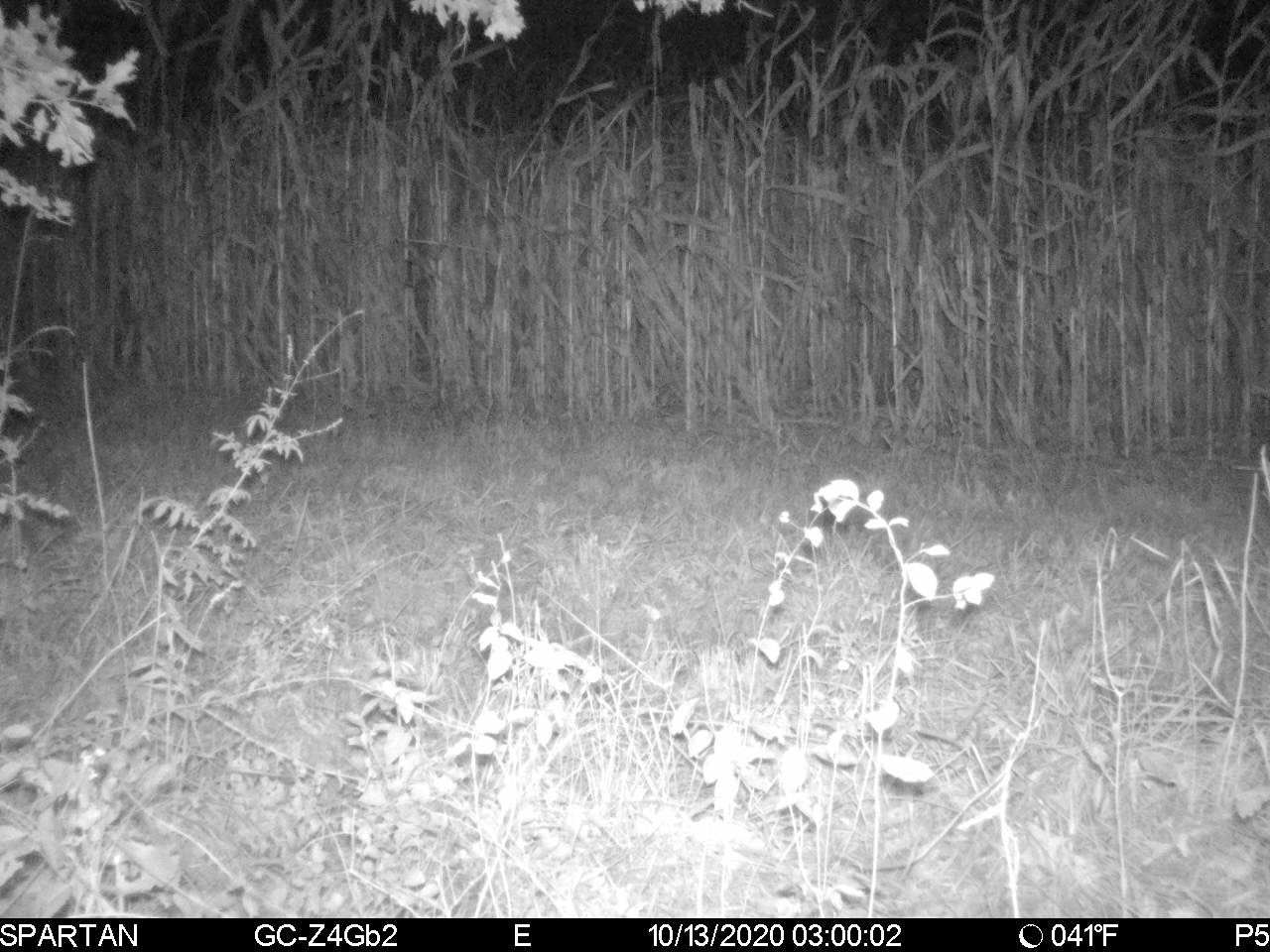
    I requested a status report and it says its completed.  I was going to reformat the SD card but decided to cancel that action.  Pictures are all in order and all only show P5 in the bottom right.  Firmware is up to date. I've attached the last pic it sent at the 3am scheduled event along with a snip of my command history.
     

    0
    Comment actions Permalink
  • Ben Ben

    I requested a status report and it says its completed.  I was going to reformat the SD card but decided to cancel that action.  Pictures are all in order and all only show P5 in the bottom right.  Firmware is up to date. I've attached the last pic it sent at the 3am scheduled event along with a snip of my command history.


    0
    Comment actions Permalink
  • John Lockburner

    What is the time and date of your last status report?

    0
    Comment actions Permalink
  • Ben Ben

    DATE: 2020-10-14  TIME: 00:00:47

    0
    Comment actions Permalink
  • Kelly Beesley

    Ours is model GC-Z4Gb, and we have also been able to receive status reports, but nothing else. 

    0
    Comment actions Permalink
  • John Lockburner

    Ben and KellyJeff. When you receive status reports but no photos a lot of time that is an SD card issue. I would try formatting them and see if that helps. If you format through the app you should get a picture with an F on the bottom of it after it completes. Remember you want your SD card to be 32gb or smaller, Class 10, 80mbs or faster and a full sized card, not a micro in an adapter.

    0
    Comment actions Permalink
  • Kelly Beesley

    Ours is model GC-Z4Gb, and we have also been able to receive status reports, but nothing else. We have our data on automatic renewal/billing monthly, and service is through Verizon, Last status update was received at today at 10:49am.

    0
    Comment actions Permalink
  • Kelly Beesley

    It's difficult for me to believe that multiple people in various locations are ALL having the SAME EXACT problem and it being the SD card. There is obviously a bigger issue at hand that we are not being made aware of, or customer service is just that bad and we need to purchase our next cameras elsewhere. 

    0
    Comment actions Permalink
  • Kelly Beesley

    Also, when I try to run a firmware update or format the SD card again it says system busy. It did this yesterday and today. 

    0
    Comment actions Permalink
  • Kelly Beesley

    Our signal is good, batteries are fine, and last update was 10/13 at 22:08:31.

    0
    Comment actions Permalink
  • John Lockburner

    Let's give the format a try and go from there. You're trying to format on the camera correct?

    0
    Comment actions Permalink
  • Ben Ben

    I will go ahead and try to reformat the card.  Hopefully this will fix the issue. 

    0
    Comment actions Permalink
  • Ben Ben

    I can only format thru the app.  The camera is on a farm 4hrs away.

    0
    Comment actions Permalink
  • John Lockburner

    That's fine, it may take until the midnight status report for the camera to check in, hopefully it does.

    0
    Comment actions Permalink
  • Kelly Beesley

    I get the error message: Register network failed, please check your SIM card and restart.

    0
    Comment actions Permalink
  • John Lockburner

    That means it's not connecting for some reason. You can try cleaning the SIM by rubbing the contacts on your jeans or using a pencil eraser but there could be many reasons you get that message. You can also default the camera in it's menu.

    0
    Comment actions Permalink
  • Kelly Beesley

    I already tried removing it and cleaning, as well as blowing out the slot with compressed(canned) air. I also reset the camera this morning to default settings and that helped nothing.

    0
    Comment actions Permalink
  • John Lockburner

    Kelly, is the cameras firmware up to date? If not you can try a manual update. See the link below.
    https://my.spartancamera.com/download

    0
    Comment actions Permalink
  • Justin Oosterhouse

    I have a GC-Z4Gb2 camera as well that stopped sending pics and status reports as of yesterday morning. I just put out 5 days ago and it had been working great. I am going to check it this weekend, but wondered if something else is going.

    1
    Comment actions Permalink
  • John Lockburner

    Nothing should be going on that is affecting it. can you post a screen shot of your status report, very top all the way down to the SD card info? Maybe start your own topic so we don't get the two issues confused.

    0
    Comment actions Permalink
  • Kelly Beesley

    We are still having issues. Camera is basically useless. It works sometimes and sometimes it doesnt. Set up at home to test and it takes a picture occasionally but never consistently.

    0
    Comment actions Permalink
  • Elizabeth Swoope

    Is it taking pics but not sending (gaps in picture numbers on the portal, pics on SD card that are not on portal) or is it not taking pics?

    0
    Comment actions Permalink

Please sign in to leave a comment.