GC-Z4Gb2 Went from great performance to sporadic pics < 2 weeks of service

I have had this camera in service for less than 2 weeks. It was taking and sending pictures great for the first few days. I was experimenting with the app settings (flash, sensitivity, photo size, etc) one at a time to see how they affected results. Then I turned Send Photos off for a couple of days. When I turned it back on I thought the camera had been stolen because I got nothing for over a day. Then I got a status update and have been getting sporadic pictures. I know this location well and know I am not seeing all of the activity that is there. Something has happened that has drastically reduced the number of pictures being taken. I can't be certain, of course, but it sure appears to be firmware related. Yeah, I have a 32 GB SD card, 120 MB/Sec speed, not a mini and formatted in the camera, 5 bars signal and full batteries. All that done per specs. It worked great one minute then after a command entry it didn't. Right now I'm greatly disappointed in this $300 investment.
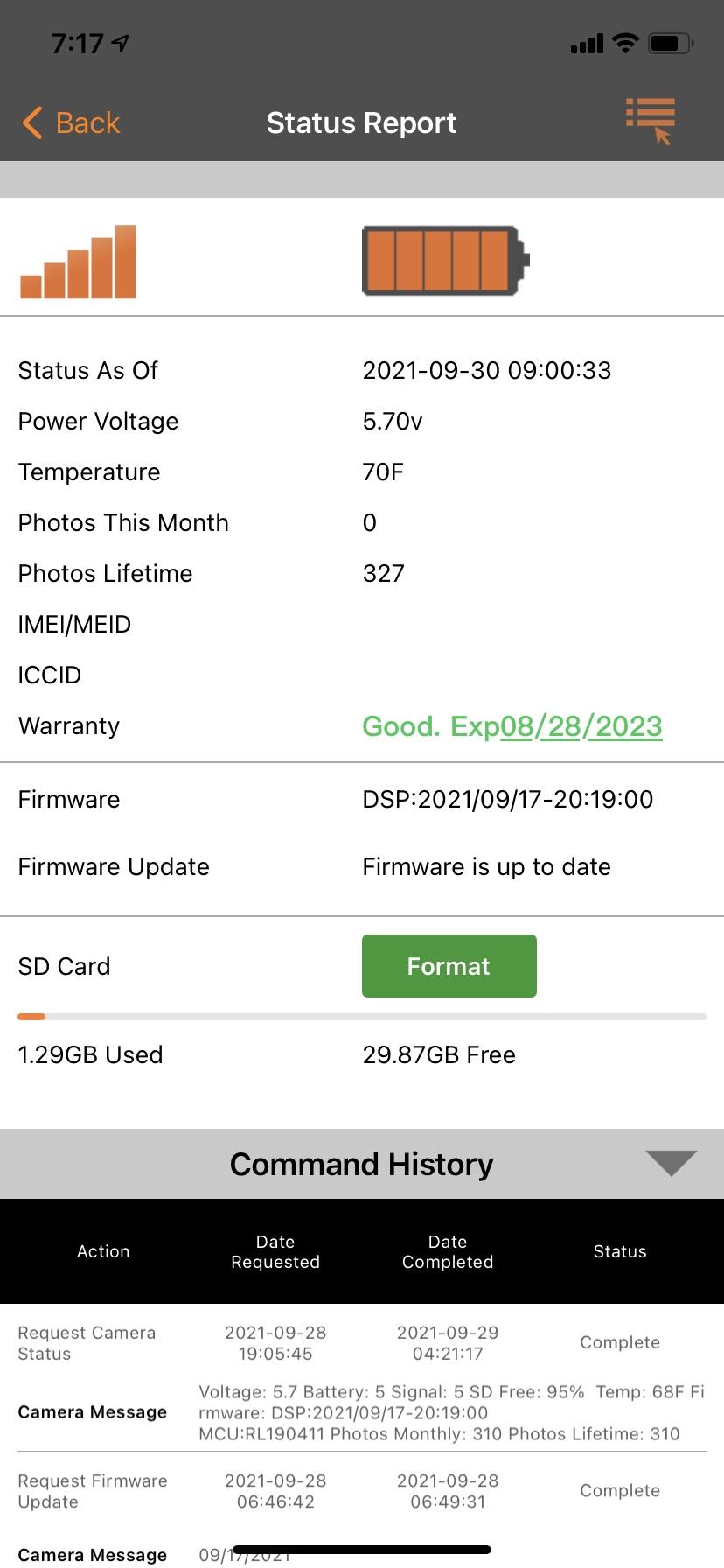
John you asked for the following info. I have the camera sensitivity set to normal.
-
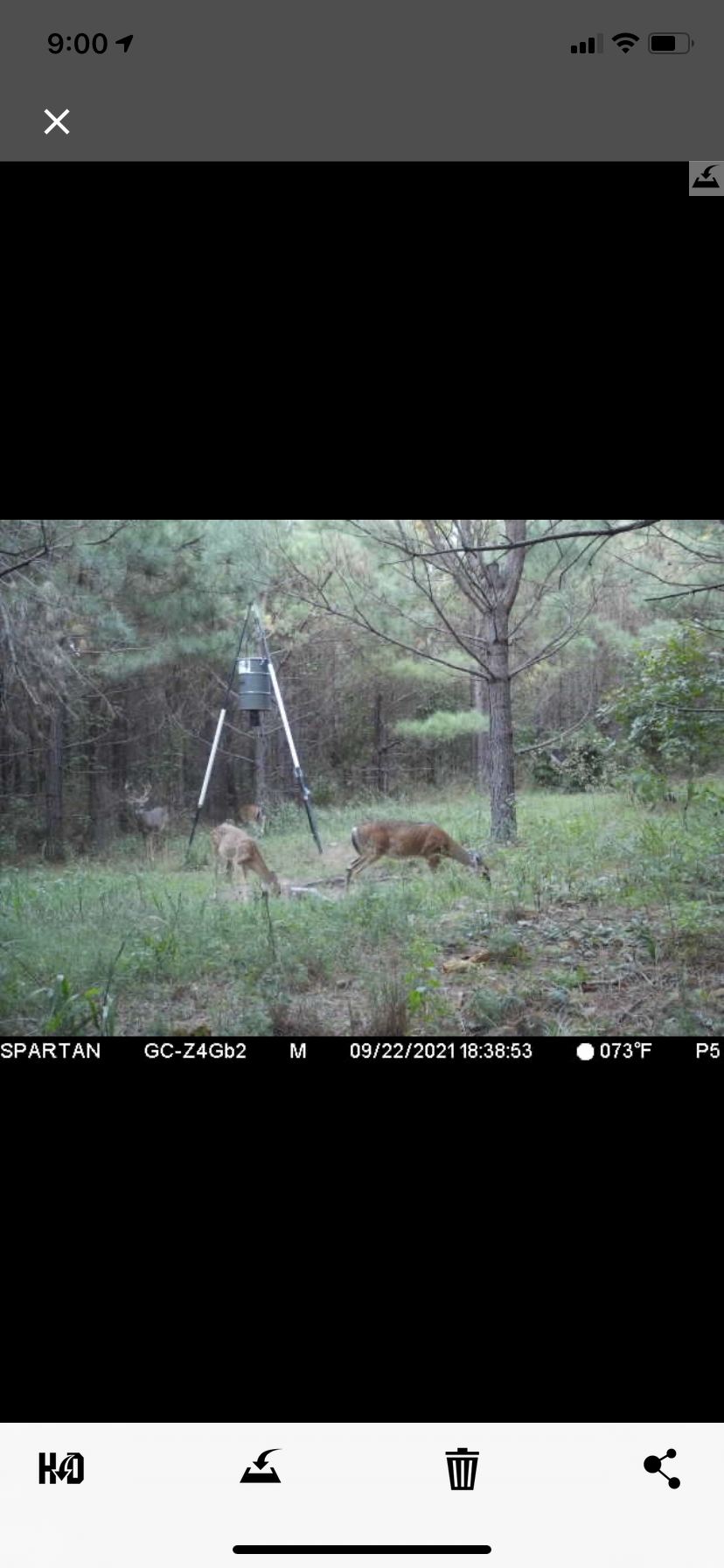
This was Friday when it blanked out and skipped a day without a status update or any pictures. So 6 days have passed for any corrections to have been initiated. I have also done a firmware update I received subsequent to this change in performance, which didn't help the issue. No start/stop times are set. The camera is roughly 15-40' from intended deer targets but the bulk will be approx. 20-25'. Below is a representative pic taken a few days ago. Distance of desired targets is well within what should be captured by this camera.
-

That set up looks fine and that's a nice buck. I was wondering how far the camera is away from you to go to it and check a few things? At this point I would cancel any pending commands that you have and request an SD card format through the status report screen on the app. If you can physically get to the camera I would go into the menu and default the camera settings and format the SD card.
-
Ok I misunderstood what you were asking. The camera is about 3 1/2 hrs drive away from me. I don't have any commands pending. I understand what you're saying and possibly why those may be recommended steps to take to try to resolve problems. What I don't get and what frustrates me is why I'm having to deal with this issue. Brand new out-of-the-box camera with all the correct hardware and install steps followed. And right off the bat here's this issue that seems to be very common among users. Spartan is supposed to have these great ratings yet I see in other posts you recommended this same sequence of reformat and default the camera to people with issues. One really has to question why an owner should have to be doing this so often. I'm just extremely disappointed that I'm having to deal with this immediately after purchase. I thought I was buying a quality camera that I could depend on from a distance.
-
Did you request a format and if so did it complete? Did you format the SD card in the camera when you first installed it? You have to realize too that people come to these forums and other sites because they have issues, it may seem lose a lot but that's what these places are for. People don't generally post when things are going fine. Can you screen shot your settings and post them? We may be able to get things straightened out without you having to go to the camera, sometimes it's just easier if the camera is close to go there and do it manually.
-
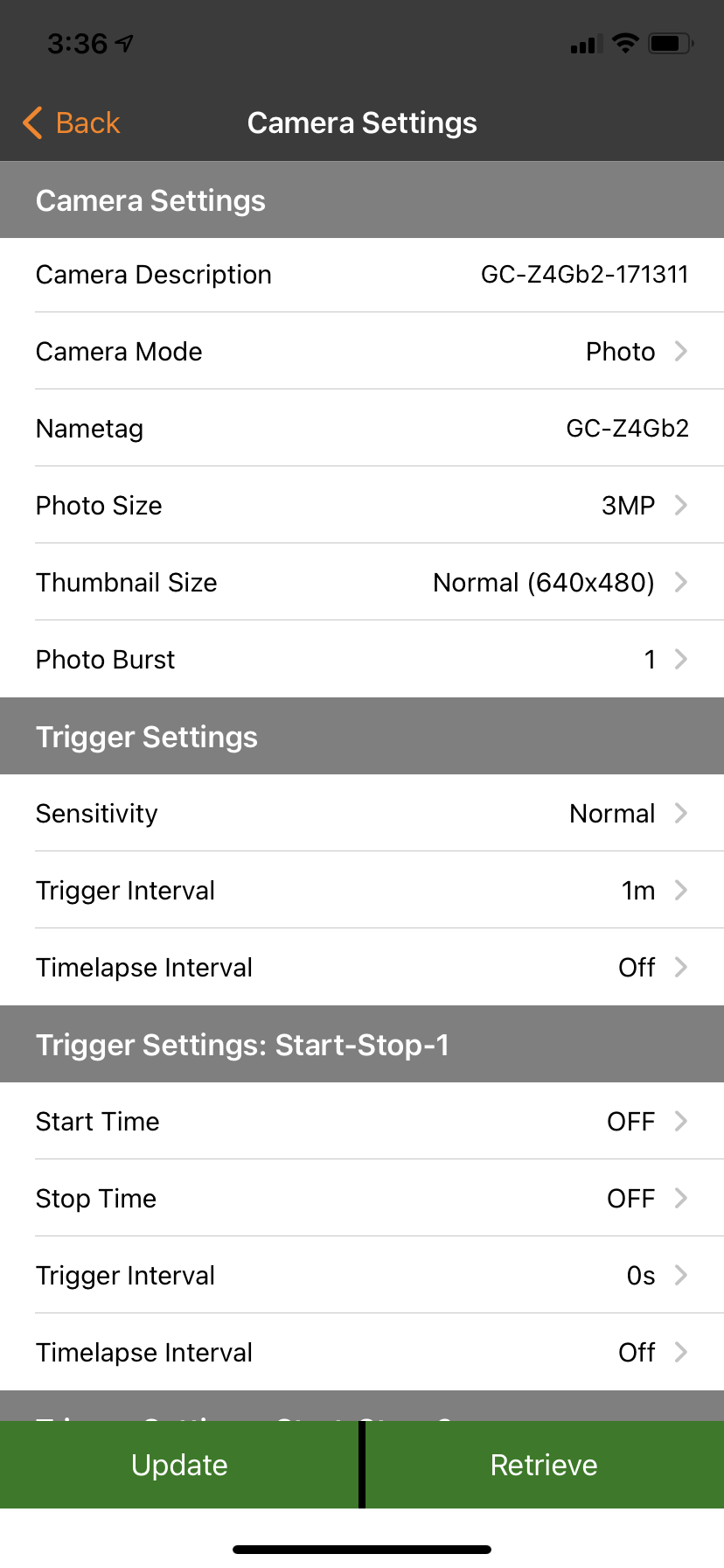
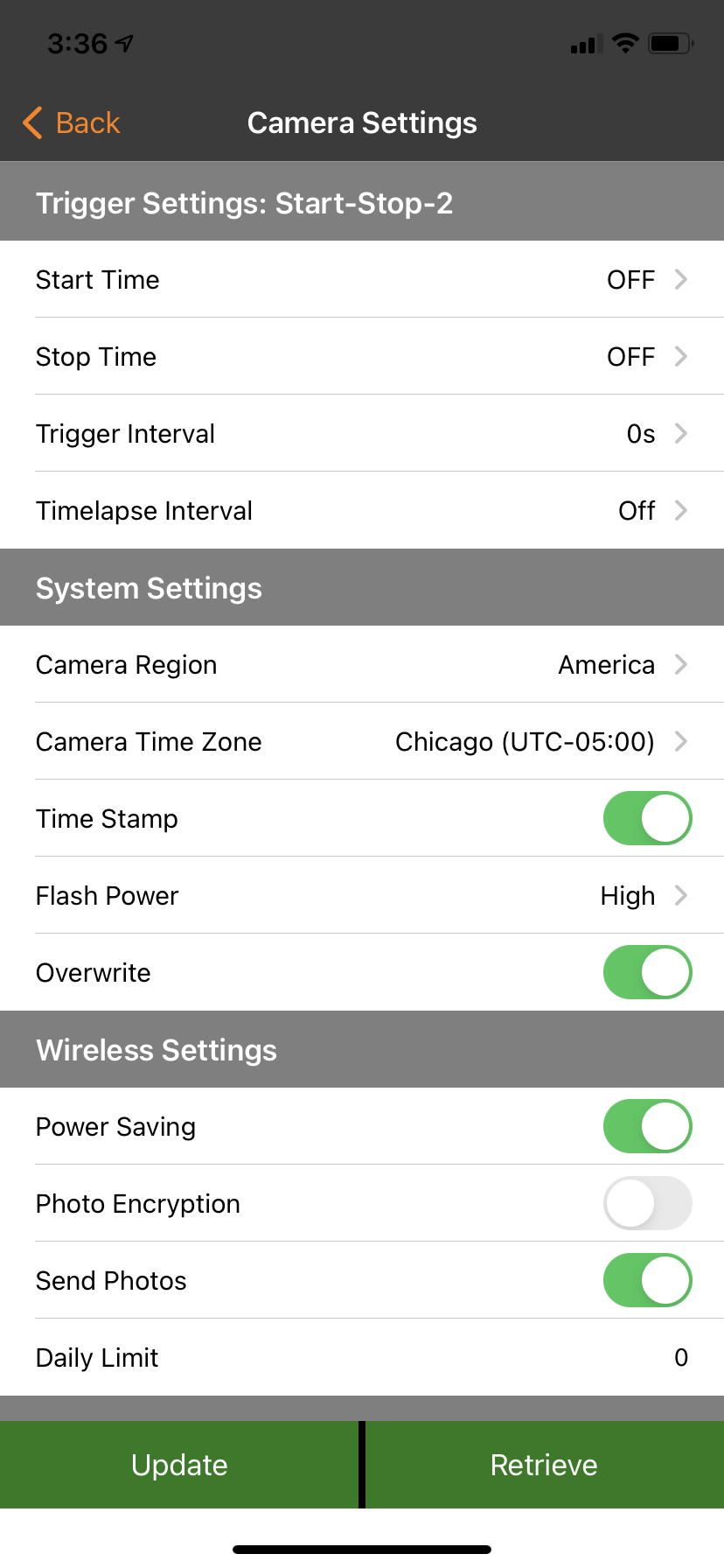
I haven't done the format yet, I just read your post and responded. I'll put in a command for it. It may not hit until my status report at 9:00 am tmrw though. I get what you're saying. This site is only seeing the problems for the most part. There may be many more out there having no issues at all. Just very frustrated that this was going so well at first and now seems to have collapsed. The camera settings are attached below. I believe I got all of them on there.
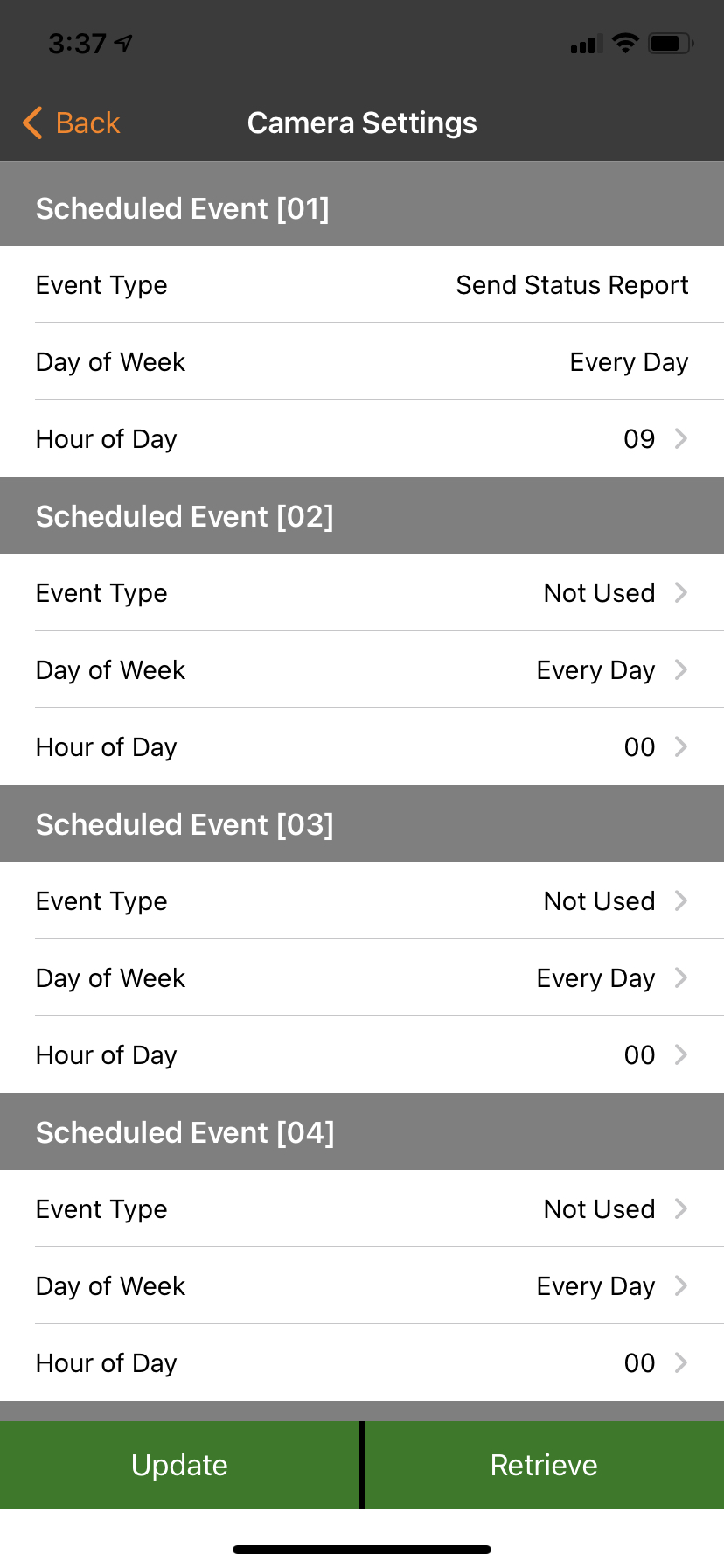
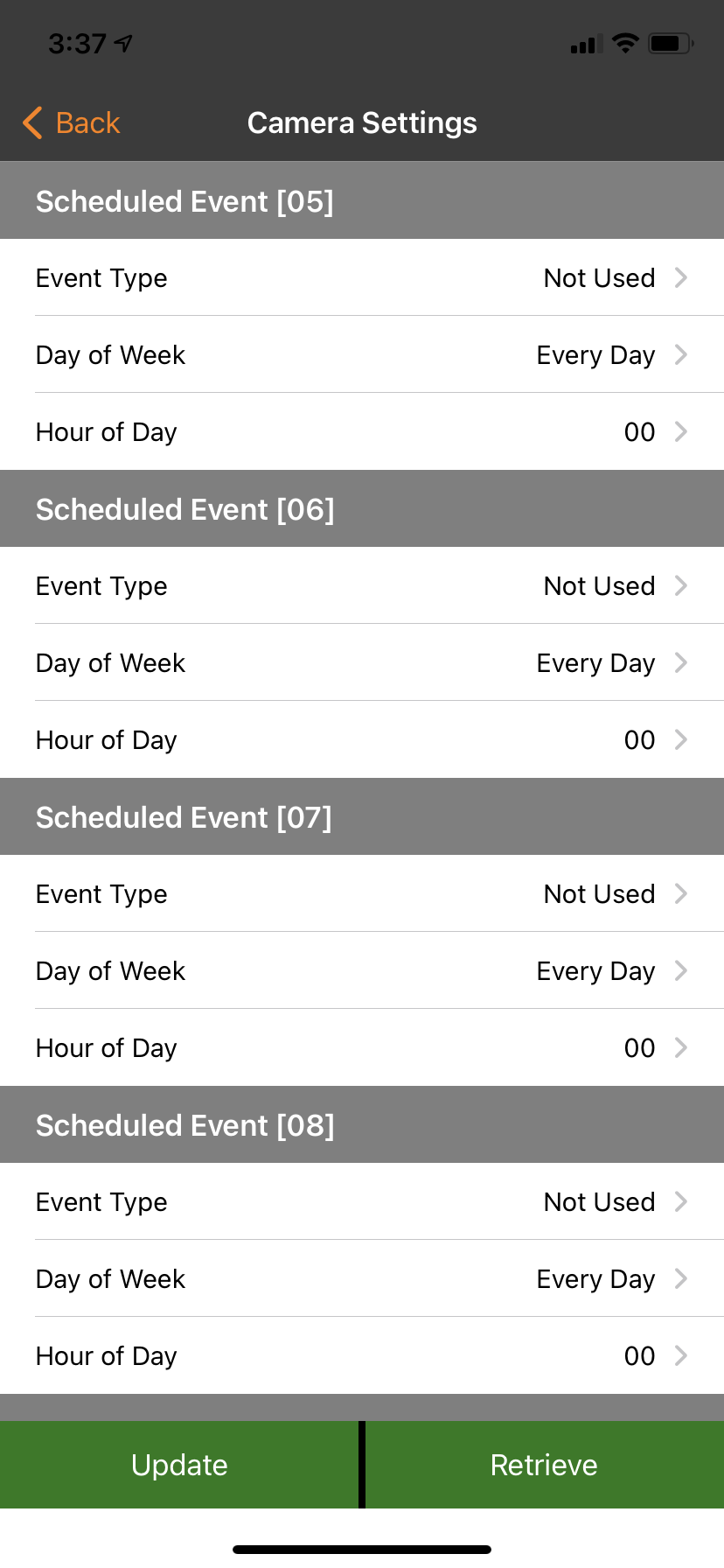
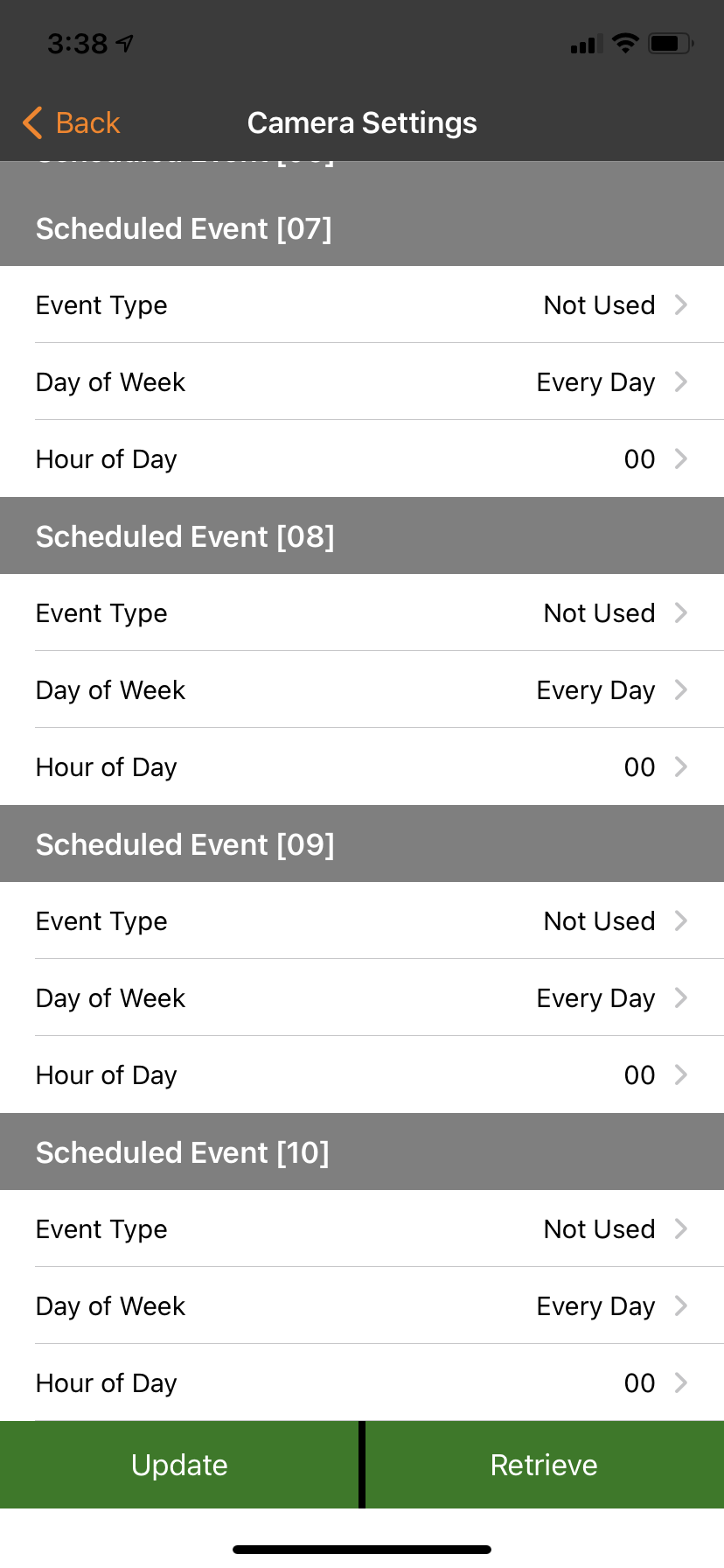
-

This won’t fix your problem, but I recommend that you use scheduled events to have the camera check in several times a day rather than just once. It’s an easy way to get a heads up if things aren’t working as they should.
https://support.spartancamera.com/hc/en-us/articles/360010539613-Using-Scheduled-Events
One thing I noticed is that your warranty is 8/28. When did you first set the camera up? I know you said that it’s been in the field a couple of weeks, but did you set it up before that or not?
Is the camera on your Verizon phone plan or on a Spartan data plan?
-
I registered the camera with Spartan on 8/28 and then tested it in my driveway at home to make sure it was going to work before I drove to my hunting lease. I got about half a dozen pics from it, enough to be satisfied, then turned it off until I set it up on 9/20 at my hunting lease. I'm using the Spartan data plan.
Please sign in to leave a comment.
Comments
9 comments