Go Cam not sending pics

-

What is the exact model of the camera? (or at least the carrier)
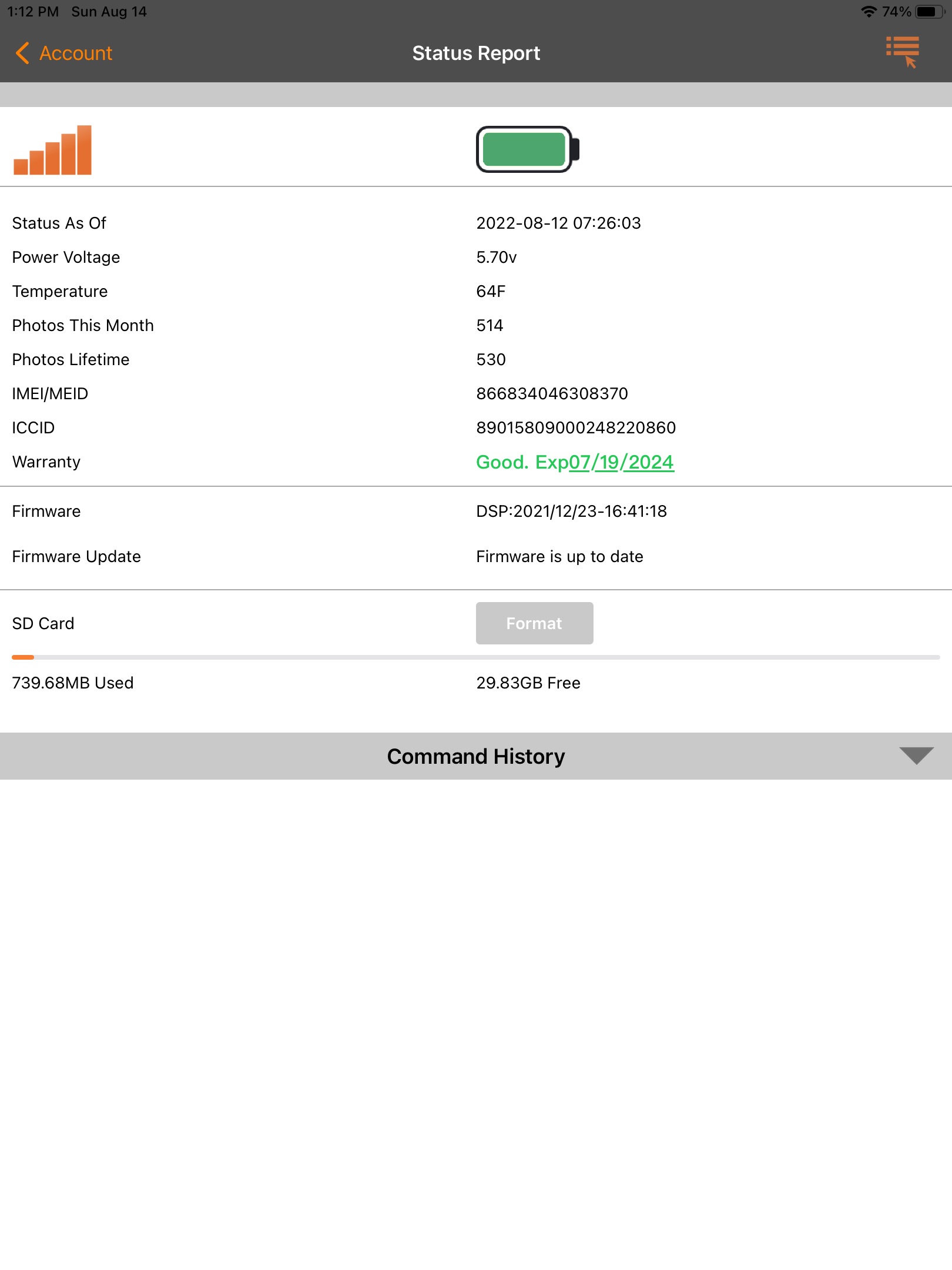
Please post a screen shot of the status report from the app. Here’s a link to how to post pics from your phone.
https://support.spartancamera.com/hc/en-us/articles/360041970993-How-to-post-pictures-screenshots-from-your-phone-to-the-Support-Forum -
Thanks. Did you get a picture at the date/time on the status report?
There is nothing obviously wrong with anything in the status report. Your SD card isn’t showing any red flags (doesn’t mean it’s absolutely okay, but it probably is). Your firmware is current.
Is there any chance that the antenna could have been damaged (coon crawling up or down the camera, etc.) or that the camera could have been tampered with? Is it within reach of nosy deer or bears? -
I did not get a picture at date and time of status report.
Yes on the coons and deer and no bears in area. Antenna is fairly well protected by the way I mounted the camera but coons could still get to it.
I did notice the SD card icon is not green as on my others cameras. Not sure if that matters but it is different.
Can Spartan activate this camera remotely ti see if it’s still on the network? It’s a long drive for me to get to it. -
Apparently you requested a format from the app, which is why the Format button is gray.
If the camera is not connecting to the network (and the last contact was just before 7:30 AM two days ago, it should have checked in just after midnight yesterday and again today even if nothing else was happening in front of it), there is nothing that Spartan can do. It’s possible that the camera will come back online, although it’s not very likely.
Even if it were checking in, Spartan can’t do anything because the camera is only online when it’s sending a pic or status report.
Please sign in to leave a comment.
Comments
8 comments