Invalid IMEI

-
Having issues with a GC-A4Gb camera. The camera will not send pictures. The camera now says invalid IMEI. The camera was working fine until a couple weeks ago it stopped sending. It got an error saying that there was no SIM card installed. I removed the card, cleaned it, and it worked fine again. Recently my debit card got robbed, and my auto payment was declined, so my service was cancelled. I got a new debit card and renewed my service. The camera now says invalid IMEI, but I double checked the IMEI, and it is correct. If I do the hello test it works. It saves pictures to SD card. The camera display screen says AT&T with full reception 5 bars. Any ideas? I tried to do a software update, but it won't update in the field.
-

It passes the Hello text, so that confirms that you have a data connection. When does it give you the invalid IMEI message? When you are taking/sending a manual photo?
With the camera in setup, on the third tab, look at Information. Is the camera showing an IMEI and is it the correct one (that may be what you did to double-check the IMEI, but I want to confirm).
is the firmware current?
You can also try leaving the batteries out of the camera for several hours.
This one is a puzzle. You’ve done a lot of good, basic troubleshooting. That’s an unusual error message.
-
The camera gives me the invalid IMEI message when I take a manual picture and try to send it, but it won't send any pictures automatically either. I'm not sure where under the third setup tab I would see the IMEI.
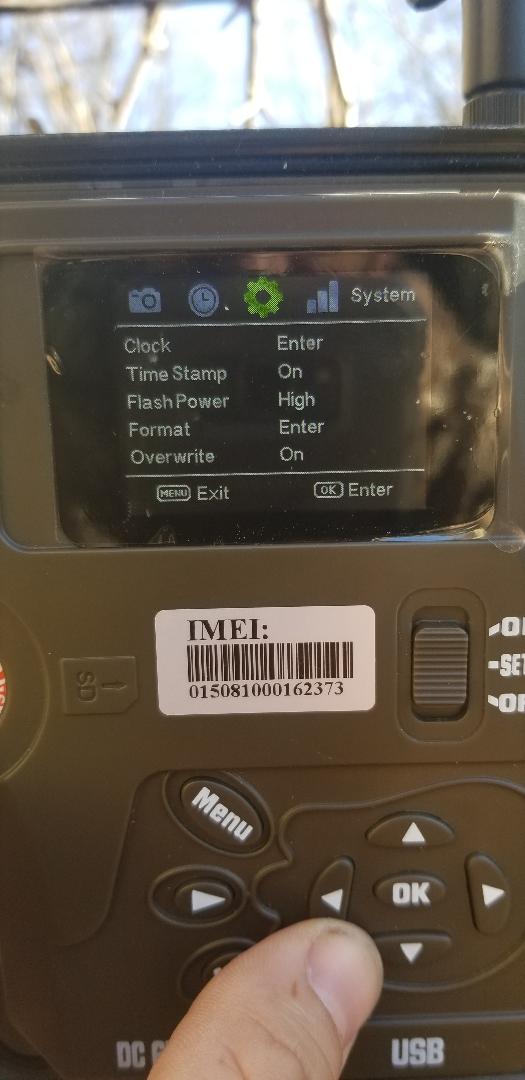
If you are talking about that screen I do not see any IMEI there.
When I say i double checked the IMEI, I checked the IMEI on my data plan, and it matches the IMEI on the camera.
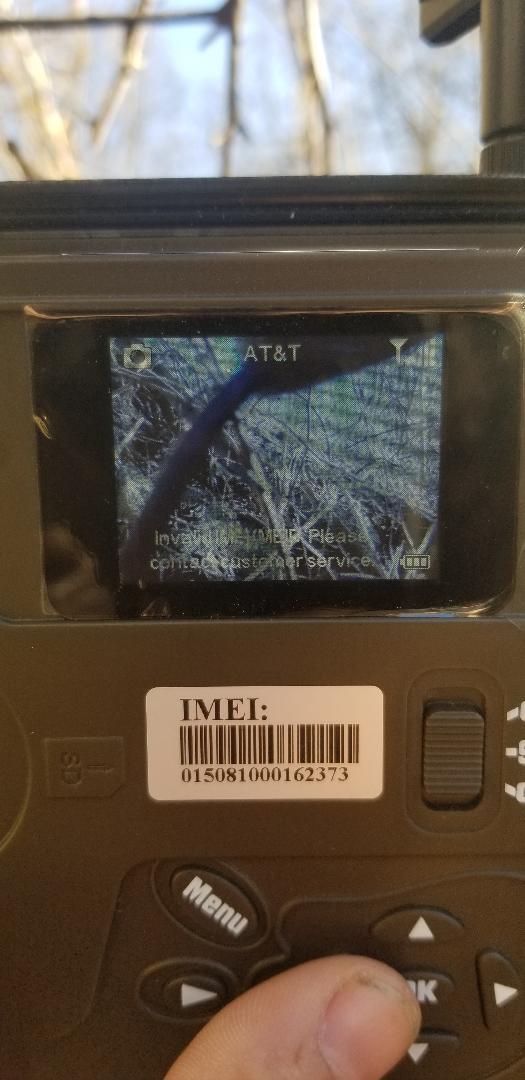
Here is the exact message I get when I try to send a picture manually.
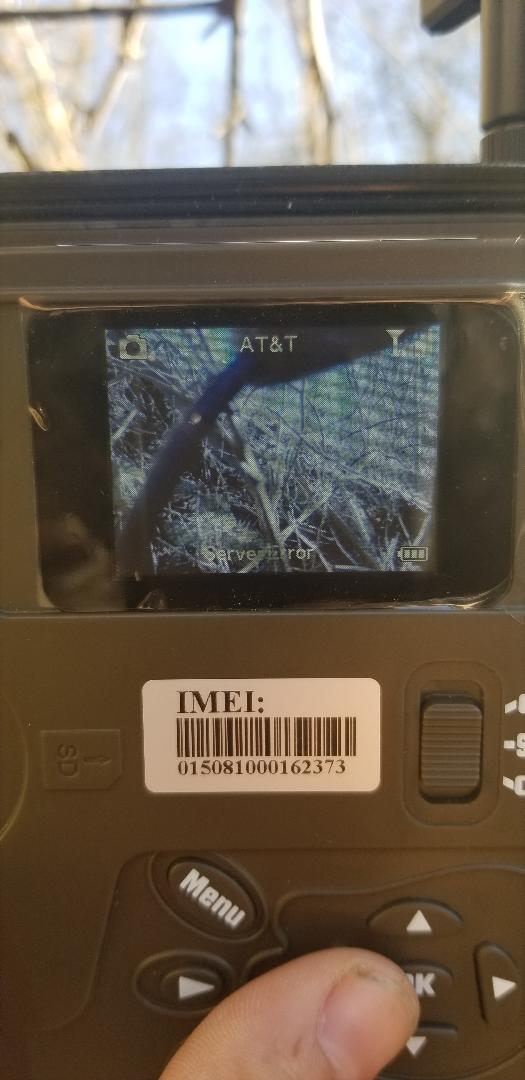
The camera first says server error, then a couple seconds later it says invalid IMEI/MEID Please contact customer service.
I will try removing the batteries for a couple hours. I won't be around the camera again till Monday, so I won't be able to try the batteries until then. On Monday I will also try to manually update the firmware. According to my last status report the firmware is DSP:2018/08/07-16:35:39 MCU:RL171130.
-
With your camera in Setup, press the Menu button. Scroll over to the third tab, then scroll down to Information and select it. Is there an IMEI shown? If so, does it match the number elsewhere.
You can post a screen shot of your latest status report by switching your browser to desktop view for this site. When you tap in the text entry box, there will be a little picture icon that you can tap to select the screen shot and post it. If you’re not sure how to do that, here’s a KB article that explains it.
https://support.spartancamera.com/hc/en-us/articles/360041970993-How-to-post-pictures-screen-shots-from-your-phone-to-the-Support-Forum -
Your firmware is very old. Here are the instructions for updating it. You’ll want to use the manual instructions, so take a blank (except for the FW file) SD card with you to the camera.
https://support.spartancamera.com/hc/en-us/articles/360010408073-How-to-update-firmwareHere’s a link to the firmware download page:

Please sign in to leave a comment.
Comments
8 comments