download update

Comments

50 comments

  • Elizabeth Swoope

    https://support.spartancamera.com/hc/en-us/articles/360010408073-How-to-update-firmware

    The file is in the correct format. Either save it directly to the SD card or save it to your computer and copy it to the SD card. Do not try to open it. 

    What makes you think that it is in a format the camera can’t take?

    0
    Comment actions Permalink
  • Michael lee

    When i put the card in it will not take the update

    0
    Comment actions Permalink
  • Michael lee

    It says file not found. When i open the card on laptop it’s there

    0
    Comment actions Permalink
  • Elizabeth Swoope

    The file name must be exact. It cannot have any spaces, parentheses, or extra numbers in it. Are you sure that the file name is correct? Is there any chance that you've downloaded it more than once and you copied something other than the first file to the card?

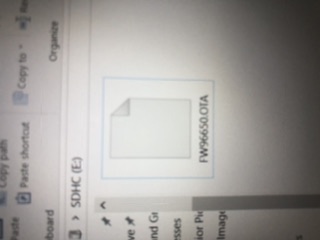
    Can you post a screen shot that shows the name of the file on the card (not your entire screen, please crop it so that it's showing the SD card drive letter and the file name with some stuff around it but not the whole computer screen)?

    0
    Comment actions Permalink
  • Michael lee

    the file is downloalding as an OTA file 


    0
    Comment actions Permalink
  • Michael lee

    the file is downloalding as an OTA file 


    0
    Comment actions Permalink
  • Elizabeth Swoope

    That's the correct format. For some models, it's BIN, for others, it's OTA.

    What model camera is it (GC-what?)? What is the exact file name showing on the SD card in your computer?

    0
    Comment actions Permalink
  • Michael lee

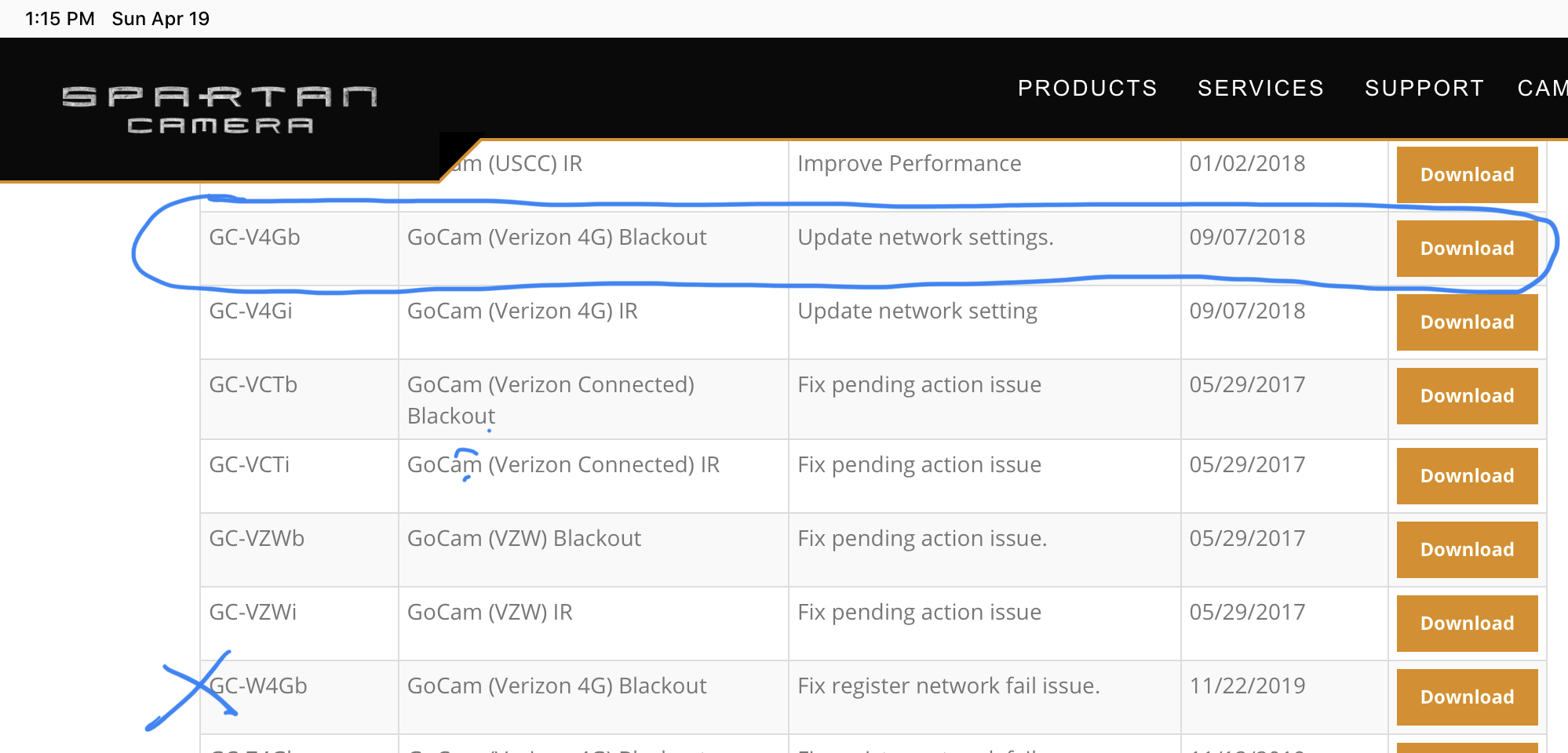
    also the file I'm trying to download Is the 11/22 network failure update, I'm assuming this is why I can't get a cell signal 

    0
    Comment actions Permalink
  • Michael lee


     GC-V4Gb/GoCam (Verizon 4G) Blackout

    0
    Comment actions Permalink
  • Michael lee

    I thought OTA meant over the air?  

    0
    Comment actions Permalink
  • Michael lee

    GCW4GB.OTA

    0
    Comment actions Permalink
  • Michael lee

    when I try a hello test it says system busy

    0
    Comment actions Permalink
  • Elizabeth Swoope

    You are downloading the file for the GC-W4Gb. You said your camera is a GC-V4Gb. The correct file for the GC-V4Gb is FW96650.OTA. (Yes, OTA is the correct extension even though you are updating manually.)

    0
    Comment actions Permalink
  • Elizabeth Swoope

    Also, are you using a name brand class 10 (preferably 80 MB/s or faster) standard size, name brand SD card that is 32 G or less capacity?

    0
    Comment actions Permalink
  • Michael lee

    That update you circled is my last update. Since I’m up to date any suggestion on what to do, it will not connect to cell network.

    0
    Comment actions Permalink
  • Michael lee

    I’m defiantly not using the right SD card and even when it worked didn’t have the right SD card. This shouldn’t stop it from connecting to cell network?

    0
    Comment actions Permalink
  • John Lockburner

    Try loading the correct firmware again, even if it's up to date. SD cards do go bad or they work decent until they don't. It is possible for the SD card to keep it from connecting.

    0
    Comment actions Permalink
  • Elizabeth Swoope

    Yes, a bad SD card can keep a camera from connecting to the network. I second Johnny's suggestion to install the FW manually.

    Also, do you have any pending commands? If so, cancel them.

    0
    Comment actions Permalink
  • Michael lee

    I tried the correct firmware and it says file not found

    0
    Comment actions Permalink
  • Elizabeth Swoope

    Please post a screen shot of the file on the SD card. There is something wrong with the name. Also, make sure you are not formatting the SD card after copying the file to it but before you update the firmware from the menu.

    0
    Comment actions Permalink
  • Michael lee

    Last command i canceled on 12/19

    0
    Comment actions Permalink
  • Michael lee

    How do i post a picture?

    0
    Comment actions Permalink
  • Elizabeth Swoope

    There is no point in trying the Hello test or sending a manual photo until the camera is indicating that it is online. Is it showing signal bars?

    Without knowing what SD card you are using, there's no way to know whether the camera may work with it or not. Bad/wrong SD cards can keep a camera from coming up at all, as well as keeping it from going online.
    0
    Comment actions Permalink
  • Michael lee

    0
    Comment actions Permalink
  • Michael lee

    File is loading on camera now 

    0
    Comment actions Permalink
  • Michael lee

    0
    Comment actions Permalink
  • Michael lee

    It’s not sending the the test pic.   

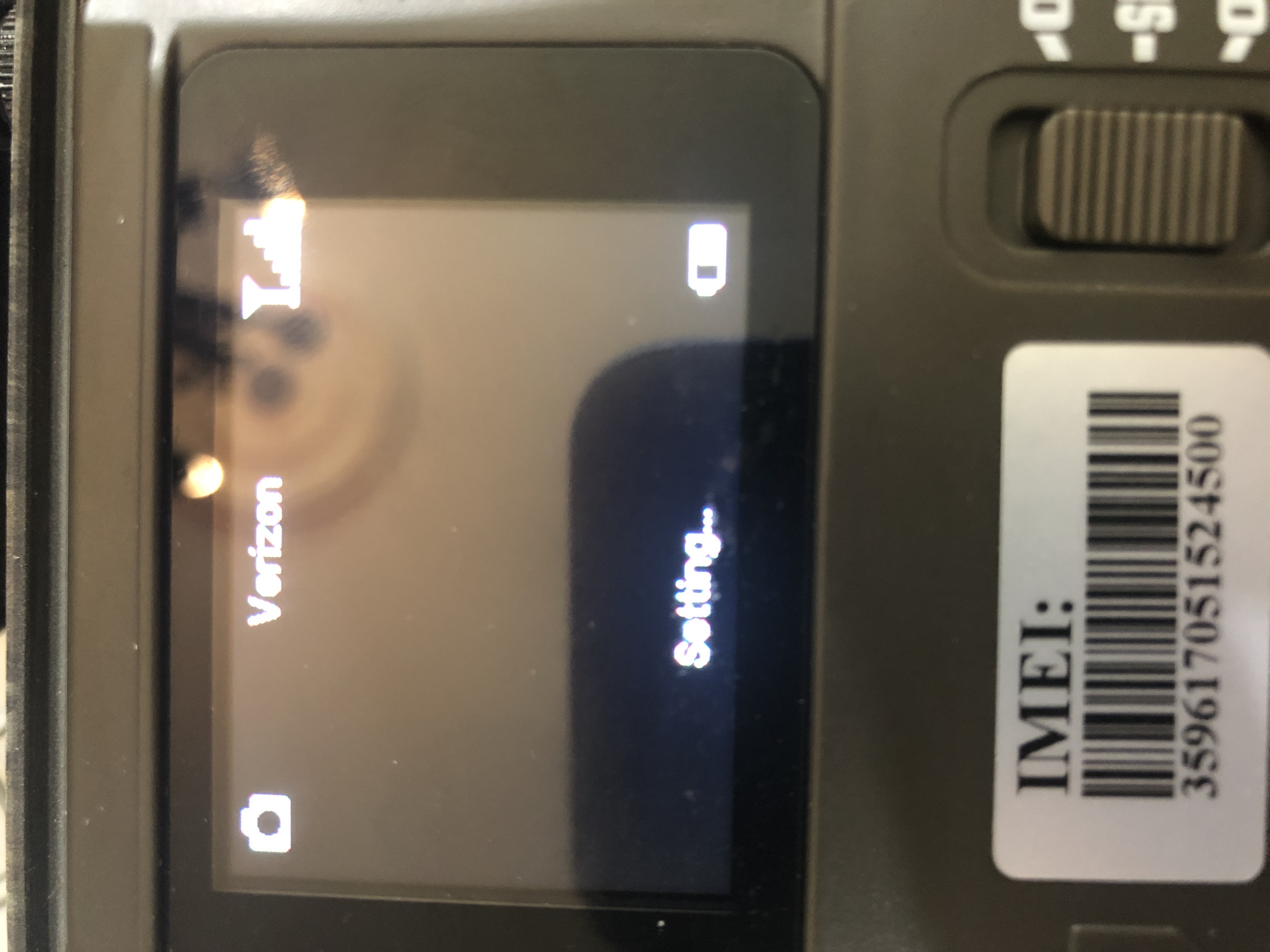
    but I’m getting cell bars and that hasn’t happened before now 

    0
    Comment actions Permalink
  • Elizabeth Swoope

    That’s great news. If your camera is on your Verizon account, make sure that it’s still listed and active. If you are using premium service (the app), then make sure you have premium credits.

    0
    Comment actions Permalink

Please sign in to leave a comment.