Camera Not Taking or sending any pictures

I've read the posts is there a fix for this problem? Not sure why its happening to so many of us. Changed batteries, signal is strong etc. Can someone please help me get my camera to take and send pictures again? I stood out there and tried to get it to go off but it won't. Thanks again
-

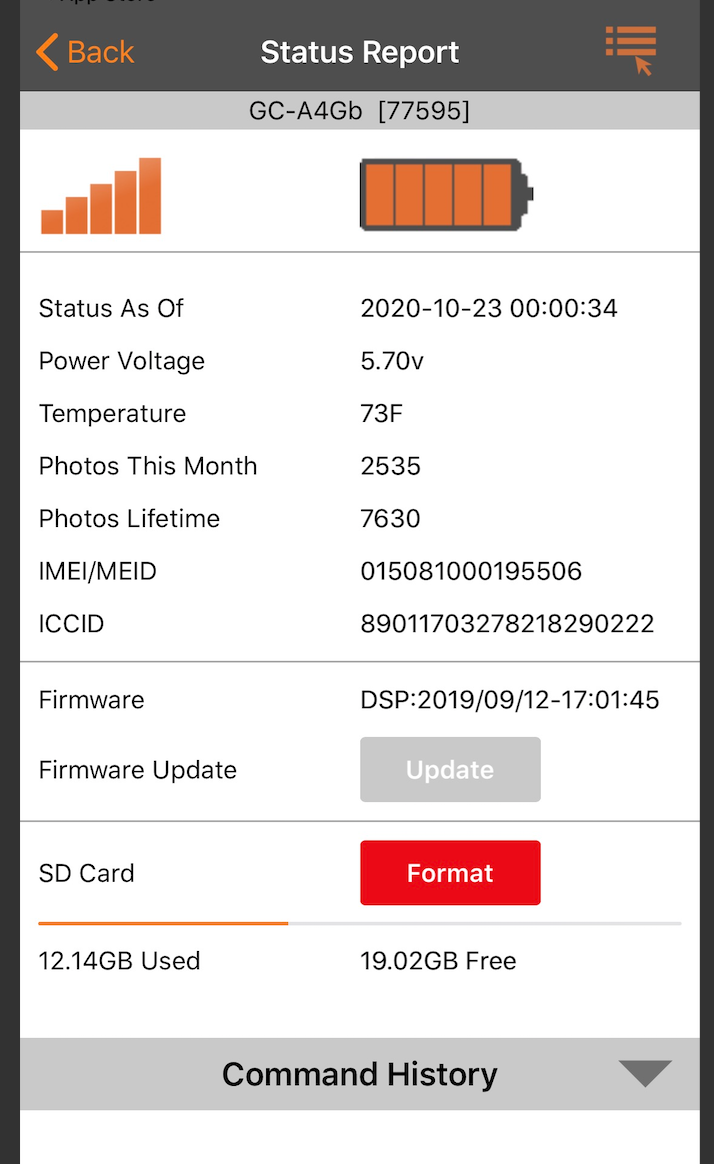
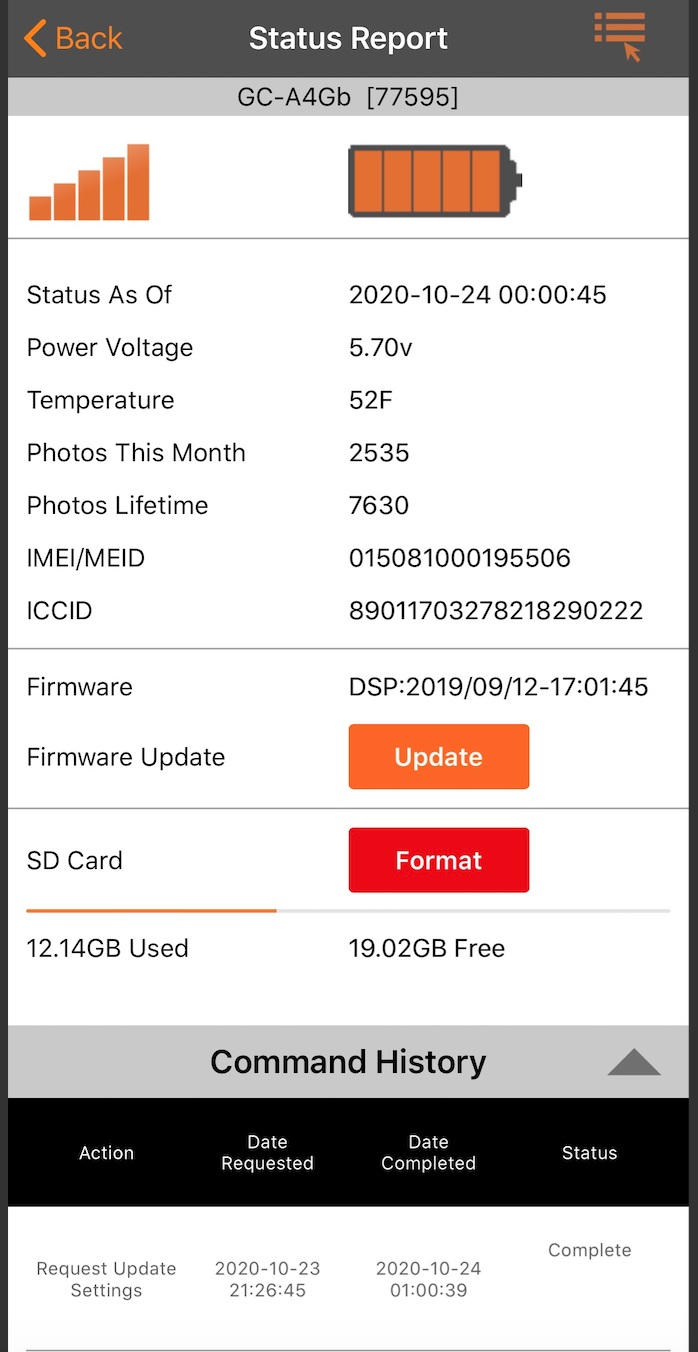
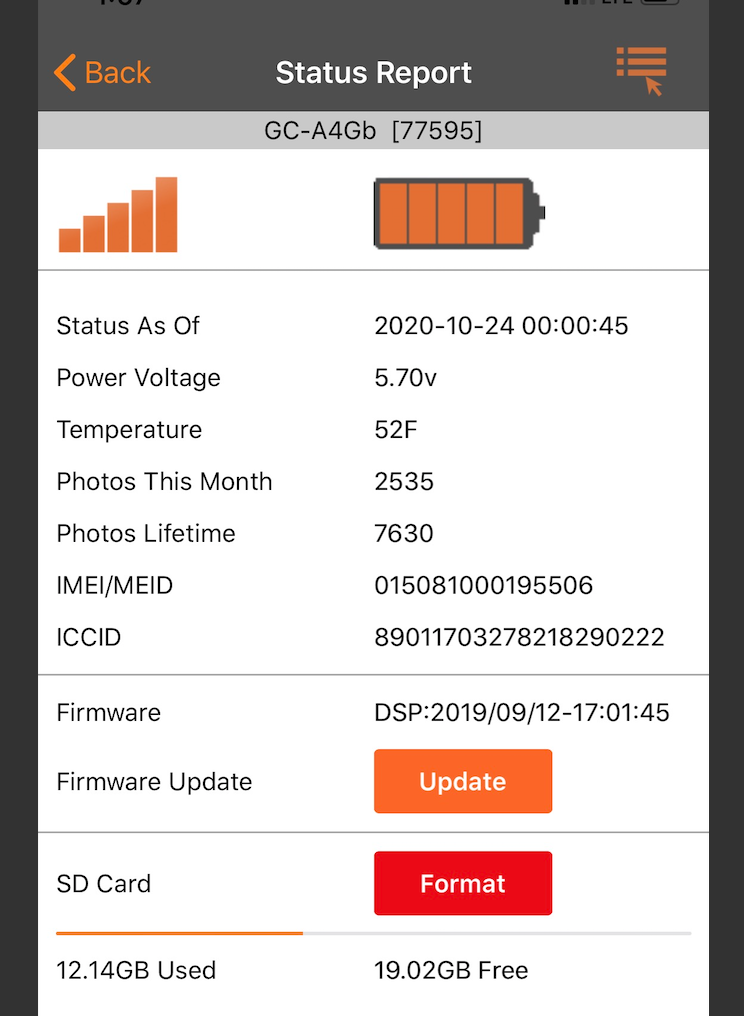
Can you please post a screen shot of the status report from the app? You will need to switch to the desktop view of the web site to be able to post pics.
What brand, size (standard or microSD/adapter), class (4 or 10), capacity (GB) and speed (MB/s) is your SD card? Did you format it in the camera?
What model camera (it’s listed under the camera description on the app home page)? Is it on your cell phone account or are you getting your data from Spartan?
What happens when you take/send a manual photo? (Camera in setup, on the network, point it at something, press OK to take pic, OK again to send pic)
-
It status report shows settings update but not firmware update. Does command history show the FW update? What happened?
The only way faster way to update the firmware is to do it manually. You have to vibe at the camera to do that. If you can go to the camera, let us know and one of us will post instructions. If you can’t go to the camera then you need to request the FW update again and hope it works. If it doesn’t, cancel, request a format of SD card, and once that works, then try the firmware update again.
-
Here’s the page where you download the firmware: https://my.spartancamera.com/download
Here are the instructions. You will be doing manual and the camera has the update command in the menu. Make sure you pay attention to details, use a blank SD card and have exactly the right file. There’s a video showing how to do this.
https://support.spartancamera.com/hc/en-us/articles/360010408073-How-to-update-firmware
-
Freeland Ackley,
Where are you getting your data? Does the camera pass the Hello test? (Camera on the network, press the Menu button, scroll to the fourth tab then down to Diagnostic, Hello test)
Have you tried formatting the SD card in the camera?
Did you try updating the firmware manually? That is probably the only way that the firmware update will happen. -
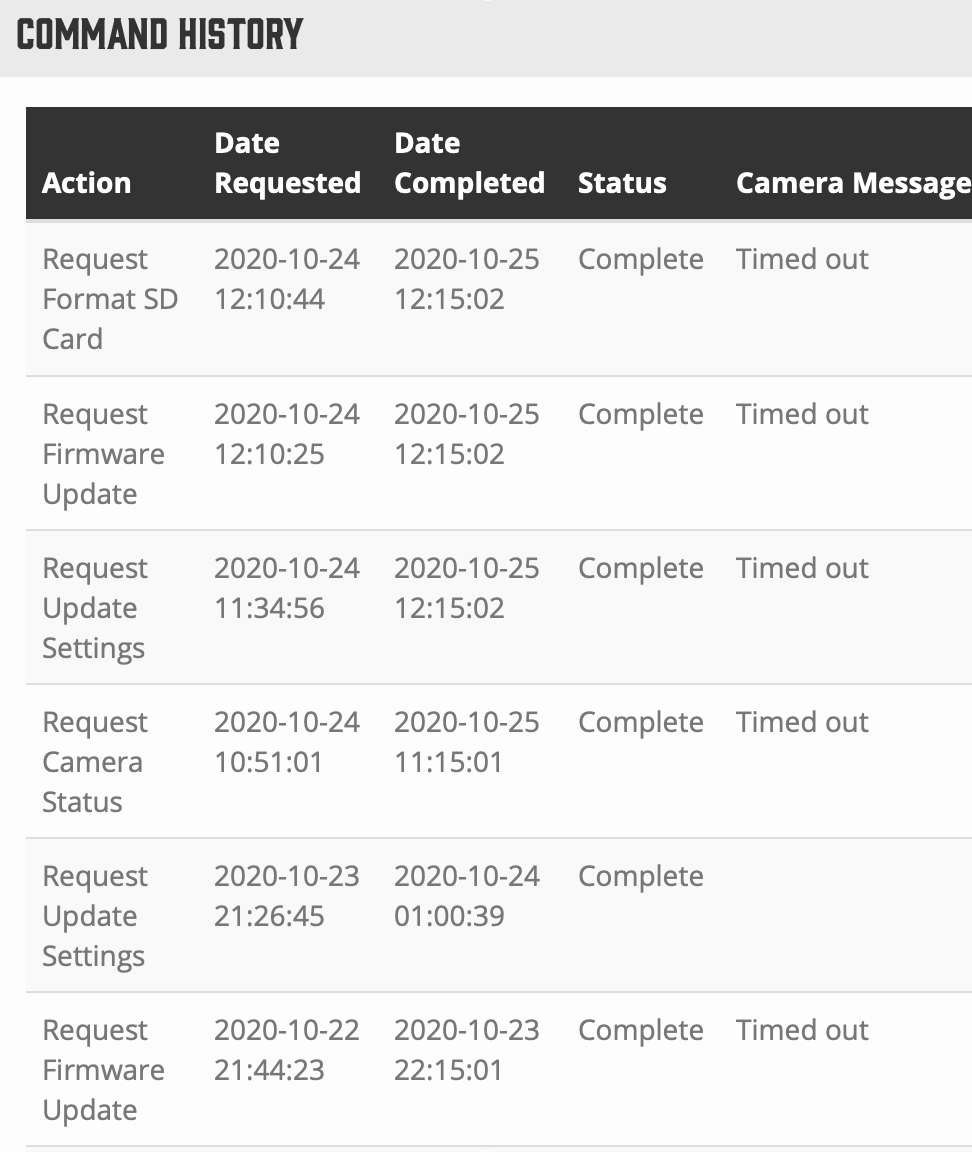
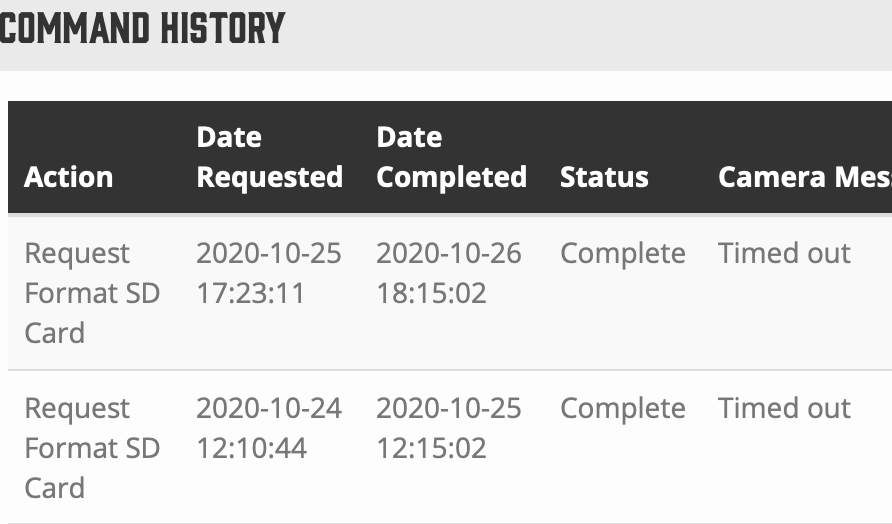
Sorry not sure what the hello test is? do I need to do that from at the camera? I will need to update it all manually I guess b/c it keeps timing out? Below is the most recent screen shot when I tried to format the SD card and again it didn't work/timed out.
Can I ask why this seems to all the sudden have happened to so many of us? It was working great then just stopped near opening day? Also will we be credited for months when its not working?
Thanks again
-
Has the camera contacted the server in the last couple of days? Looks like it did yesterday a little after 6 PM, but did it check in at midnight today?
There probably is something wrong with the SD card that is preventing the format command from working.The instructions for performing the Hello test are in that post right after I ask whether you did the Hello test. That checks to be sure you have a data connection and it does have to be done from the camera.
There are several tens of thousands of these cameras out there. SD cards are a common cause of problems.
There generally isn’t credit for days down.
Is the SD card that’s in the camera “to spec”? Make sure you take a “to spec” SD card with you when you go to the camera. Also, you will probably want to put the firmware on the new SD card so you can do the update manually.
https://support.spartancamera.com/hc/en-us/articles/360040555453-SD-card-information-and-recommendations -
How to update firmware manually:
https://support.spartancamera.com/hc/en-us/articles/360010408073-How-to-update-firmware


Please sign in to leave a comment.
Comments
22 comments