SIM Card not recognized

My camera is not working, it was great for 8 months, now it is saying there is not a SIM card in the camera and it is not sending pictures. How do I get this fixed? GC-Z4Gb2/GoCam (Verizon 4G) Blackout
-

That is a generic message that means that the camera can’t connect to the network. It can be the SD card [edited from the incorrect SIM] (format the one that’s in the camera or try a different one), the SIM (contacts can be cleaned by rubbing with pencil eraser), antenna (not damaged, snug but not too snug), or outdated firmware.
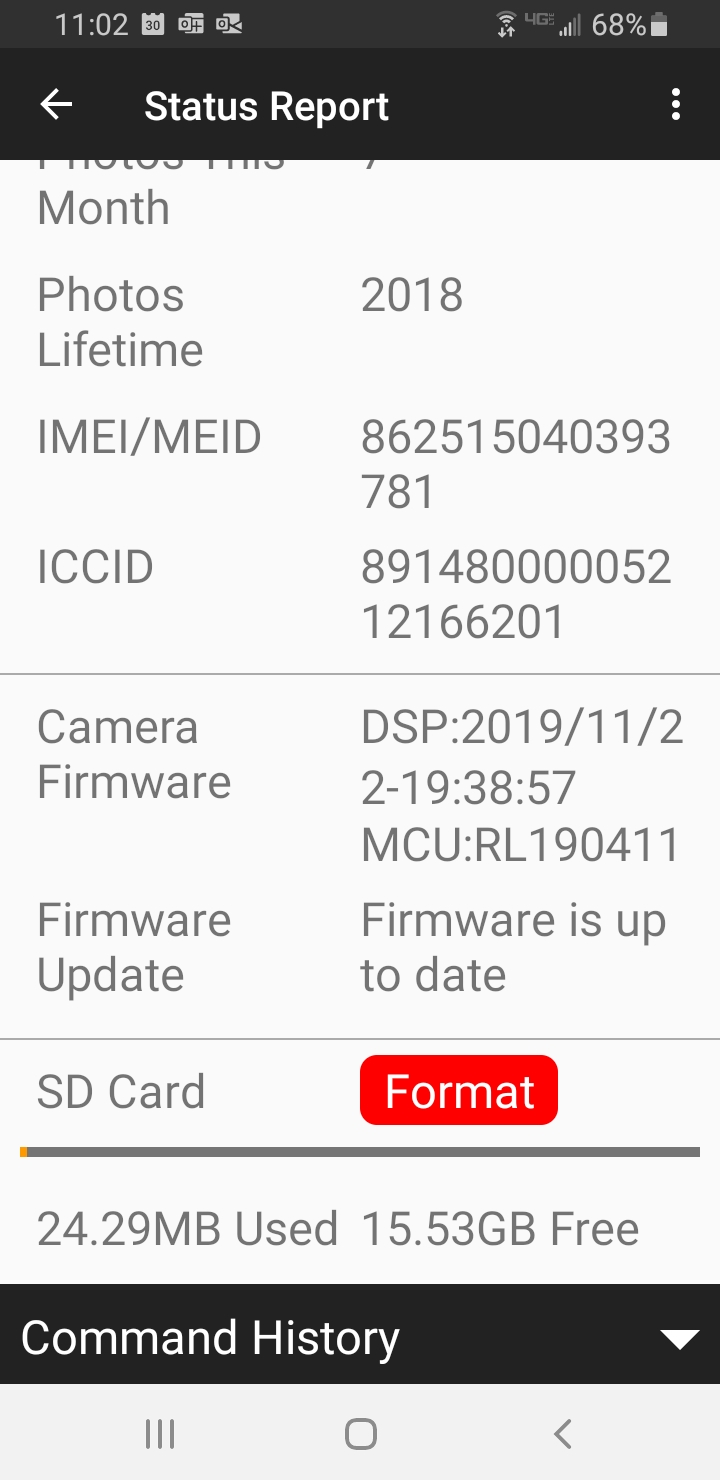
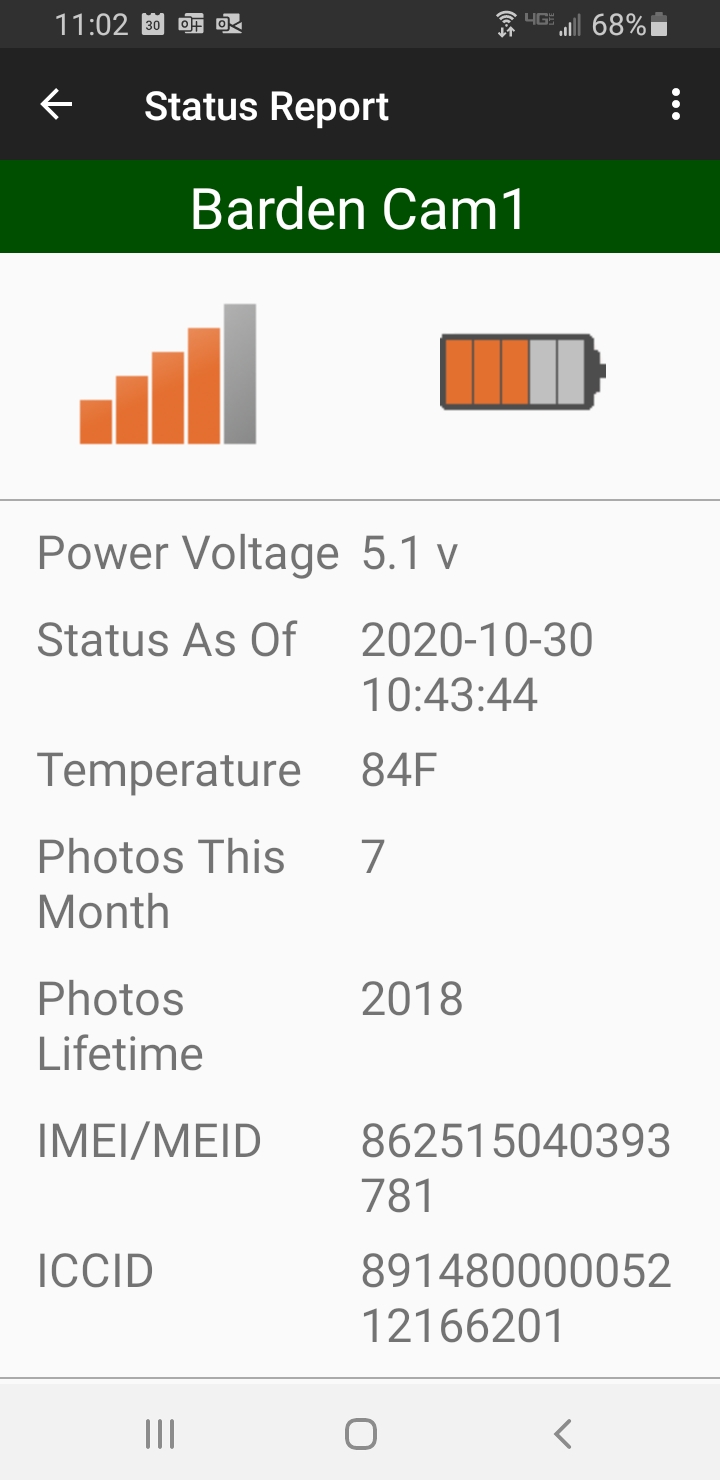
Please post a screen shot of the status report from the app, from the signal/battery indicator at the top down through the SD card info. It may take two screen shots, depending on the camera model and your phone. You’ll have to use the desktop view of the web site in order to be able to post the screen shot(s). -
I apologize. I meant SD card. If you are at the camera, camera in Setup, press Menu button, scroll to third menu tab then down to Format.
Your camera contacted the server at 10:43 to send a picture (unless you just turned the camera on at that time). Did you get a picture (unless you just turned the camera on)? If not, it’s probably that the SD card needs formatting.Your batteries are low. What type of batteries are you using? If lithium, they’re almost dead. If alkaline, they’re getting close.
-
Hi Elizabeth, I have the camera with me at work and I have been messing with it all day, I did manage to get it to take and transfer that one photo (which is promising I guess) however it is not sending the 100 other ones that I have been generating today. I will format the card and see if that works.
Please sign in to leave a comment.
Comments
7 comments