Abrupt end to photos and status reports for two separate GC-A4Gb AT&T cameras

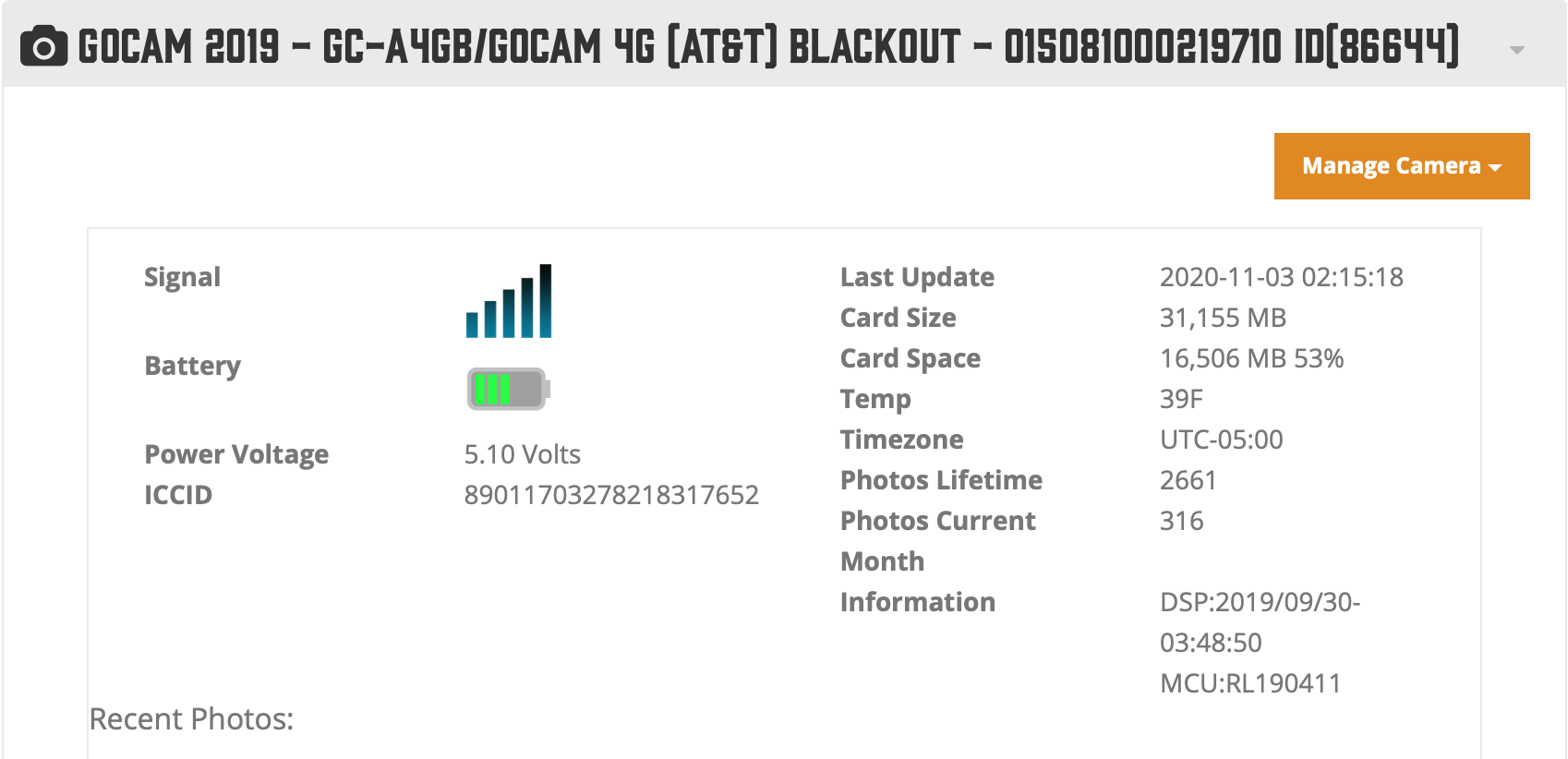
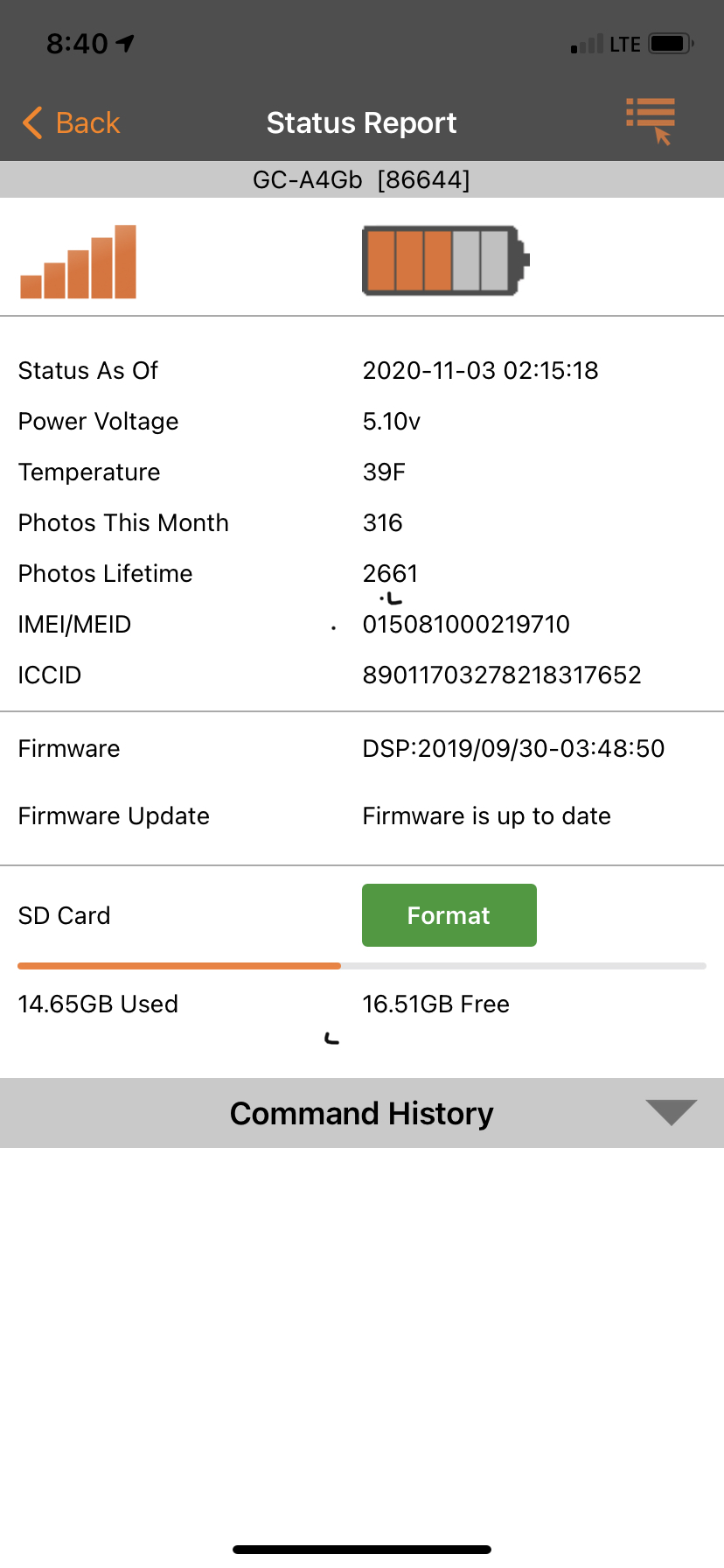
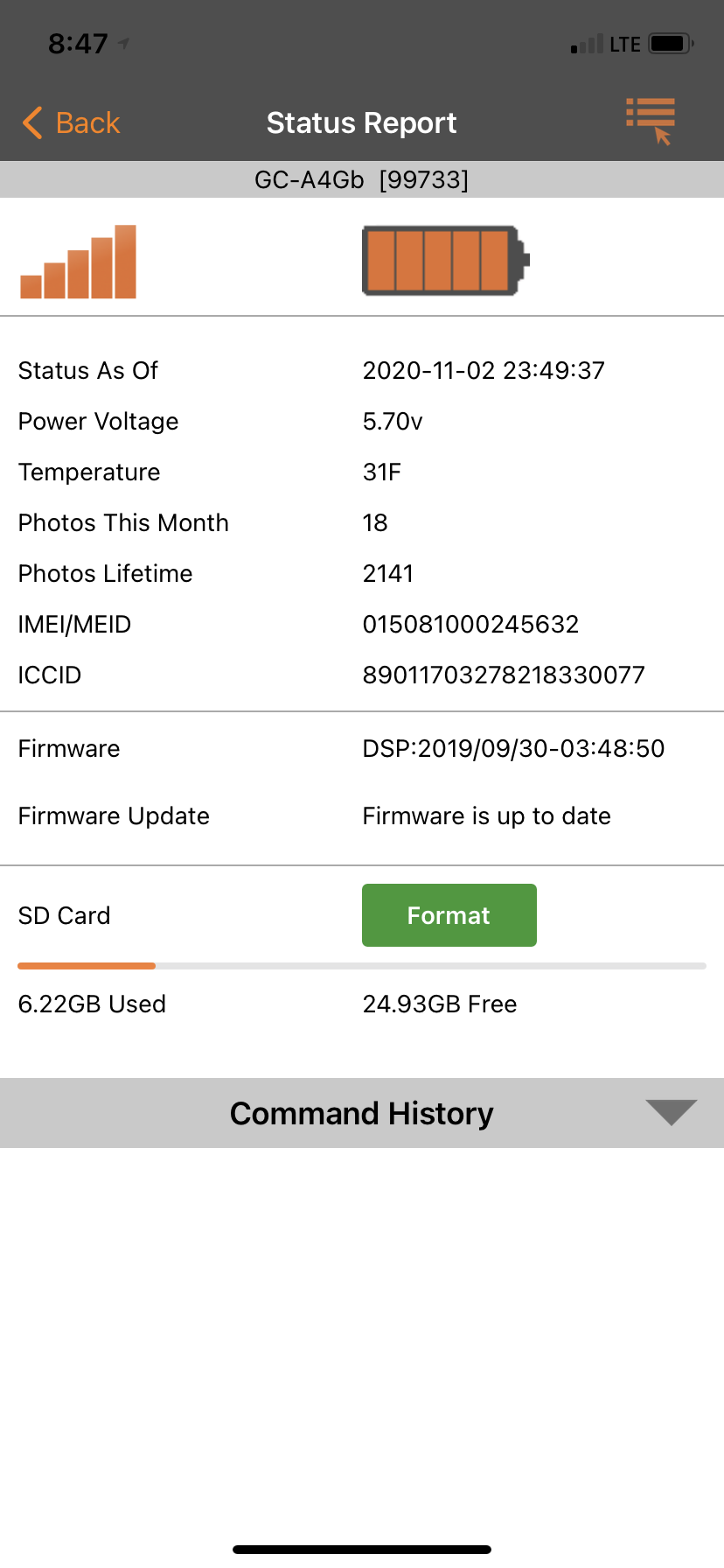
Shortly after midnight on November 3, both of my GC-A4Gb cameras stopped sending photos. Camera 1 sent its last photo at 2:14 on 11/3, while camera 2 sent its last photo at 23:48 on 11/2. Status reports are due at 9 AM every morning, and I have not received reports for 11/3 or 11/4.
Camera 1:
Camera 2:
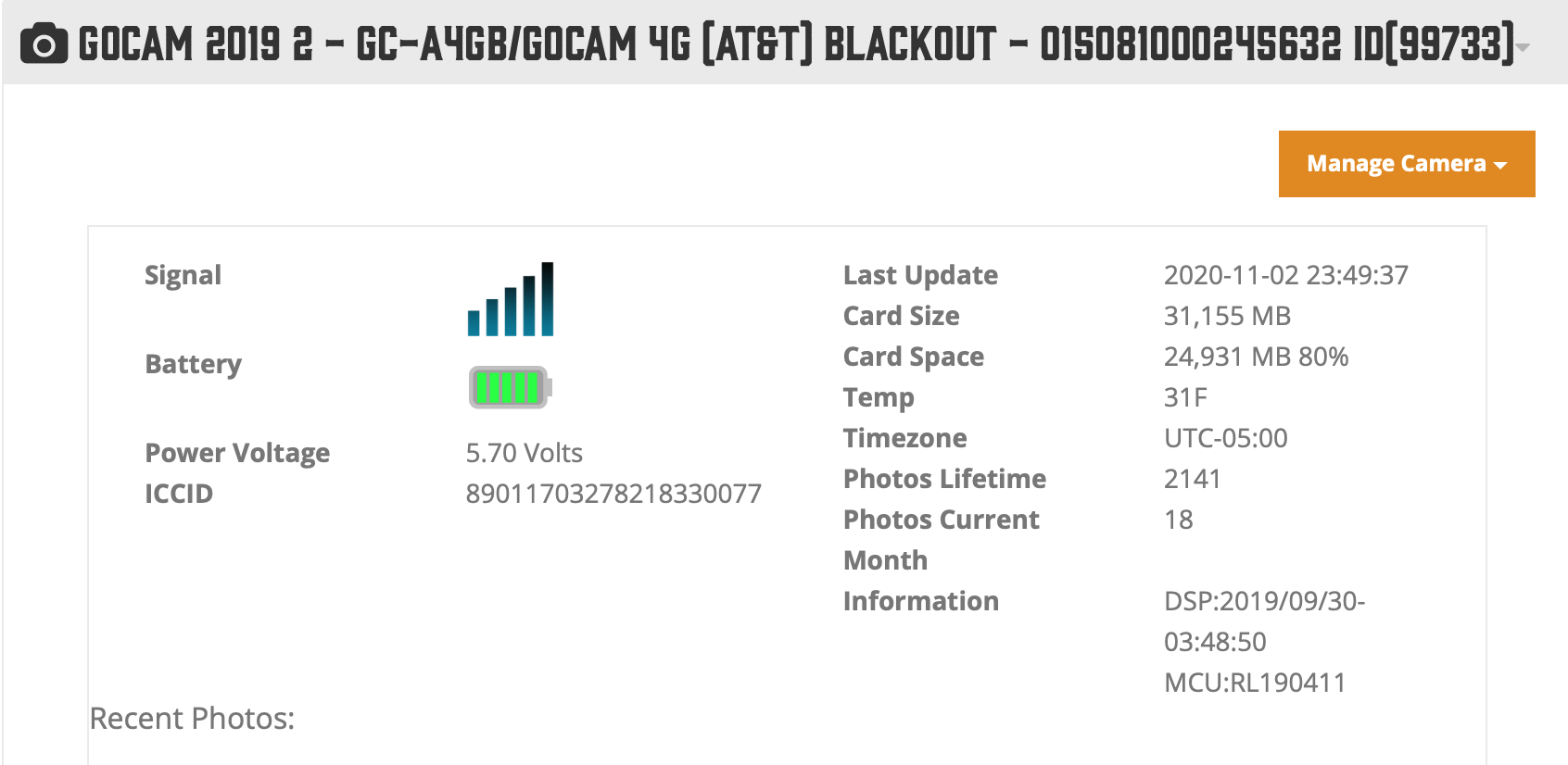
I realize the batteries are getting low on camera 1, but I live 200 miles away from these cameras, so they will be replaced next week. Both cameras have been working perfectly, and it seems suspicious that both have failed at the same time. Was there a system update at Spartan on November 2-3? What about a system update for the AT&T network? Both cameras are located in eastern West Virginia.
-

Yes it's very strange that they both stopped about the same time. Check your pictures and see if and it the pictures from the camera 2 show anything other than P5 in the lower right corner. Make sure you look at a bunch of night time pictures too. It's possible ATT has changed something and maybe we need to check the APN setting on the cameras.
-
Without the cameras to do some diagnosis it's going to be hard to figure anything out. I would cancel any pending commands that you have and request an SD card format (this will erase all the pictures on the card) and that way if it is an SD card problem if the camera checks in it may format and get them going again. When you get to the cameras and change the batteries turn the camera off and back to set up. Once it finds signal press the OK button to take a picture and then press it again to send the picture and watch what happens and what it says on the screen.
-
The status updates I requested have not occurred. I have cancelled them. However, since I cannot "contact" the camera, an SD card re-format will not occur either, correct?. Besides, how likely is it that both SD cards failed at the same time? Both were new in 2019 and they have served well for months. The cameras are actually on 2 different properties that are 60 miles apart. I still suspect either Spartan or AT&T performed some network or server maintenance which killed the connection. This is really damned frustrating, especially since the rut has kicked in.
-
Correct the format won't happen unless the cameras do check in but if by some chance they do it can't hurt and could only help if the format was requested. The SD cards don't just store the images, a lot of the stuff that the camera does runs through those contacts on the card so If you have a card that's not quite to spec or is going bad and something changes camera/network wise the combination of the change and iffy card can cause what you are seeing.
-
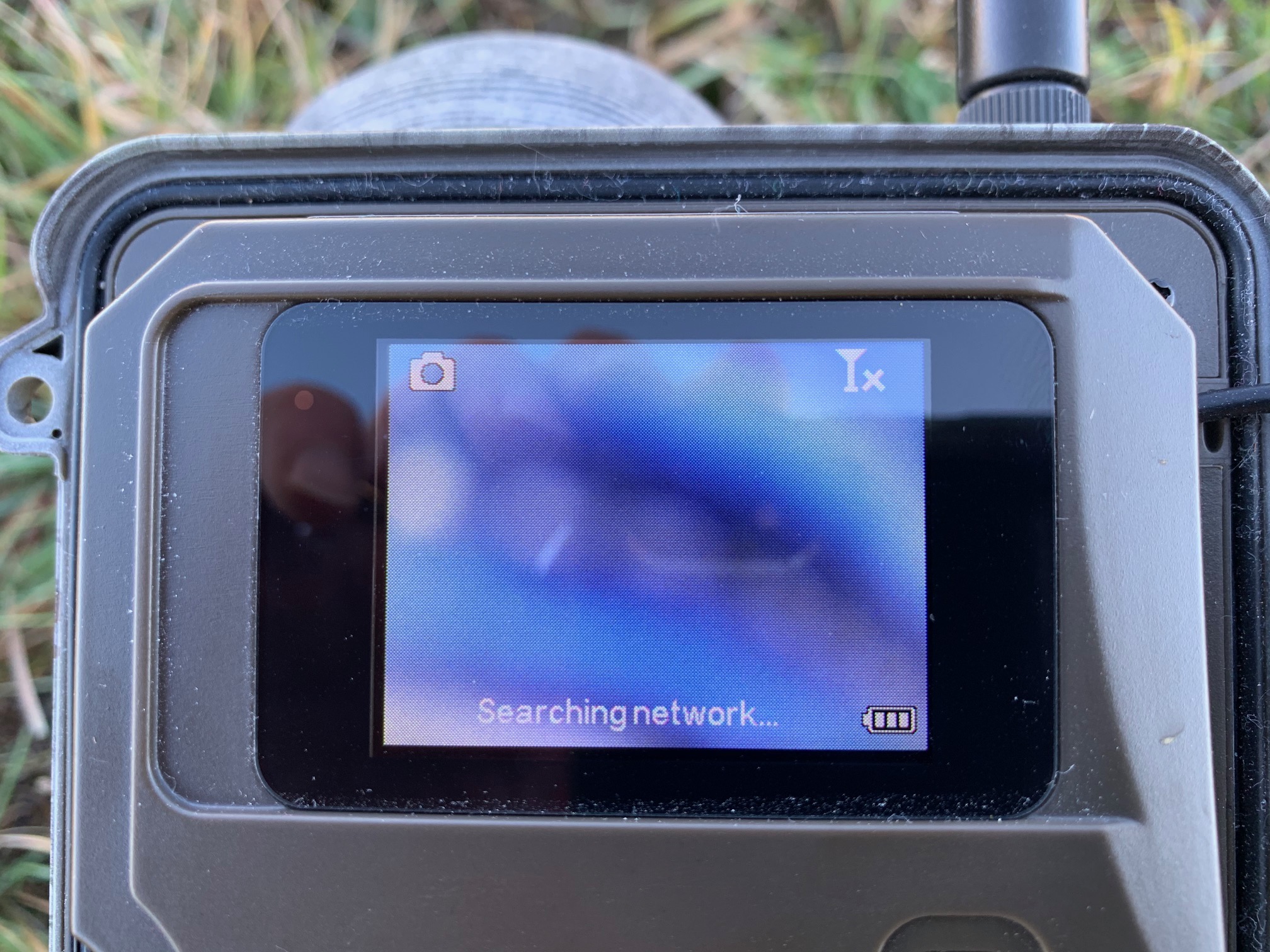
So, I now have camera 2 in my possession. I am unable to get an AT&T connection in the Setup mode. My phone has 4 bars (Consumer Cellular which uses the AT&T network). It appears that my cameras are not longer synced with the AT&T network. How do I fix this? How did this happen? How did two cameras 60 miles apart both experience the same problem at the same time?
-
Try defaulting the cameras in their menu. If they don't start working go into the menu and to diagnostics and to APN. The password is 123456. The APN should be set to either APNsp or APNbl, whichever one it is set to change it to the other. Press ok when it asks you to to save the change and back out to the main menu where you see what the camera is looking at on the screen. Then turn the camera off and then to set up, when it finds signal press the ok button to take a picture and then press it again to send the picture. Watch what happens and what it says on the screen. Since you're getting your data from Spartan APNsp is usually the first choice for a setting.
-

Eric,
To default the camera, camera in setup, press the Menu button, scroll to the third tab, down to Default.
(To get your settings back, after you’ve taken/sent a manual photo, request a settings update from the app then take/send another manual photo.)
With the camera in setup mode, on the camera, press the Menu button, fourth menu tab, Diagnostic, APN Setting, password is 123456, OK. (ATTb/ATTi password is 1234)
If the camera says "System busy", just wait until it says it can't go online and then you should be able to get in.
AT&T: Spartan SIM should be APNSP. AT&T should be either APNBR or APNBL (choose whichever one it isn't already)
-
I performed the default on the camera. That did not make any difference. I have gone on to the diagnostic tab, scrolled to APN setting, and hit OK. I continue to get the “System busy… “. I have left the camera on for the past 15 minutes, and every time I hit APN setting, it tells me “System busy...”
-
Rats! I was hoping that there were later ones from after you made some changes but I see that neither camera has contacted the server since the status reports you posted earlier. (I find the app info easier to read and more compact than that from the portal. It's also easy to tell whether firmware is current or not with the app but you have to either know the FW date for a particular model or look it up with the portal info.)
-
Do you have a computer and an internet connection there? If so, you can try a manual firmware update (even though the firmware shows as being current, it could have gotten munged).
Here's a link to the firmware download page: https://my.spartancamera.com/download
Here are the instructions. You will do a manual update for models that have FW update in the menu.
https://support.spartancamera.com/hc/en-us/articles/360010408073-How-to-update-firmware
-
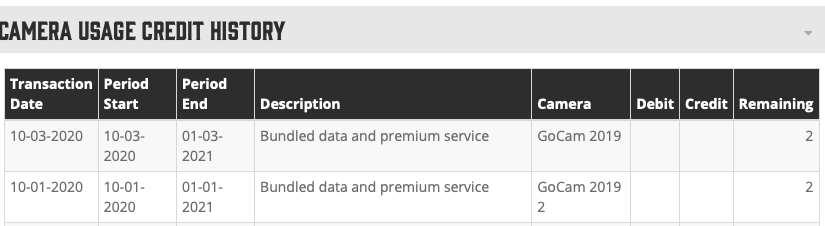
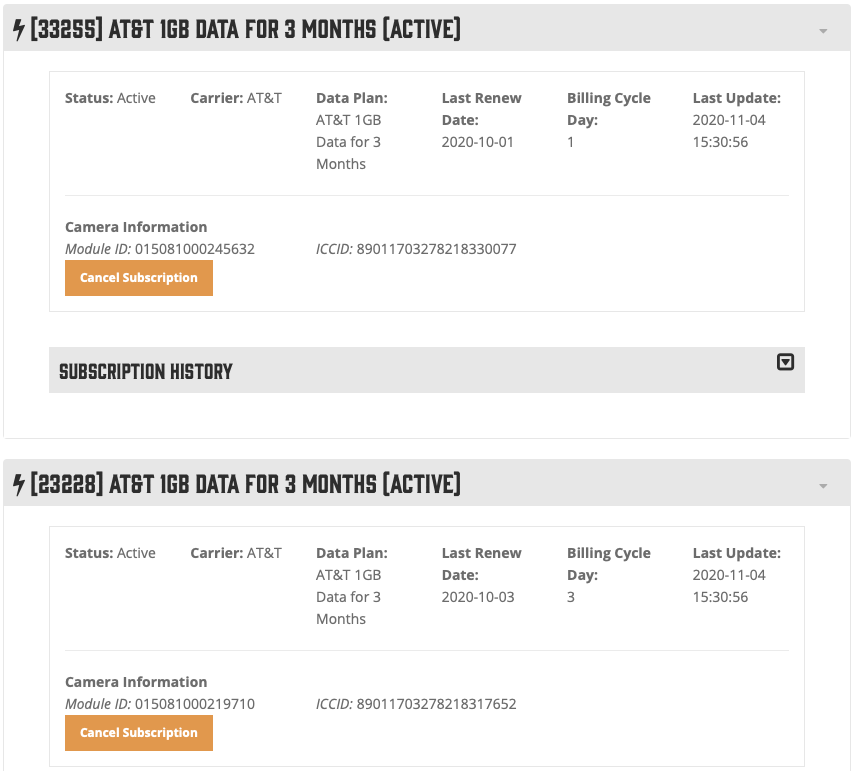
I have returned home with the camera. I will request a refund for the unused portion of my data plan. I turned it on today at home and it did not find the network here either. AT&T must have updated/changed their network recently, and my cameras are now effectively bricked. Based on posts to this forum, I am not the only one. You need to identify this problem quickly. I cannot recommend Spartan cameras to my hunting buddies if cameras randomly stop working while deployed in the woods.

Please sign in to leave a comment.
Comments
38 comments