Multiple Firmware Update Failures on 5 Verizon GoCams

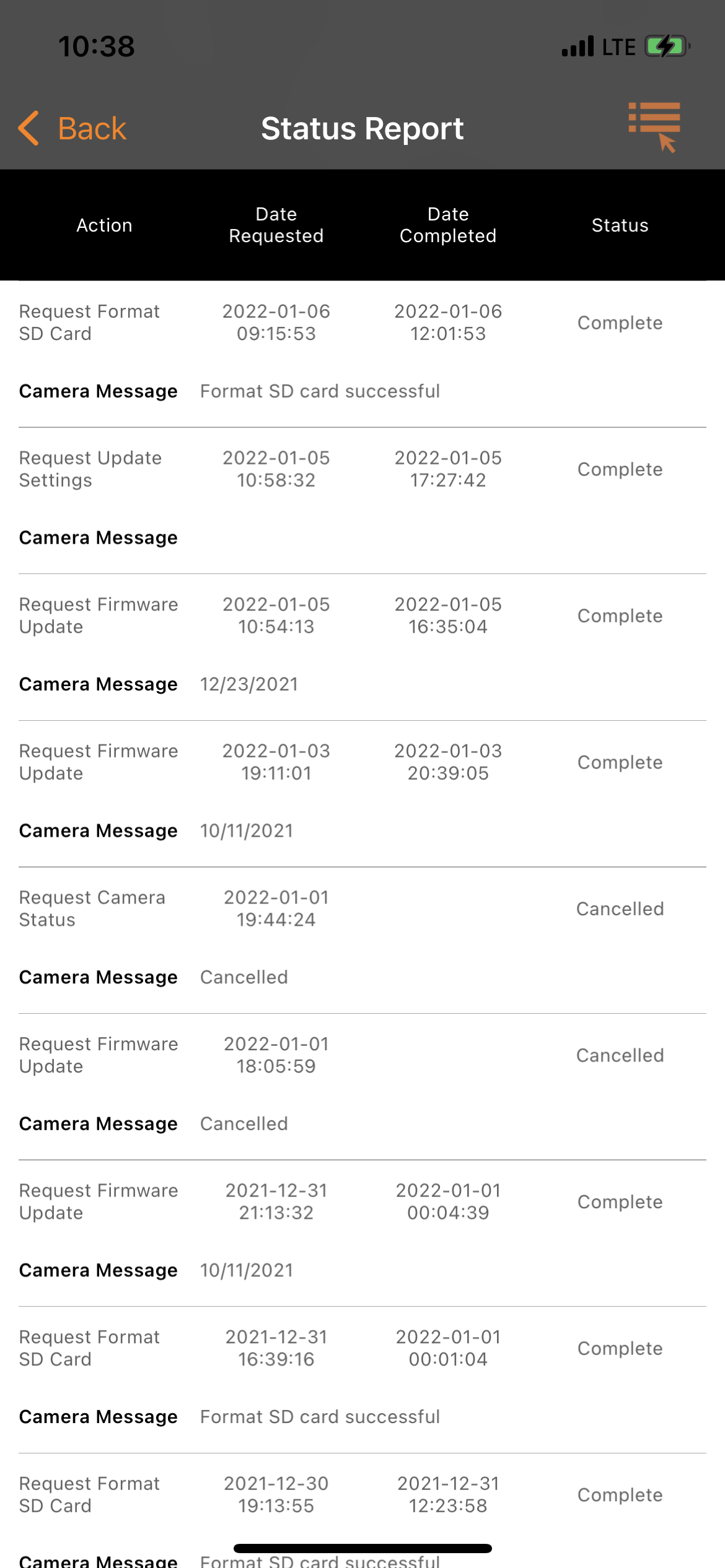
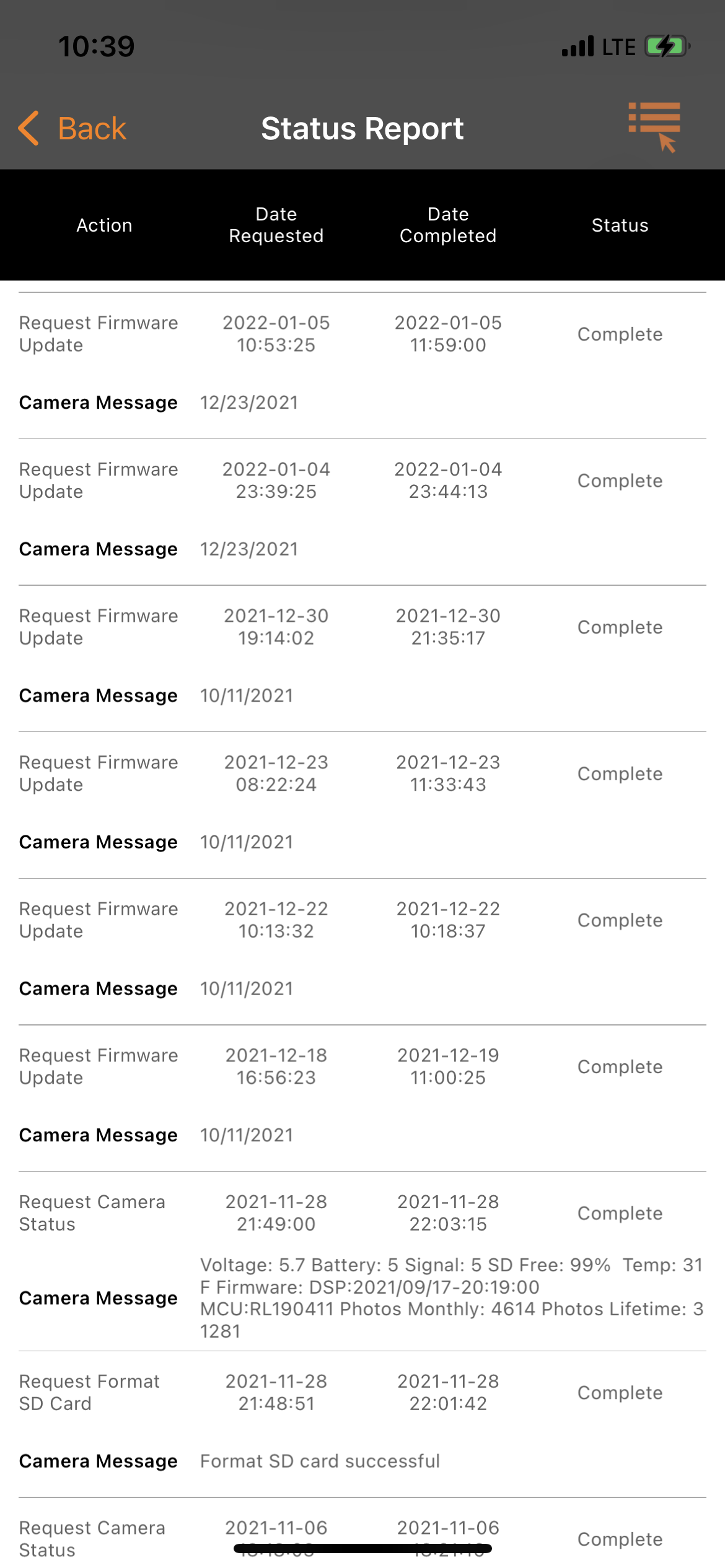
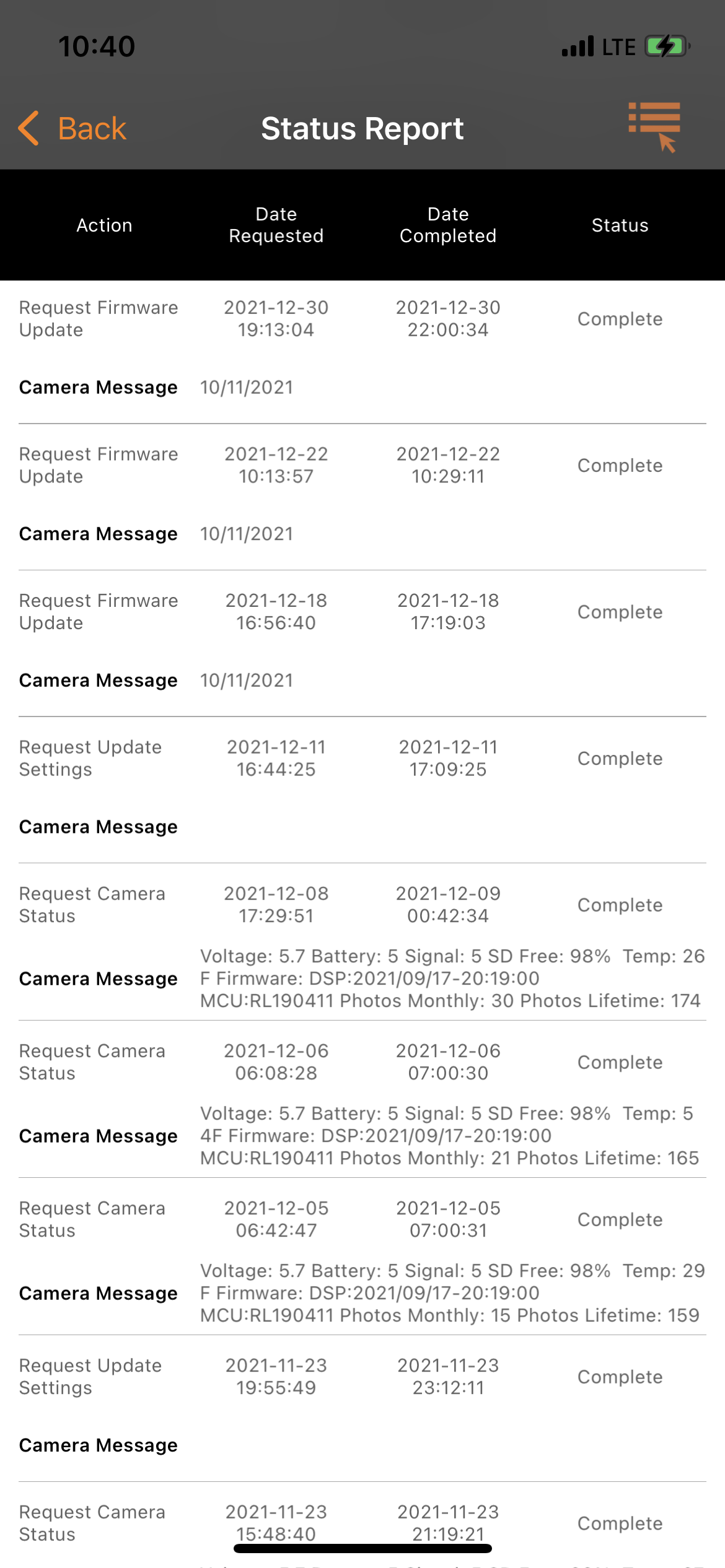
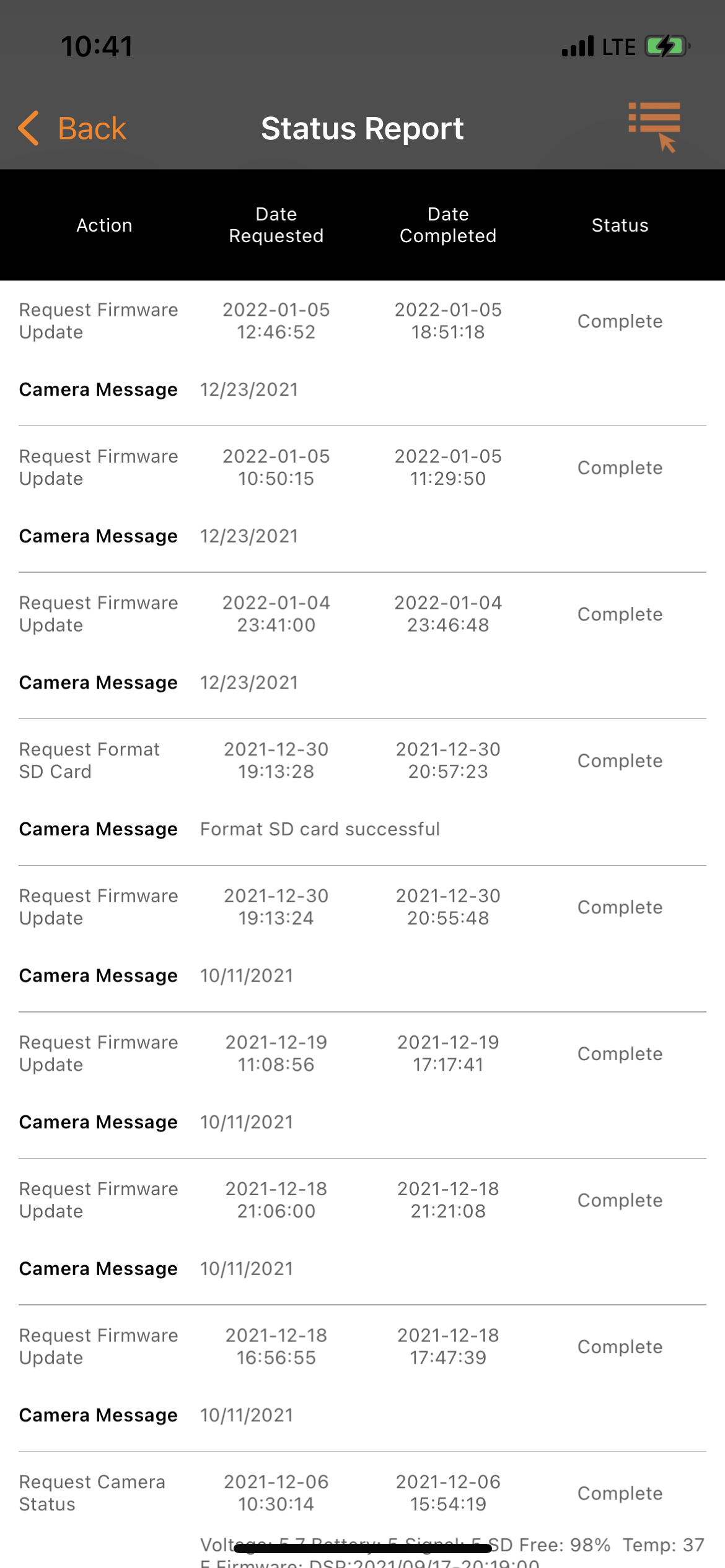
For the last few weeks I have noticed strange issues with my cams not sending pics when they should be. For example, fresh corn pile one evening, no pics all night, corn gone next day. Then the cam would send pics all day long of nothing then stop again at night. I've swapped SD cards, formatted, tried to update firmware, and defaulted cams. Now all my cams seem to be having the same issues. And none of them will successfully update the new firmware. Ive been running spartans for a few years now so Im familiar with the tricks of the trade as far as sd cards and formatting etc but this is getting extremely frustrating as the season is winding down and ive got a tag to fill. It shows that firmware update is requested and that it is completed, but then shows that it is available to be requested again, and the cycle goes on and on. On one cam, it shows the firmware update was completed 15 times in one month. Yet it still shows it needs updated, and the current version/date is the same as the last 15 times it supposedly updated. So I decided to manually update the firmware by downloading the firmware to an SD card following the directions on Spartans site. Everything went well, checked the app afterwards and showed that the update went through, until I go home that evening, I was right back where I started. What is going on with the firmware? Sorry for the long post, thanks in advance for any help!
-

A few things, since they are all from different cameras it's hard to tell but have you tried requesting the firmware after the SD card formats? it has to be successful and send you the picture with the F on the bottom of it for it actually to have formatted the card. Also, remember once you format the card the pictures are gone so if you try and request a video from one of those pics from before you formatted it won't be there.
-
Yes I have tried about everything. I just received a call from Spartan. They told me all my cameras were updated to current firmware and working fine. Until I pointed out that all were different firmware versions. Long story short they spoke with someone else and apparently there was a bug with the 12/23/2021 version causing the cameras to not function properly. He told me there’s nothing I can do until they fix the bug and release the new firmware version hopefully in a few days.
Please sign in to leave a comment.
Comments
37 comments