Setting up Spartan Go Live camera for surveillance of gravel pit

Burning Question #1 What settings do I use to set up a Go Live for use as recording loads being dumped at a gravel pit & night surveillance for hoodlums?
Burning Question #2 Do weeds & bushes moving in the wind set off the motion sensor in the camera? Only on week 1 & have already almost used up 500 gig of data.
Please help a person that only knows enough about this stuff to be dangerous :)
Thank you in advance!
-

I’m adding to the good advice you’ve already gotten from Johnny.
I’m linking an article on settings that may help.
How long does it take to dump a load of gravel? What’s the minimum time between loads? What you may want to do is to set your trigger interval during the day to about that length. For example, if trucks can move in about every 5 minutes, then set trigger interval to 4 or 5 minutes so you get one picture of the truck, not four or five.
At night, you’ll probably want to use trigger interval of 0 since you’re wanting to know about trespassers.If you’re just counting loads of gravel and don’t need detailed info, you may want to use regular thumbnails rather than large. Large are clearer but use more data. If you really need to see more, you can request the full resolution photo and/or the video. You can use the lowest resolution video to save data. For me, 20 seconds is the sweet spot length but you’ll have to experiment. The good thing is that using the app, you can change settings quickly and easily.
-
If you’ll post a photo or two from the camera, we may be able to give you some advice on things you can do to reduce photos if you are getting some that don’t appear to have anything moving in them. You may want to request video for a couple of those because sometimes the video shows movement that the photo doesn’t.
-
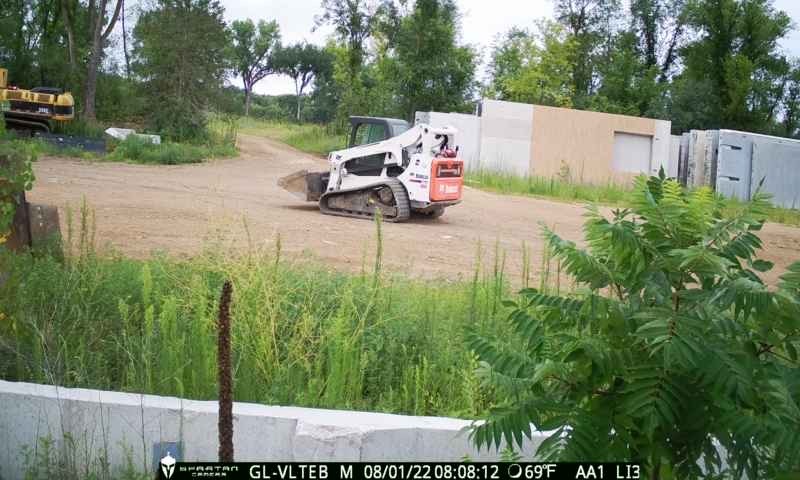
1. The loads come and go at any time during the day from say 7:00am to 7:00pm. As of now I am not getting any night time pictures at all. (I am sure I have the settings completely fubar because I am really talented at doing that!
The trucks come into the quarry and then
A. Record the load on a notebook in a mailbox near the dump area. or
B. Dump the load and then after dumping & cleaning out truck, record the load at the mailbox.
The process takes at least 15 minutes on small loads & up to 30 minutes on larger loads.
Right now the camera is facing South, just because I set it up temporarily. The trucks dump to the East of the Mailbox. The trucks come into the dump site from the South.
Thank you for the quick responses!
-
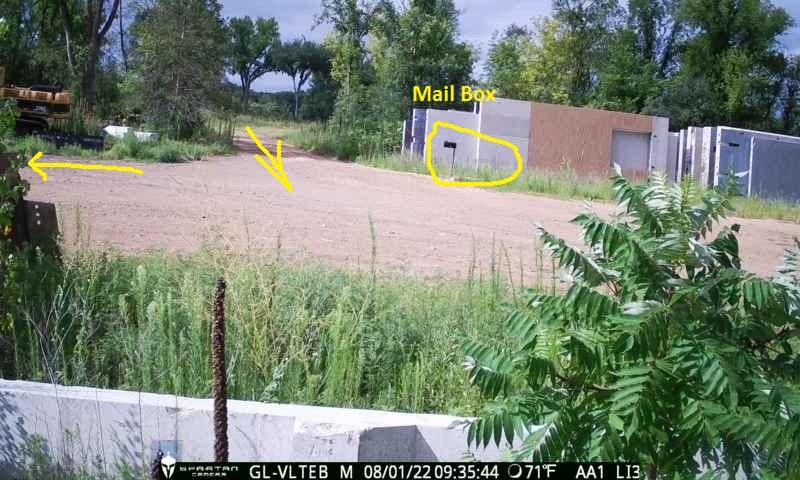
That photo really helps. I have some suggestions.
First, use scheduled events to get at least one night photo. All my cameras are set to sent a photo at 9 PM (because it’s dark at that time all year so I don’t have to change my schedule with the seasons to be sure I get a pic after dark).
I’ve marked up your photo. You may not have a lot of options for mounting so I’ll ramble a bit. First, get rid of the bush and any weeds, but especially that bush. I normally don’t recommend mounting a camera “high” and aiming it down, but that may be your best option in this case. Your targets are large so triggering shouldn’t be a big problem. I would try to mount it so that there is none of the concrete wall in it. The camera also appears not to be level (if the vertical lines on those walls are any indication). Detection will be better with it level. You can get cheap little levels from Amazon and probably in hardware stores.
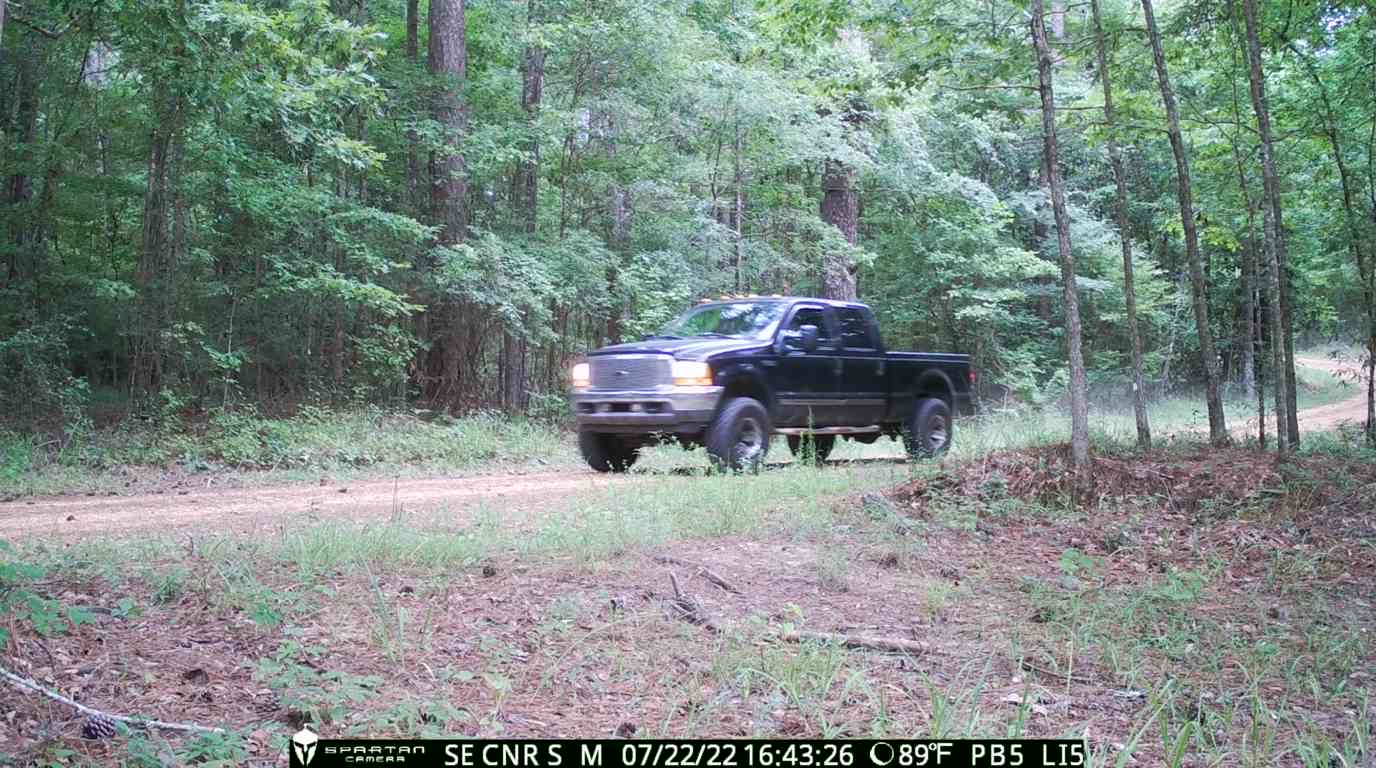
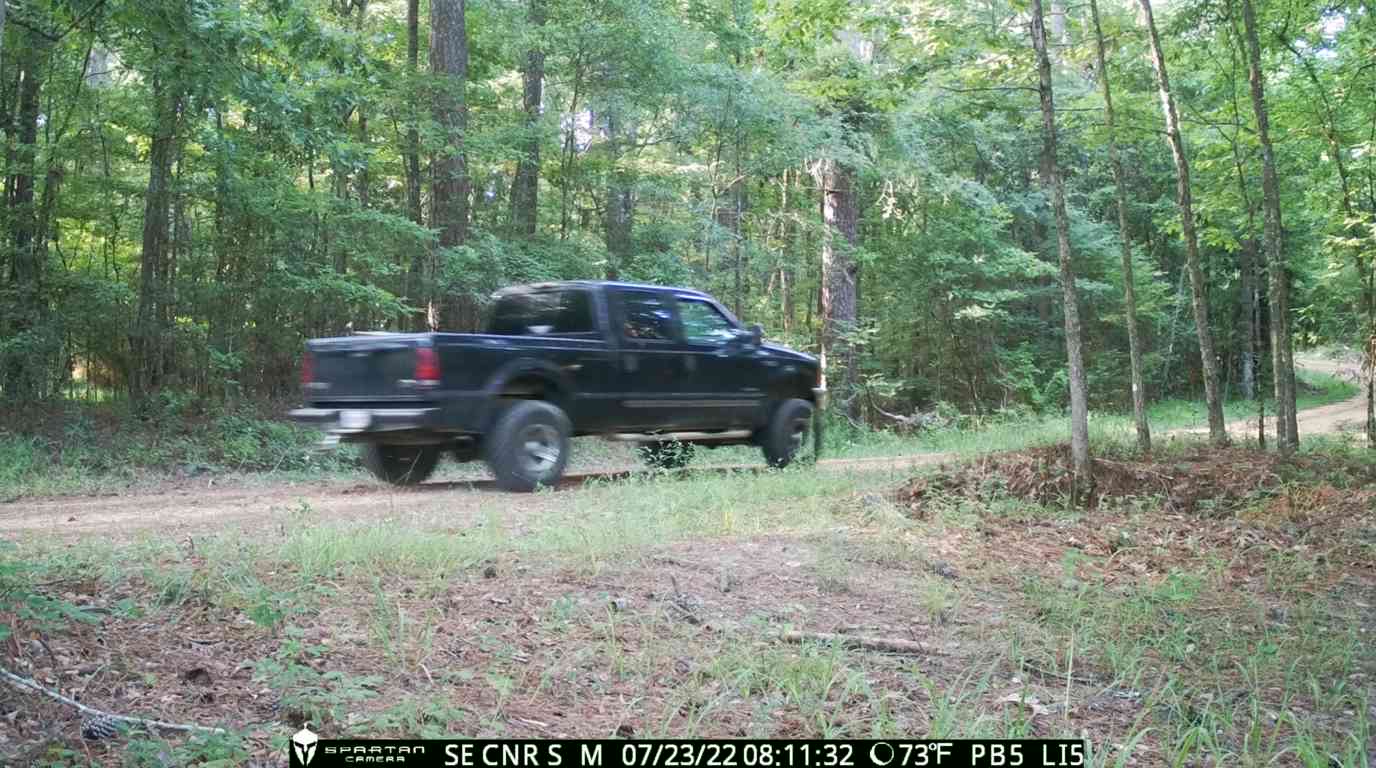
If possible, aim the camera so that the road runs somewhat diagonally across the frame. I’ll post some examples from cameras I have watching a road next to our property.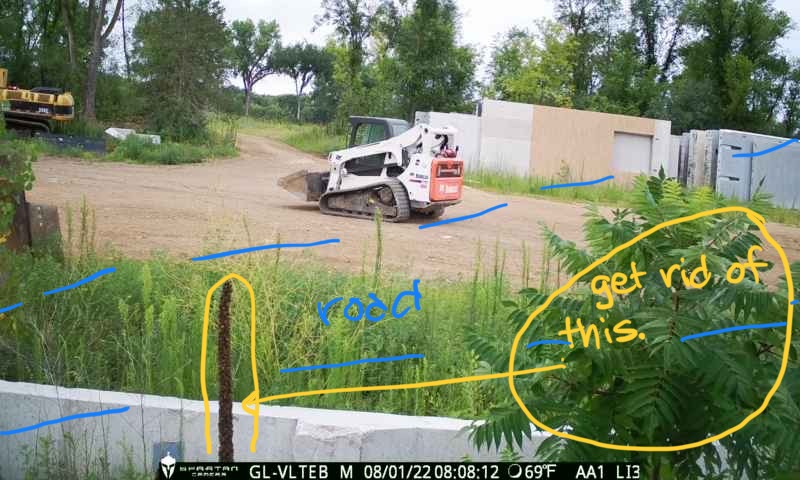
This is how I’d recommend that you aim the camera if possible. Aim it so that the truck is approaching the camera as it enters the yard. (Your trucks are probably moving slower than we were. Also, we have some trees obscuring part of the road to some extent but they belong to the US Forest Service so we can’t get rid of them.)
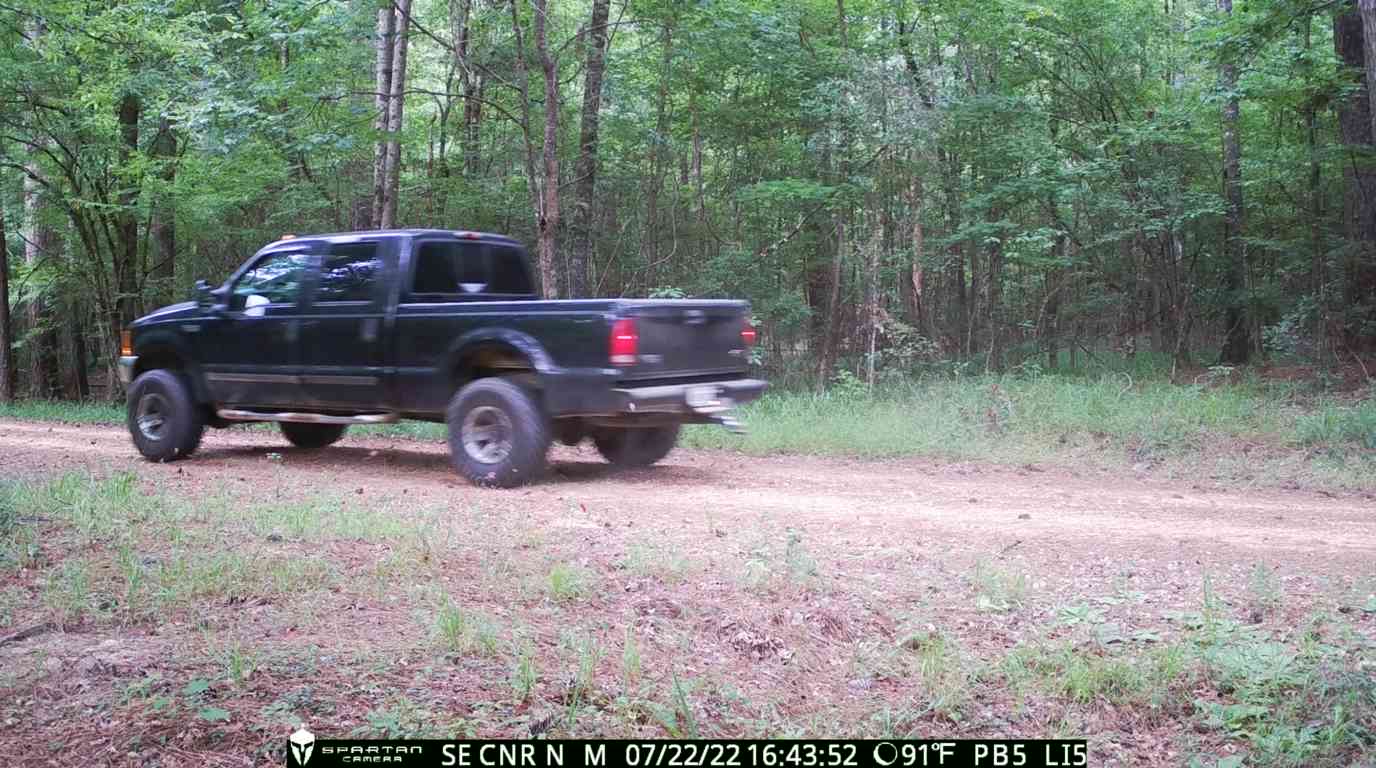
We have another camera aimed north so this is the view of us going past that camera.
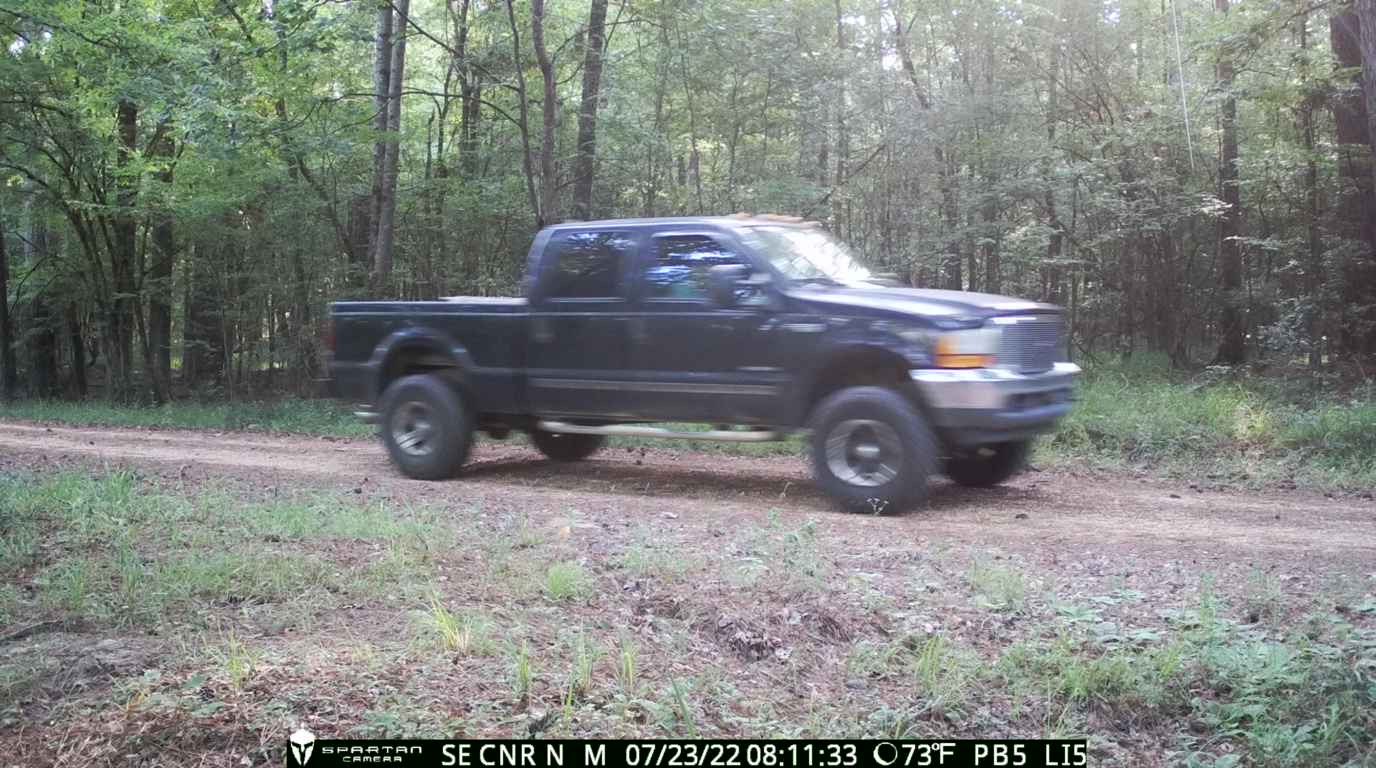
This is us leaving, same two cameras but in reverse order.
Hopefully I’ve given you some things to think about so that you can optimize your camera’s position.
Also, if you’d like, please post screen shots of the camera’s settings from the app, preferably in order from top to bottom. We can probably make some suggestions.
-
I have a few alternative locations for the camera, so I will brave the heat and the bugs and move it to a better location. I think I can place it to the left of the "in" arrow above so the camera is facing North. One thing at time, moving to a better location is priority, then the settings. Thank you so much for your help.
-
You can change the settings without doing anything about the location.
If you mean that the vehicles are coming in from that road in the background and they turn to the left, you might also experiment with it moved to the right some so they are coming towards the camera as they come to the mailbox. I don’t know what might be to the right of that bush, though, so you may not have a good location there.
The good thing is that you can experiment and find a spot that seems to get the best results for you. You will like being able to keep track of the trucks. We had our timber thinned four summers ago and kept track of the logging trucks with some of our cameras.

Please sign in to leave a comment.
Comments
11 comments